
Tenuto
Theory exercises and tools
Dirancang untuk iPhone, iPad, iPod touch
Rp 99ribu
- Batasan usia4+
- KategoriMusik
- Pengembangmusictheory.net
- BahasaInggris
- Ukuran11,2 MB
Tertaut ke halaman resmi App Store
Download.org tidak menyimpan file Tenuto apa pun. Tombol ini membuka halaman aplikasi di App Store, tempat musictheory.net menerbitkannya. Halaman terakhir diperiksa pada 24/11/2026.
Tangkapan layar


Tentang
Pengembang belum menyediakan teks ini dalam bahasa Anda.
Tenuto is a collection of 24 highly-customizable exercises designed to enhance your musicality. From recognizing chords on a keyboard to identifying intervals by ear, it has an exercise for you. Tenuto also includes six musical calculators for accidentals, intervals, scales, chords, analysis symbols, and twelve-tone matrices.
A short description of the exercises and calculators follows.
––––––
• Note Identification
• Key Signature Identification
• Interval Identification
• Scale Identification
• Chord Identification
Tap the button corresponding to the written staff line. For example: if shown a C, E, and G with a sharp; tap the "Augmented Triad" button.
––––––
• Note Construction
• Key Signature Construction
• Interval Construction
• Scale Construction
• Chord Construction
Construct the specified label by moving notes and/or adding accidentals. For example: if shown a C and an "Augmented 4th" label, move the second note to F and add a sharp.
––––––
• Keyboard Reverse Identification
Tap the piano key corresponding to the written note on the staff. While similar to Note Identification, this exercise uses a piano keyboard rather than note name buttons.
• Keyboard Note Identification
• Keyboard Interval Identification
• Keyboard Scale Identification
• Keyboard Chord Identification
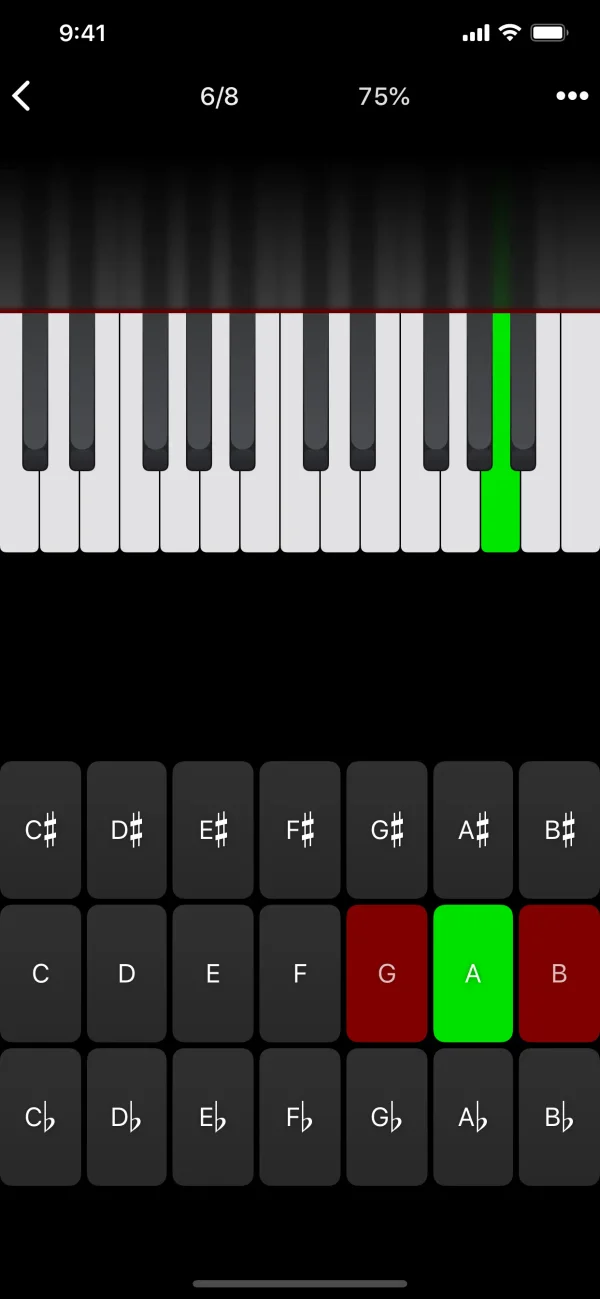
Tap the button corresponding to the highlighted piano key(s). If the C and G keys are highlighted, tap the "P5" (Perfect 5th) button.
––––––
• Fretboard Note Identification
• Fretboard Interval Identification
• Fretboard Scale Identification
• Fretboard Chord Identification
Tap the button corresponding to the marked fretboard position(s). If the 2nd fret of the D string is marked, tap the "E" button.
––––––
• Keyboard Ear Training
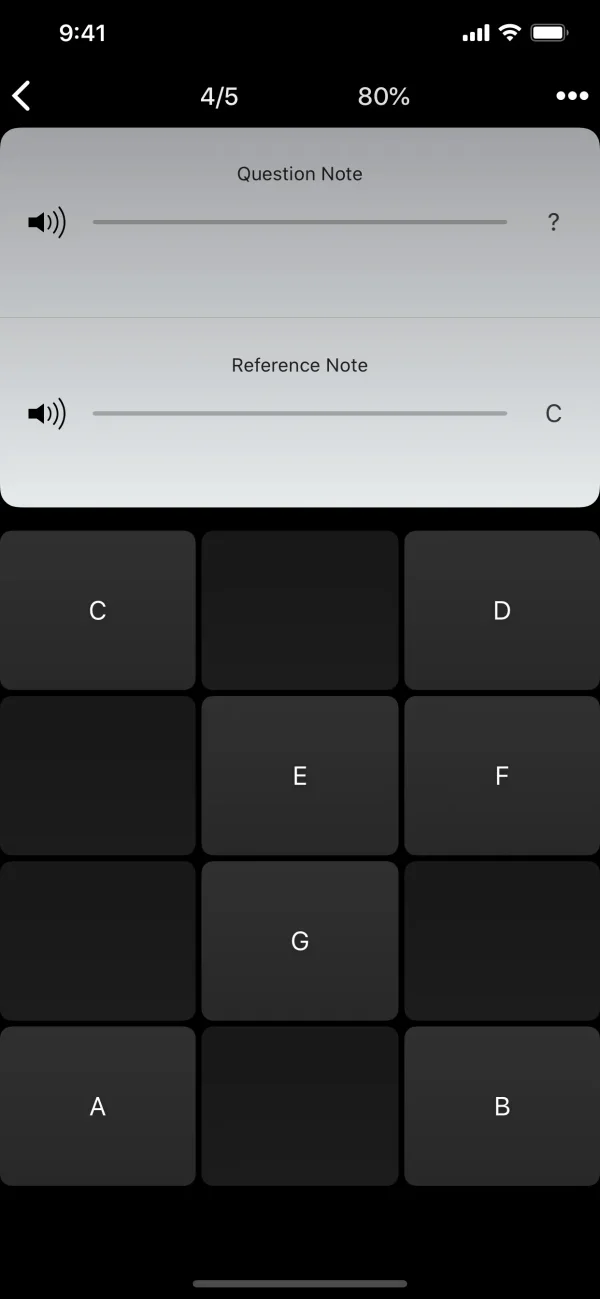
• Note Ear Training
Listen to the played reference and question notes. Select the piano key or note button corresponding to the question note.
• Interval Ear Training
• Scale Ear Training
• Chord Ear Training
Tap the button corresponding to the played notes. If E and F are played, tap the "Minor 2nd" button.
––––––
• Accidental Calculator
Display the accidental for a note and key.
• Interval Calculator
Display the interval for a note, type, and key.
• Chord Calculator
Display the scale for a tonic and scale type.
• Chord Calculator
Display the chord for a note, type, and key.
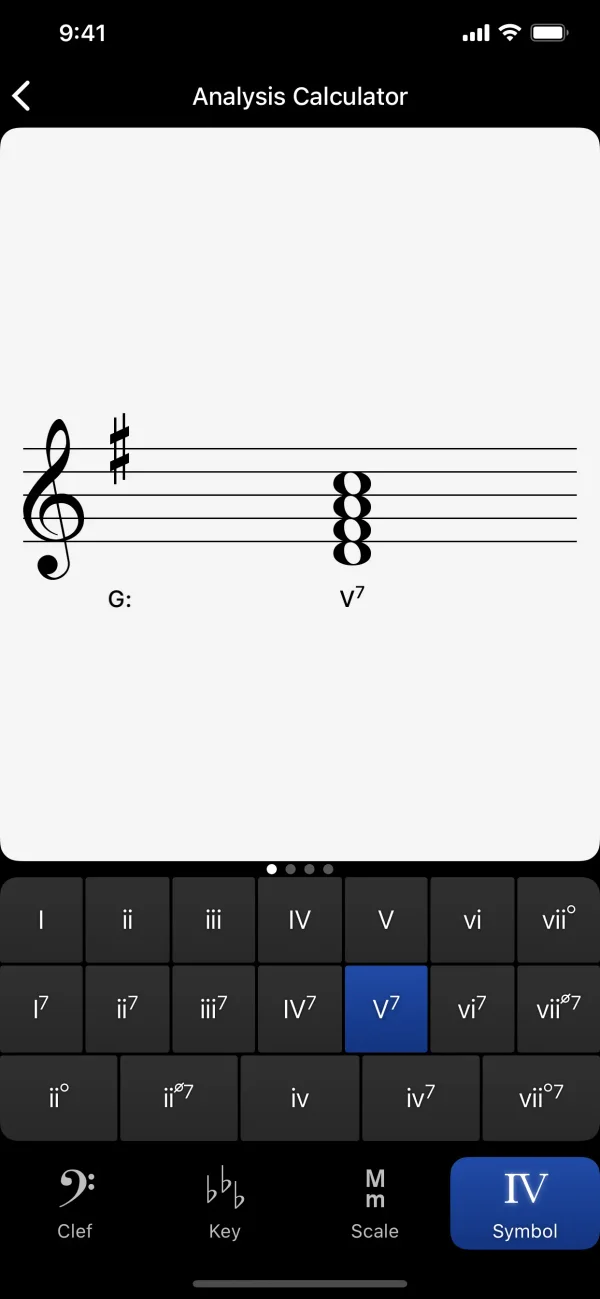
• Analysis Calculator
Display the chord for a symbol and key.
• Matrix Calculator
Display the twelve-tone matrix for a specified tone row.
Yang baru
Versi 5.1 · 28/4/2026
- Updates the app icon used in Dark, Clear, or Tinted modes.
- Fixes several layout and drawing issues when running as a Windowed App.
- Fixes an extremely rare crash when Challenge Mode is enabled.
Privasi aplikasi
Yang dinyatakan musictheory.net di App Store tentang cara aplikasi ini menangani data.
-
Data yang tidak ditautkan dengan Anda
Dapat dikumpulkan, tetapi tidak ditautkan dengan identitas Anda.
- Diagnostik
Praktik privasi dapat bervariasi, misalnya berdasarkan fitur yang Anda gunakan atau usia Anda.
Informasi
- Penjual
- musictheory.net, LLC
- Kategori
- Musik
- Versi
- 5.1
- Diperbarui
- 28/4/2026
- Dirilis
- 30/8/2011
- Ukuran
- 11,2 MB
- Memerlukan
- iOS 15.8 atau yang lebih baru
- Batasan usia
- 4+
- Harga
- Rp 99ribu
- Bahasa
- Inggris
- Hak cipta
- © 2011-2026, musictheory.net, LLC
Mungkin Anda juga suka
-
 Earpeggio - Music Ear TrainingMusik
-
 Functional Ear TrainerMusik
-
 Sight Reading FactoryMusik
-
 iReal ProMusik
-
 EarMaster - Music TheoryMusik
-
 Music Tutor (Sight-reading)Musik
-
 Piano Chords and ScalesBelajar akor, skala, teori
-
 Music Rhythm TrainerMusik
-
 TONALY: Songs, Scales & TheoryMusik
-
 TonalEnergy Tuner & MetronomeMusik