
Video Trimmer: Batch Editor
Merge Clips & Capture Photos
Entwickelt für iPhone, iPad, iPod touch
Kostenlos · In-App-Käufe
- Altersfreigabe4+
- KategorieFoto und Video
- EntwicklerAli Umer
- SprachenEnglisch
- Größe47,6 MB
Verlinkt auf die offizielle App Store-Seite
Download.org hostet keine Datei von Video Trimmer: Batch Editor. Die Schaltfläche öffnet die App-Seite bei App Store, wo Ali Umer die App veröffentlicht. Eintrag zuletzt geprüft am 18.11.2026.
Screenshots
Info
Der Entwickler hat diesen Text nicht in Ihrer Sprache bereitgestellt.
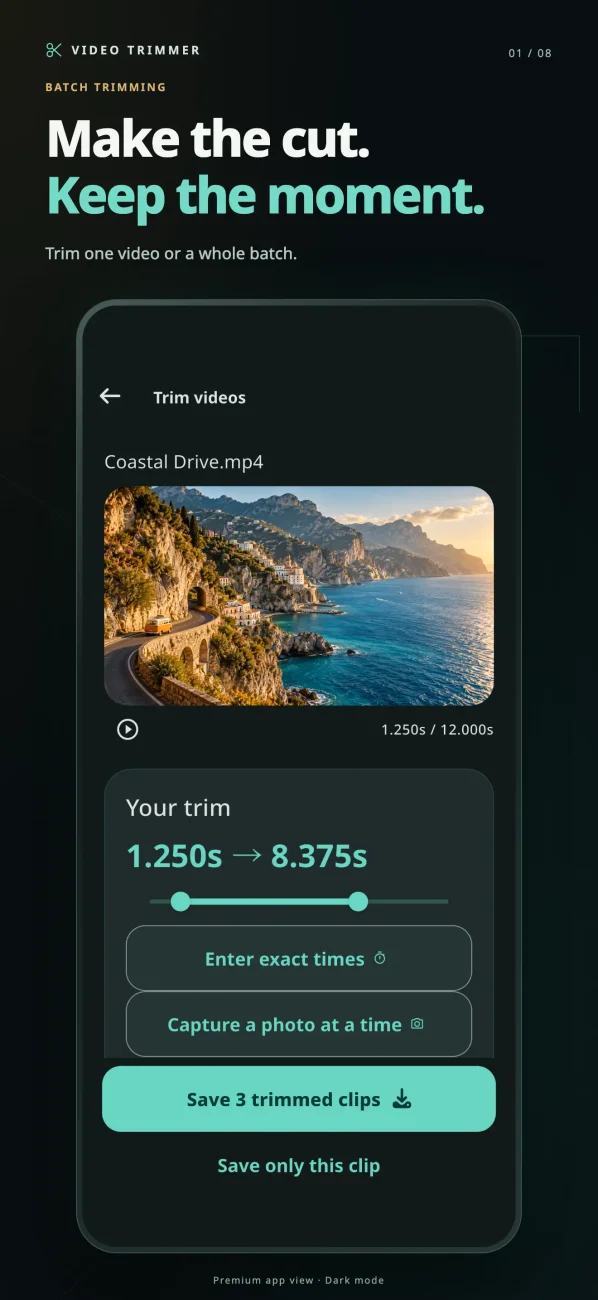
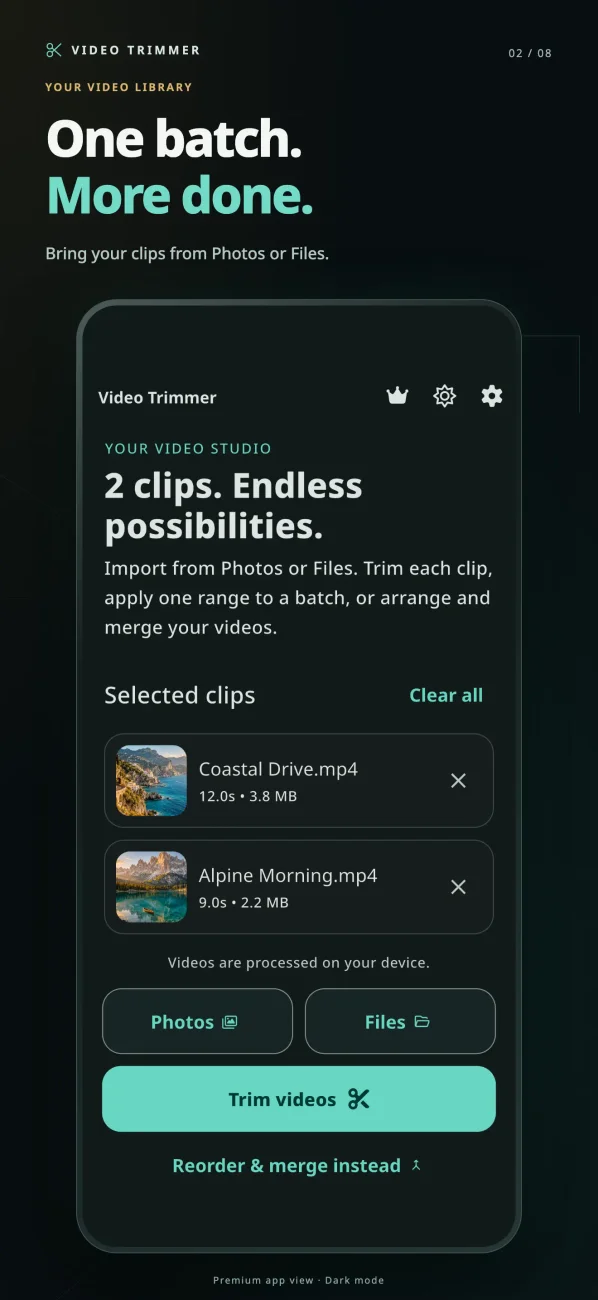
Trim one video or a whole batch, merge clips into one video, and capture photos from your favorite moments. Video Trimmer makes editing straightforward on iPhone and iPad, from import and preview to export and sharing.
TRIM ONE VIDEO OR A BATCH
• Import videos from Photos or Files, including iCloud Drive.
• Choose a different trim for each clip, or apply one range to your batch.
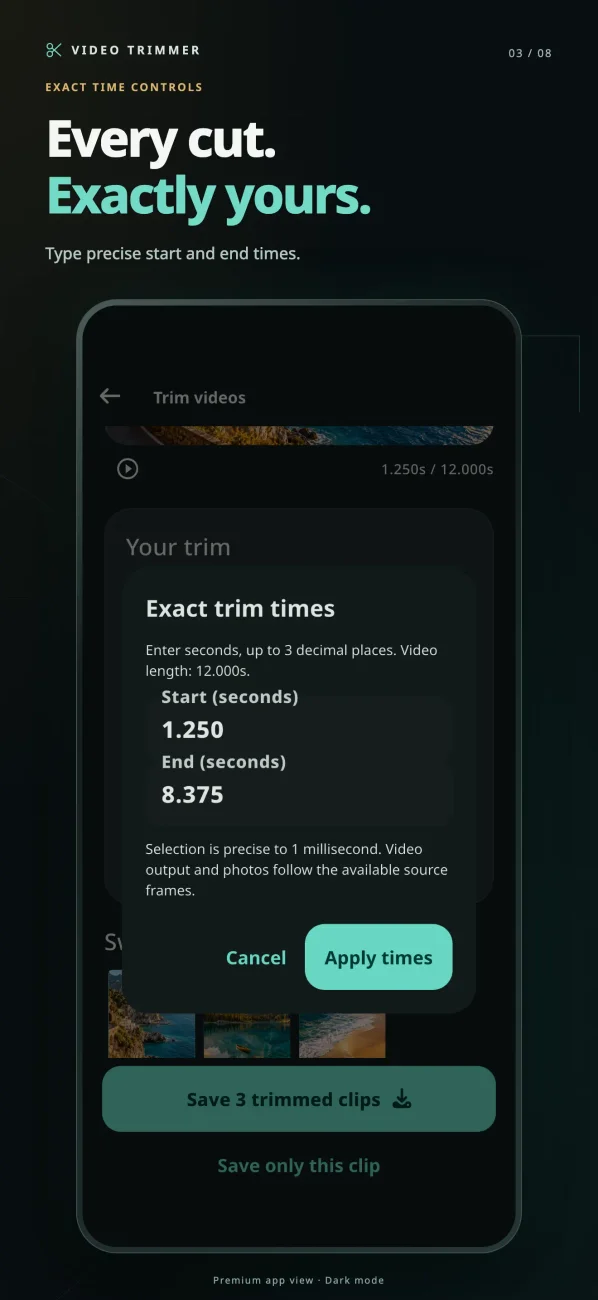
• Enter exact start and end times with millisecond controls.
• Preview your selection before exporting.
• Keep your original videos untouched.
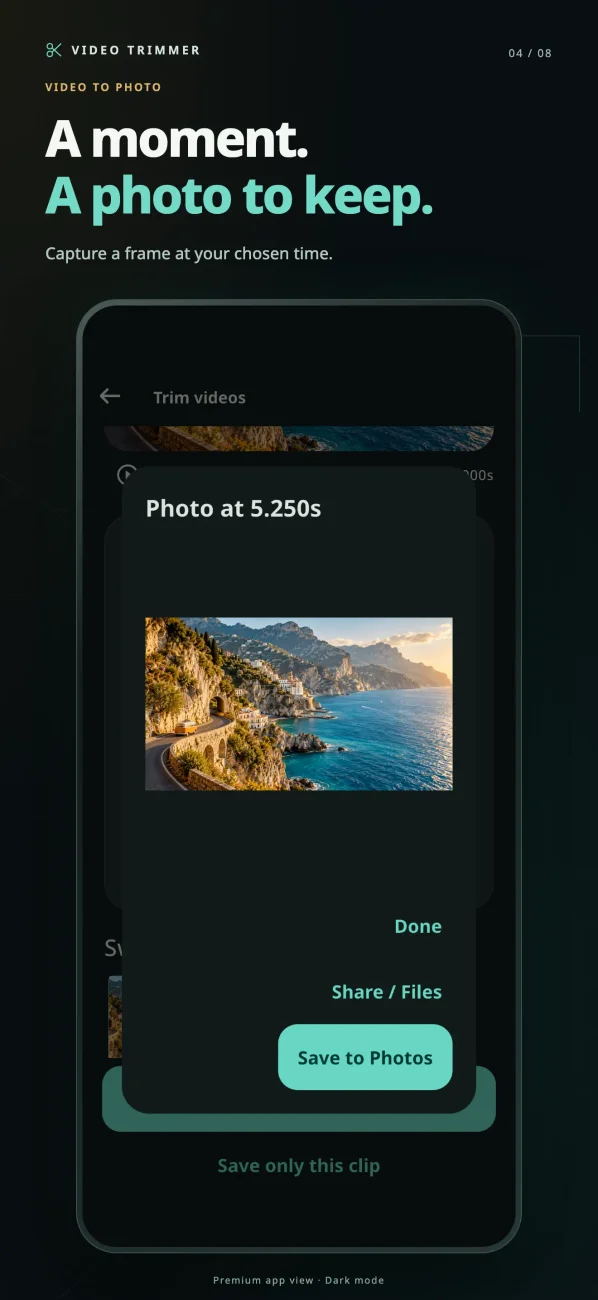
TURN VIDEO MOMENTS INTO PHOTOS
Choose a time in your video, capture a frame, then save the photo to Photos or share it. Ideal for keeping a favorite moment without taking a screenshot of the player.
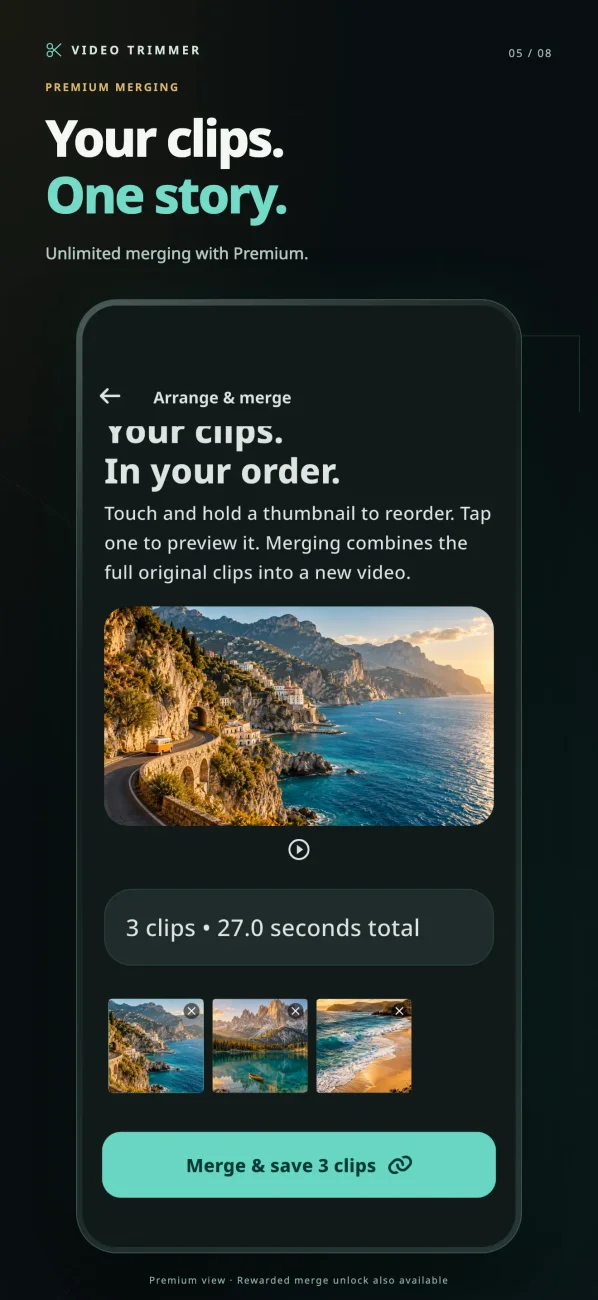
ARRANGE AND MERGE
Reorder your clips and combine them into one video. Premium includes unlimited merging. You can also finish a rewarded video ad to unlock one successful merge during your current app session.
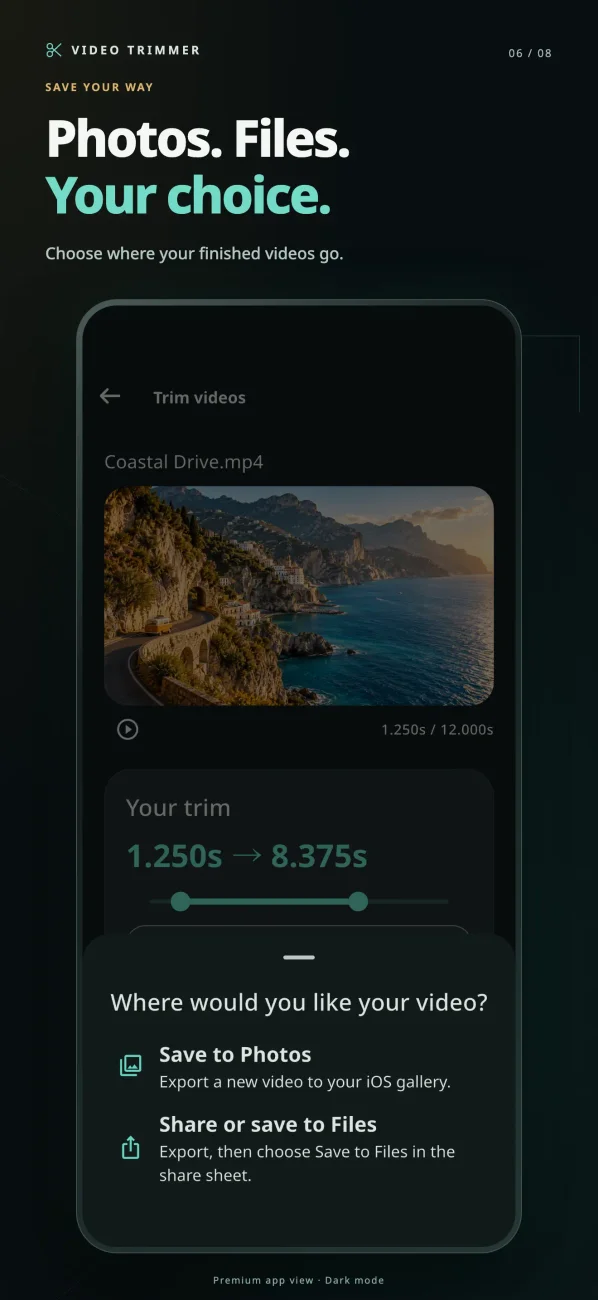
SAVE AND SHARE YOUR WAY
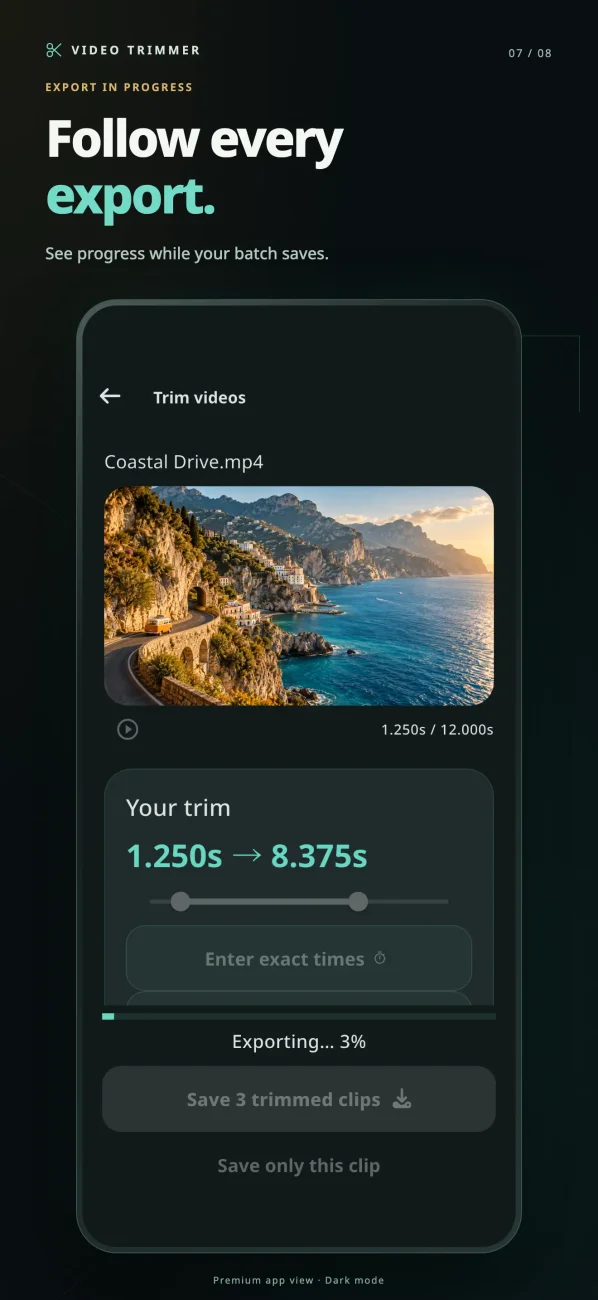
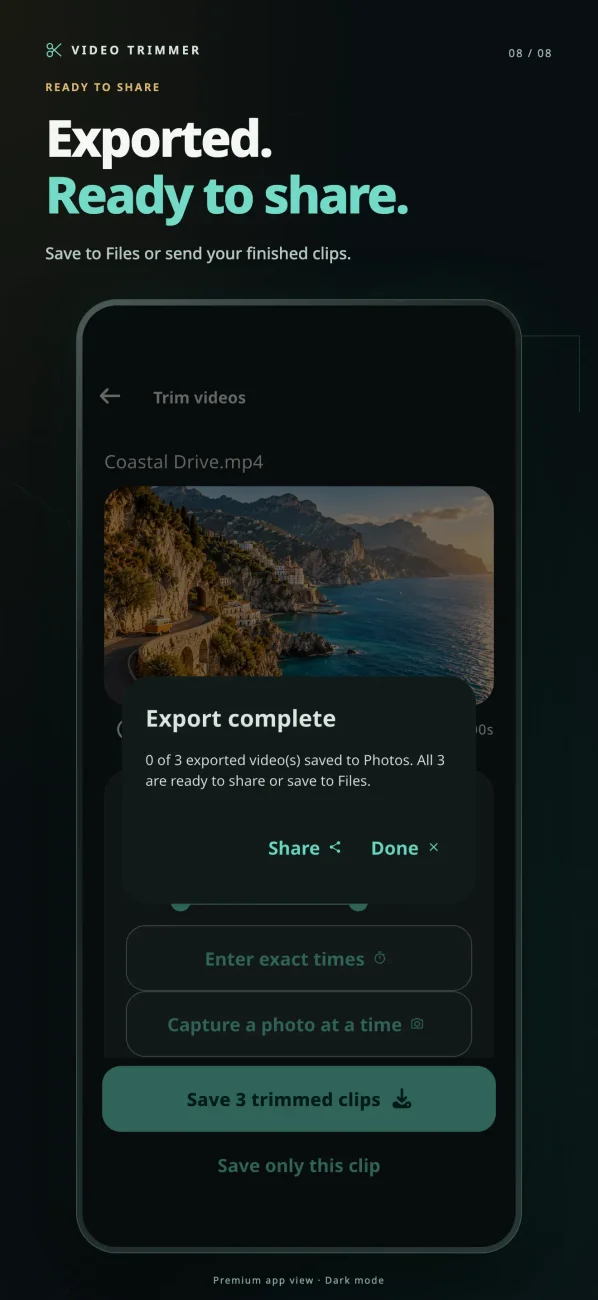
Follow the export progress, save to Photos, or use the share sheet to send your video or save it to Files. Exports have no added watermark.
EDIT ON YOUR DEVICE
Video processing takes place on your device. Enjoy a clear dark or light interface and a guided first edit that shows you the workflow using your own videos.
PREMIUM OPTIONS
Go premium for unlimited merging and an ad-free experience. Subscription and lifetime options are shown in the app where available. Rewarded ads and purchases require an internet connection.
Trim controls accept milliseconds; exported video and captured photos follow the frames available in the source video.
Privacy Policy: https://owlspeak.web.app/privacy
Terms of Use: https://owlspeak.web.app/terms
Neue Funktionen
Version 3.1 · 17.10.2026
• Pause, resume or cancel trimming and merging.
• Keep completed clips when cancelling a batch.
• Trim more precisely and capture photos from your videos.
• Updated dark theme and a refreshed glass scissors icon.
• Improved onboarding, premium options and ad experience.
• Bug fixes, performance improvements and iOS 27 support.
App-Datenschutz
Was Ali Umer im App Store zum Umgang dieser App mit Daten angibt.
-
Daten, die zum Tracking Ihrer Person verwendet werden
Können verwendet werden, um Sie über Apps und Websites anderer Unternehmen hinweg zu verfolgen.
- Sonstige Daten
-
Mit Ihnen verknüpfte Daten
Können erfasst und mit Ihrer Identität verknüpft werden.
- Sonstige Daten
Die Datenschutzpraktiken können variieren, zum Beispiel je nach den von Ihnen verwendeten Funktionen oder Ihrem Alter.
Informationen
- Anbieter
- Ali Umer
- Kategorie
- Foto und Video
- Version
- 3.1
- Aktualisiert
- 17.10.2026
- Veröffentlicht
- 04.05.2025
- Größe
- 47,6 MB
- Erfordert
- iOS 15.0 oder neuer
- Altersfreigabe
- 4+
- Preis
- Kostenlos
- In-App-Käufe
- Ja
- Sprachen
- Englisch
- Copyright
- © 2025 OwlSpeak Inc.
Das könnte Ihnen auch gefallen
-
 Video Trimmer - Cut VideoFoto und Video
-
 Videoeditor ViLineErstelle Videos mit KI-Agenten
-
 VTrimmer - Trim Video EditorFoto und Video
-
 Video Cutter: Video schneidenVideos kürzen, trimmen, teilen
-
 Video Cutter: Trim and MergeFoto und Video
-
 Video - Crop & Trim EditorFoto und Video
-
 Trim & Cut Videos video editorFoto und Video
-
 Video Joiner & TrimmerVideo schneiden, Musik & Text
-
 Video Cut - Video EditorFoto und Video
-
 Video Crop - Resize VideoFoto und Video