
Video Trimmer: Batch Editor
Merge Clips & Capture Photos
Được thiết kế cho iPhone, iPad, iPod touch
Miễn phí · Mua hàng trong ứng dụng
- Độ tuổi4+
- Danh mụcẢnh & Video
- Nhà phát triểnAli Umer
- Ngôn ngữTiếng Anh
- Kích thước47,6 MB
Liên kết đến trang App Store chính thức
Download.org không lưu trữ tệp nào của Video Trimmer: Batch Editor. Nút này mở trang ứng dụng trên App Store, nơi Ali Umer phát hành ứng dụng. Trang được kiểm tra lần cuối: 18/11/2026.
Ảnh chụp màn hình
Giới thiệu
Nhà phát triển chưa cung cấp nội dung này bằng ngôn ngữ của bạn.
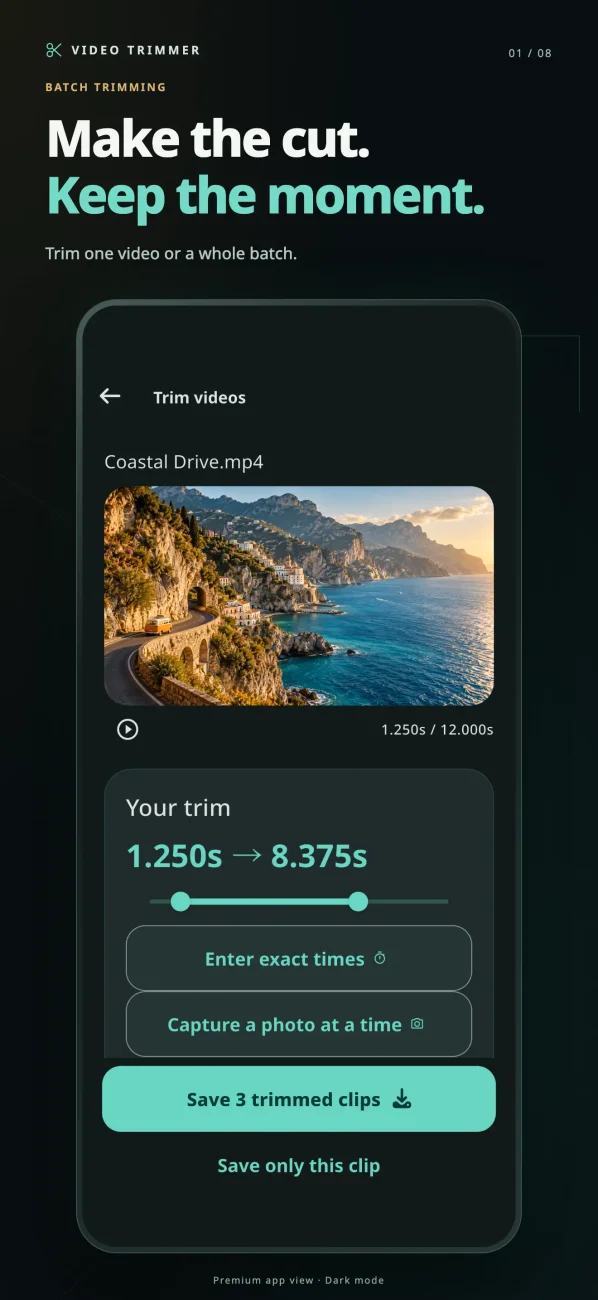
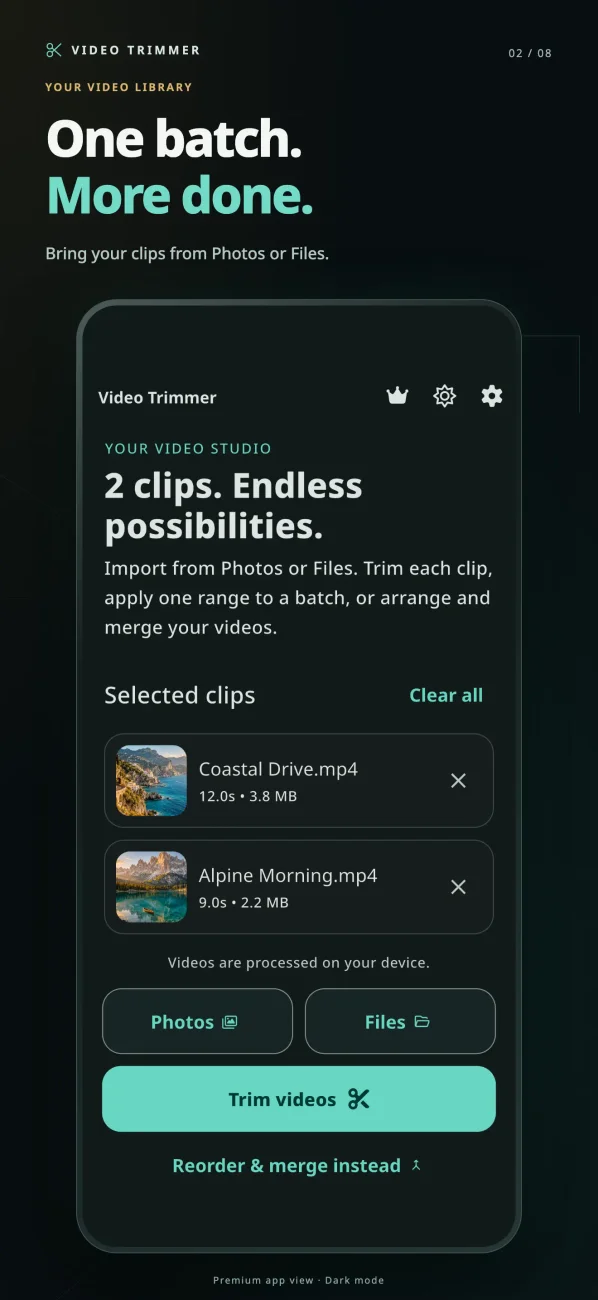
Trim one video or a whole batch, merge clips into one video, and capture photos from your favorite moments. Video Trimmer makes editing straightforward on iPhone and iPad, from import and preview to export and sharing.
TRIM ONE VIDEO OR A BATCH
• Import videos from Photos or Files, including iCloud Drive.
• Choose a different trim for each clip, or apply one range to your batch.
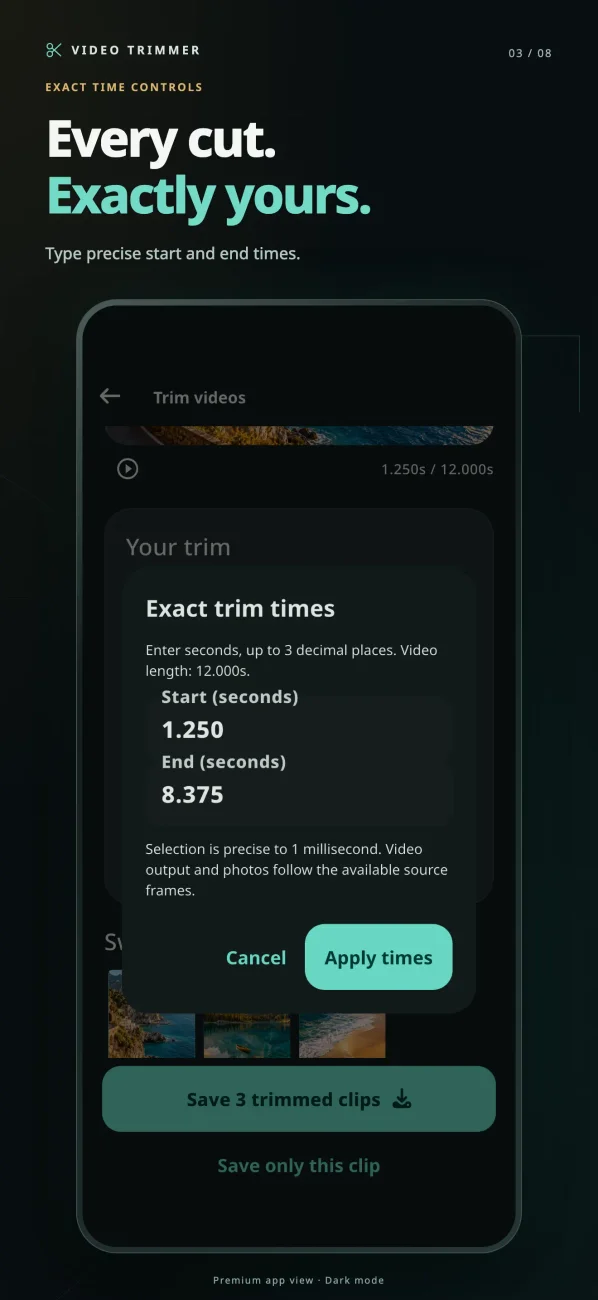
• Enter exact start and end times with millisecond controls.
• Preview your selection before exporting.
• Keep your original videos untouched.
TURN VIDEO MOMENTS INTO PHOTOS
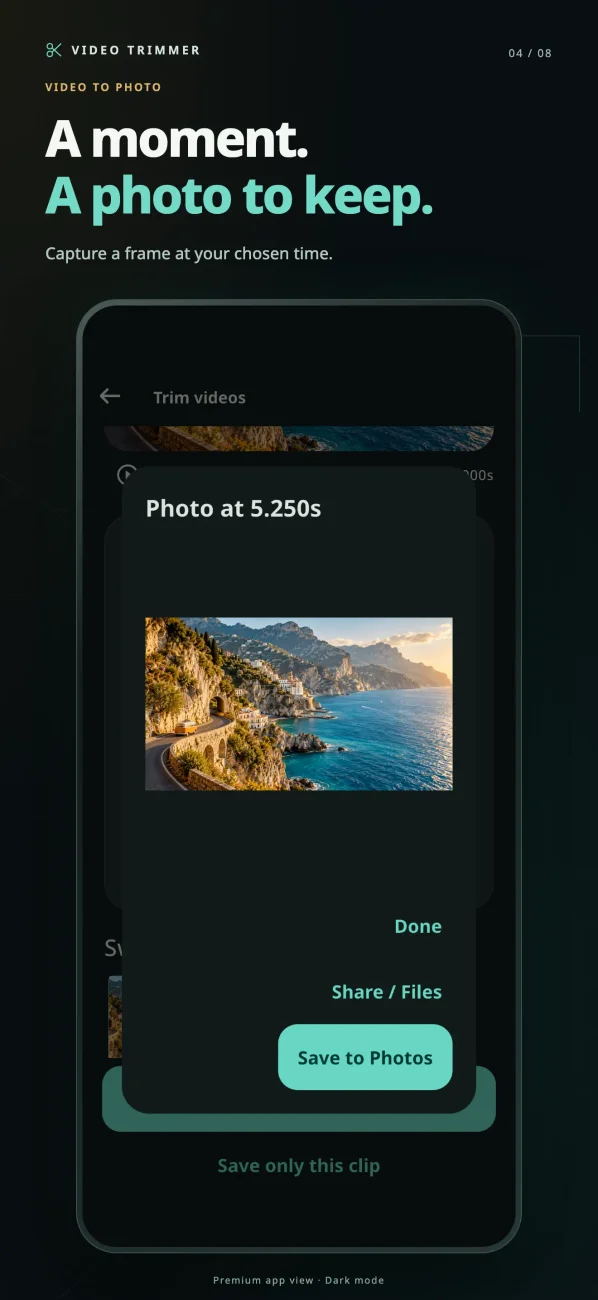
Choose a time in your video, capture a frame, then save the photo to Photos or share it. Ideal for keeping a favorite moment without taking a screenshot of the player.
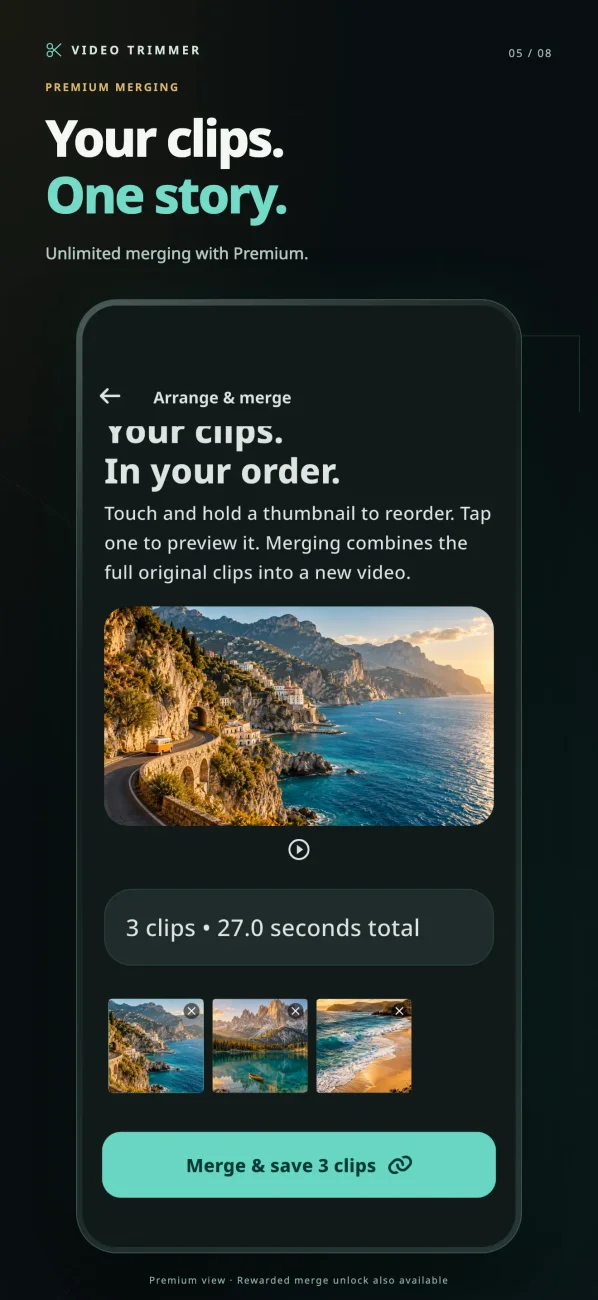
ARRANGE AND MERGE
Reorder your clips and combine them into one video. Premium includes unlimited merging. You can also finish a rewarded video ad to unlock one successful merge during your current app session.
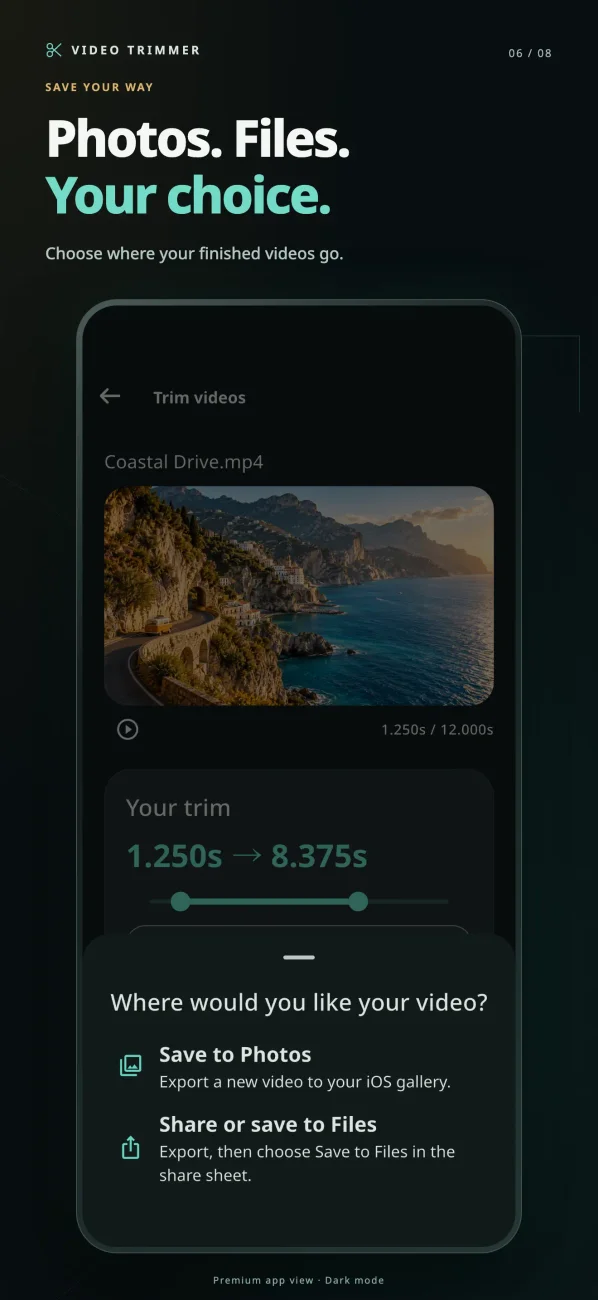
SAVE AND SHARE YOUR WAY
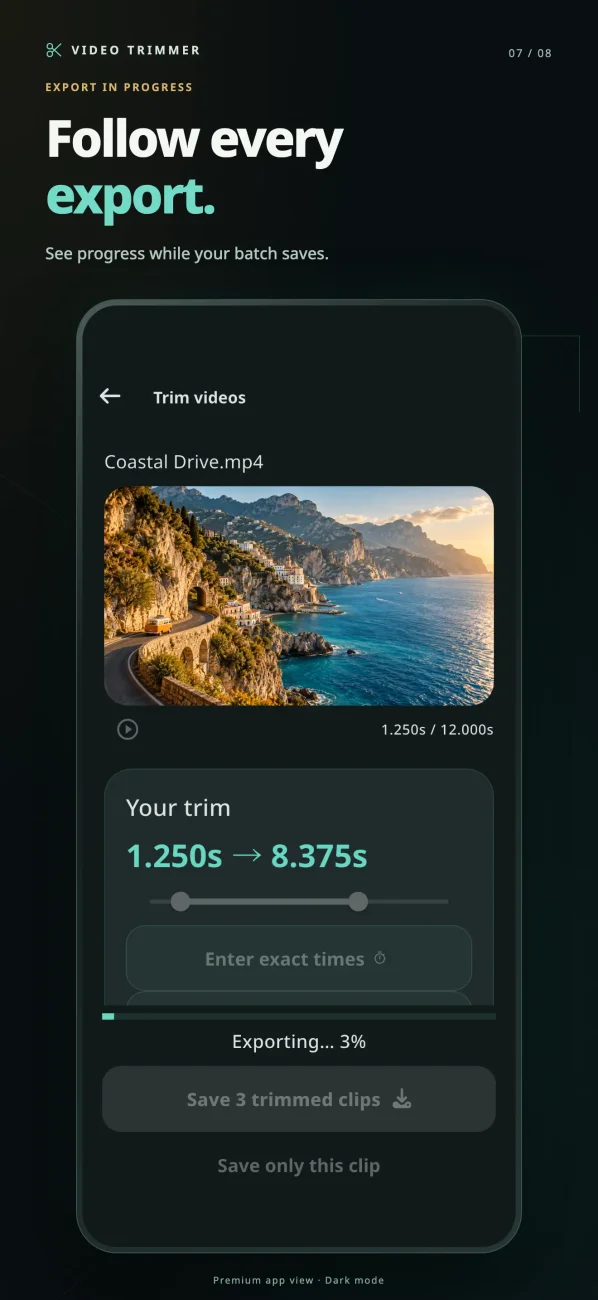
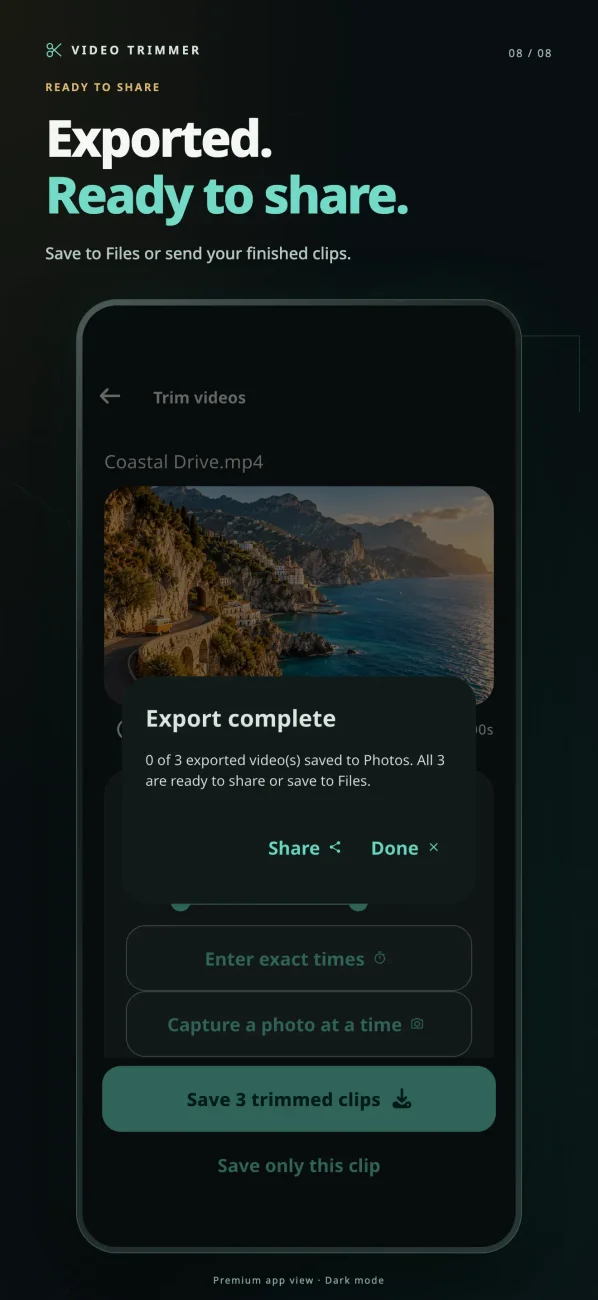
Follow the export progress, save to Photos, or use the share sheet to send your video or save it to Files. Exports have no added watermark.
EDIT ON YOUR DEVICE
Video processing takes place on your device. Enjoy a clear dark or light interface and a guided first edit that shows you the workflow using your own videos.
PREMIUM OPTIONS
Go premium for unlimited merging and an ad-free experience. Subscription and lifetime options are shown in the app where available. Rewarded ads and purchases require an internet connection.
Trim controls accept milliseconds; exported video and captured photos follow the frames available in the source video.
Privacy Policy: https://owlspeak.web.app/privacy
Terms of Use: https://owlspeak.web.app/terms
Có gì mới
Phiên bản 3.1 · 17/10/2026
• Pause, resume or cancel trimming and merging.
• Keep completed clips when cancelling a batch.
• Trim more precisely and capture photos from your videos.
• Updated dark theme and a refreshed glass scissors icon.
• Improved onboarding, premium options and ad experience.
• Bug fixes, performance improvements and iOS 27 support.
Quyền riêng tư của ứng dụng
Những gì Ali Umer khai báo trên App Store về cách ứng dụng này xử lý dữ liệu.
-
Dữ liệu được sử dụng để theo dõi bạn
Có thể được sử dụng để theo dõi bạn trên các ứng dụng và trang web do công ty khác sở hữu.
- Dữ liệu khác
-
Dữ liệu liên kết với bạn
Có thể được thu thập và liên kết với danh tính của bạn.
- Dữ liệu khác
Phương thức đảm bảo quyền riêng tư có thể khác nhau, chẳng hạn như tuỳ theo các tính năng bạn sử dụng hoặc độ tuổi của bạn.
Thông tin
- Người bán
- Ali Umer
- Danh mục
- Ảnh & Video
- Phiên bản
- 3.1
- Cập nhật
- 17/10/2026
- Phát hành
- 04/05/2025
- Kích thước
- 47,6 MB
- Yêu cầu
- iOS 15.0 trở lên
- Độ tuổi
- 4+
- Giá
- Miễn phí
- Mua hàng trong ứng dụng
- Có
- Ngôn ngữ
- Tiếng Anh
- Bản quyền
- © 2025 OwlSpeak Inc.
Có thể bạn cũng thích
-
 Cắt Video - Ghép VideoChỉnh sửa video dễ dàng
-
 Video Editor ViLineẢnh & Video
-
 VTrimmer - Trim Video EditorẢnh & Video
-
 Video Cutter: Cắt VideoCắt tỉa, cắt bỏ và tách clip
-
 Video Cutter: Trim and MergeẢnh & Video
-
 Video - Crop & Trim EditorẢnh & Video
-
 Trim & Cut Videos video editorẢnh & Video
-
 Video Joiner & TrimmerẢnh & Video
-
 Video Cut - Video EditorẢnh & Video
-
 Video Crop - Resize VideoẢnh & Video