
Video Trimmer: Batch Editor
Merge Clips & Capture Photos
iPhone, iPad, iPod touch için tasarlandı
Ücretsiz · Uygulama içi satın alma
- Yaş sınırı4+
- KategoriFotoğraf ve Video
- GeliştiriciAli Umer
- Dillerİngilizce
- Boyut47,6 MB
Resmi App Store sayfasına bağlanır
Download.org, Video Trimmer: Batch Editor için hiçbir dosya barındırmaz. Düğme, uygulamanın App Store üzerindeki sayfasını açar; uygulamayı orada Ali Umer yayınlar. Sayfanın son kontrolü: 18.11.2026.
Ekran görüntüleri
Hakkında
Geliştirici bu metni dilinizde sunmamış.
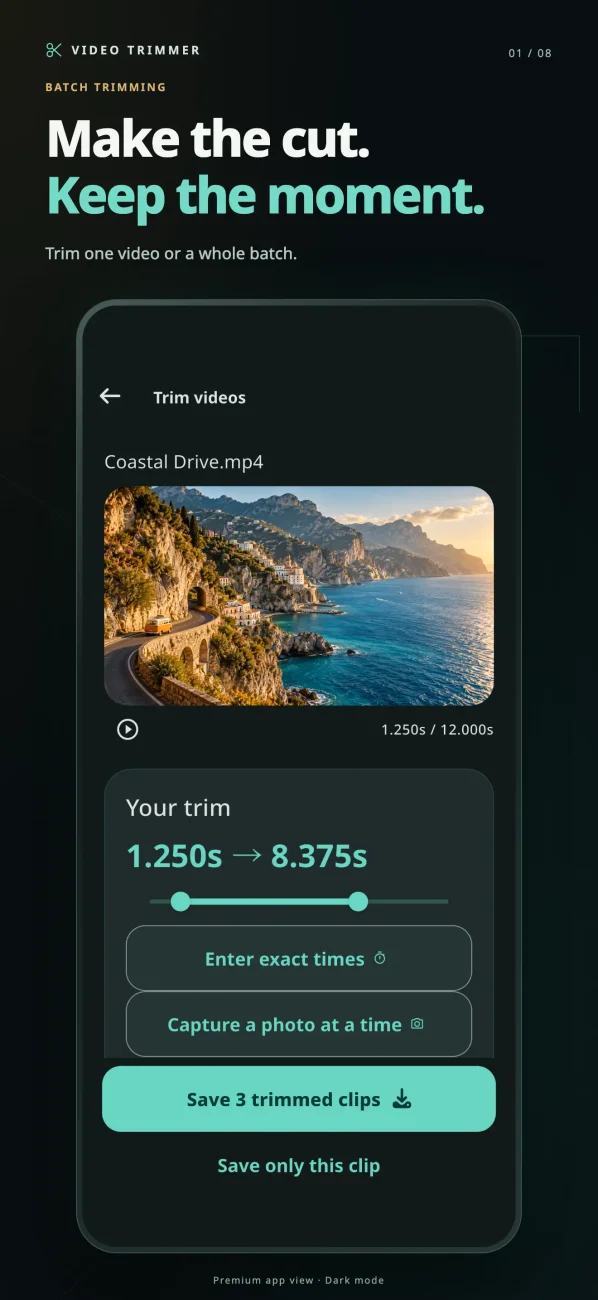
Trim one video or a whole batch, merge clips into one video, and capture photos from your favorite moments. Video Trimmer makes editing straightforward on iPhone and iPad, from import and preview to export and sharing.
TRIM ONE VIDEO OR A BATCH
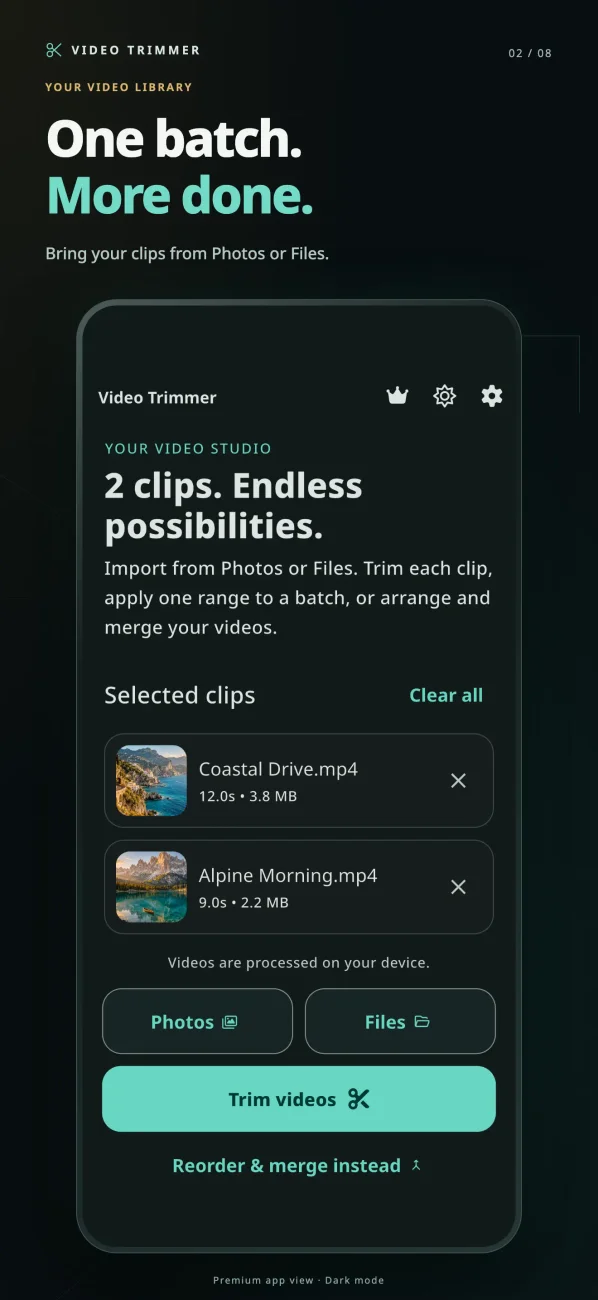
• Import videos from Photos or Files, including iCloud Drive.
• Choose a different trim for each clip, or apply one range to your batch.
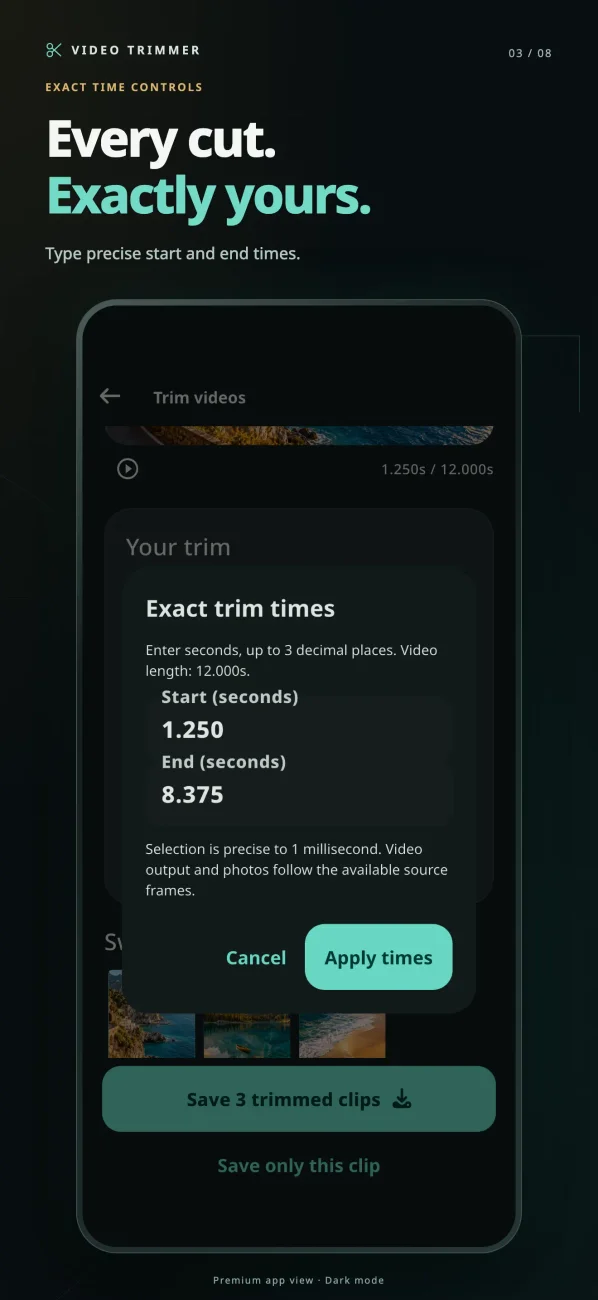
• Enter exact start and end times with millisecond controls.
• Preview your selection before exporting.
• Keep your original videos untouched.
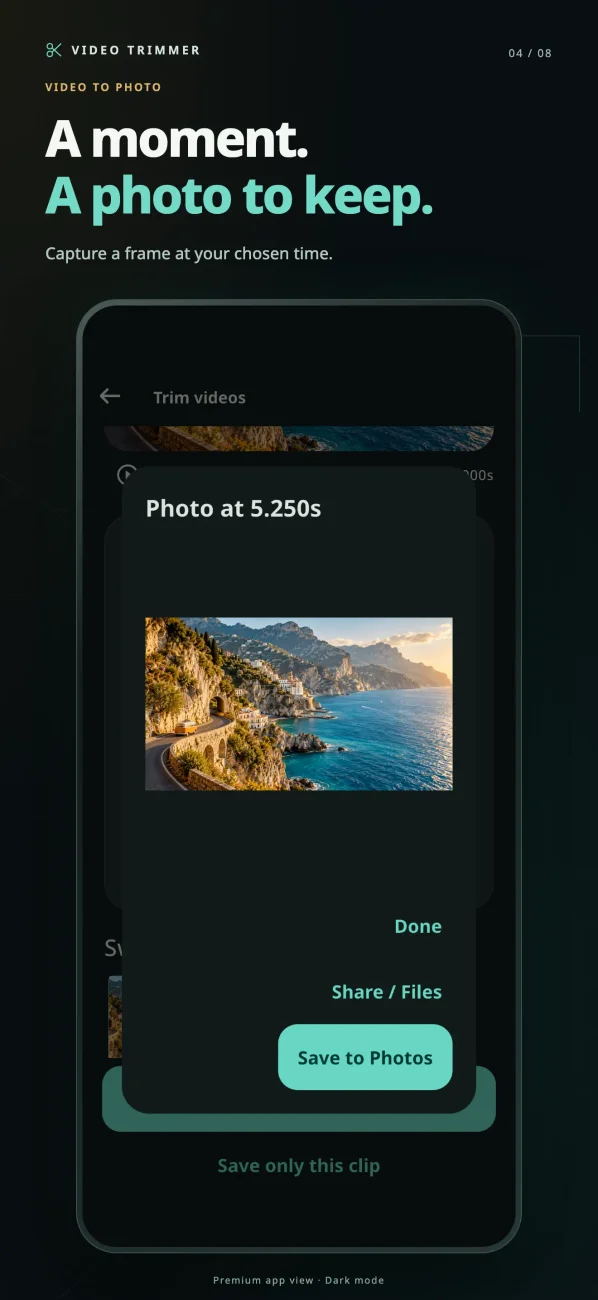
TURN VIDEO MOMENTS INTO PHOTOS
Choose a time in your video, capture a frame, then save the photo to Photos or share it. Ideal for keeping a favorite moment without taking a screenshot of the player.
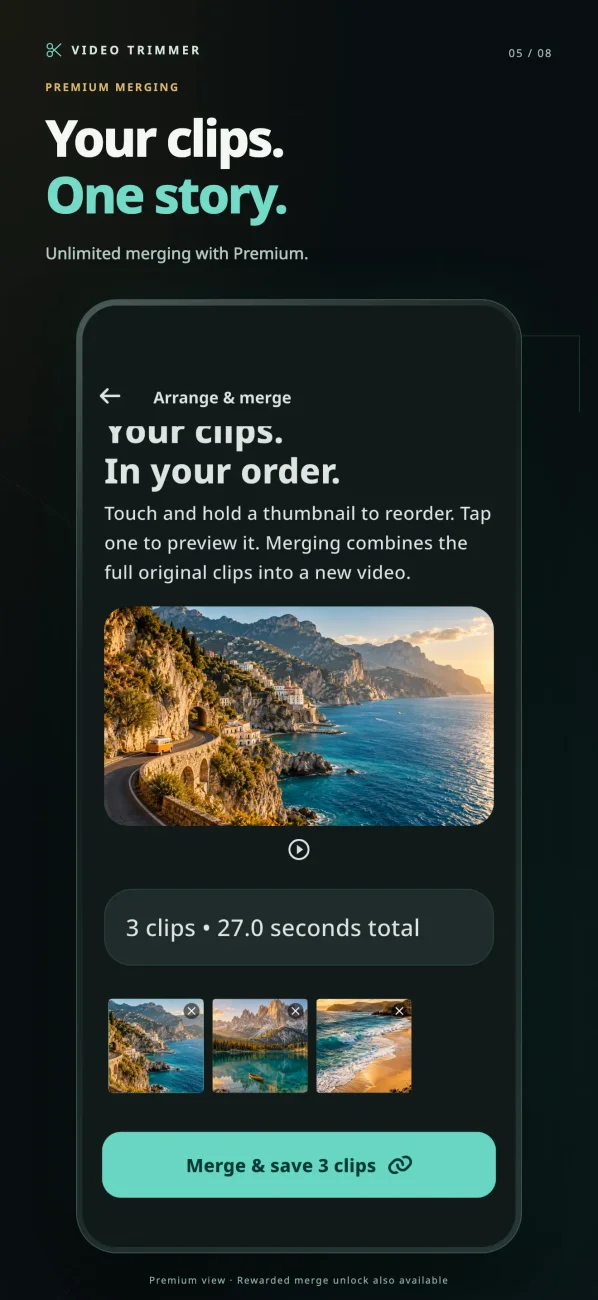
ARRANGE AND MERGE
Reorder your clips and combine them into one video. Premium includes unlimited merging. You can also finish a rewarded video ad to unlock one successful merge during your current app session.
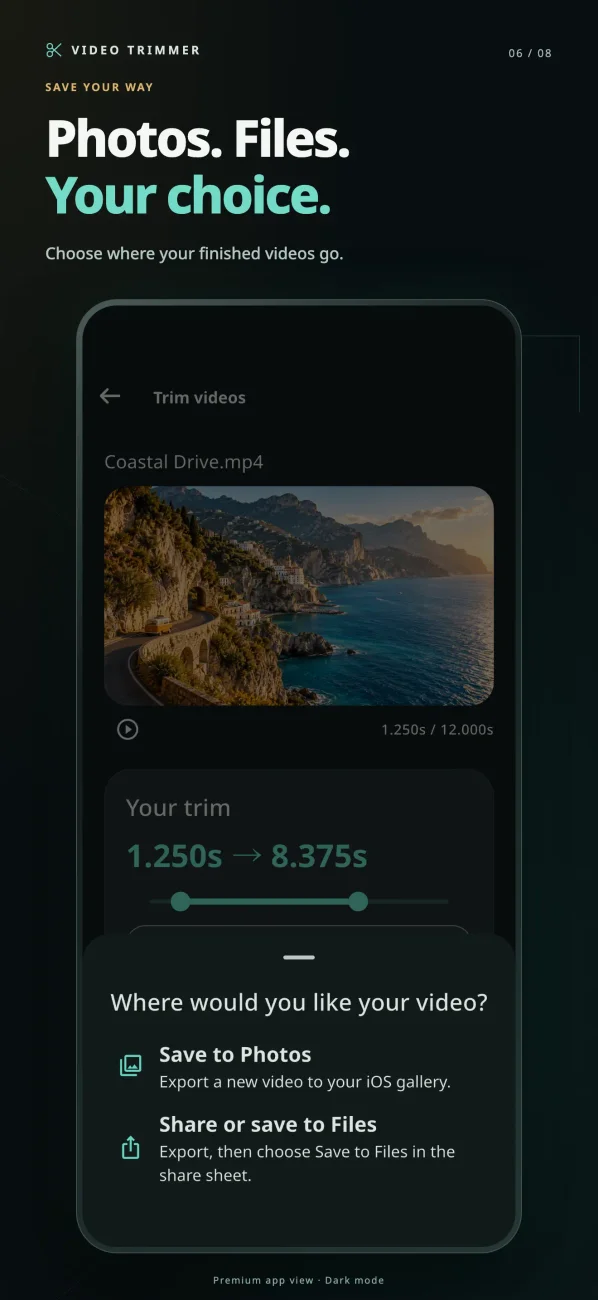
SAVE AND SHARE YOUR WAY
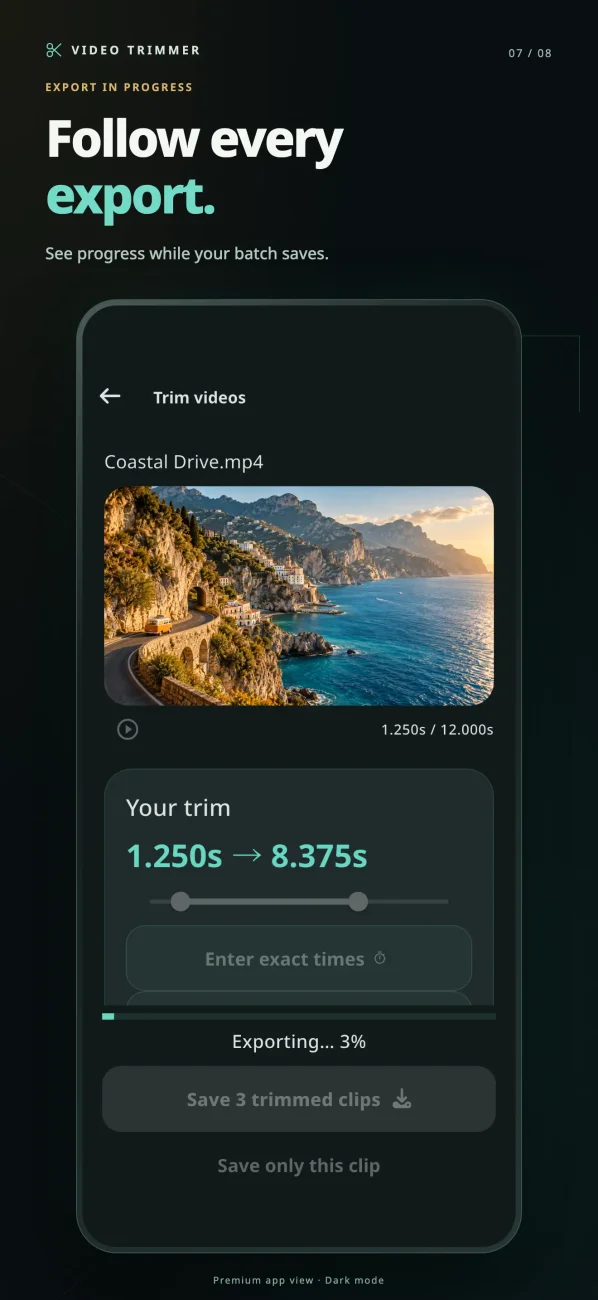
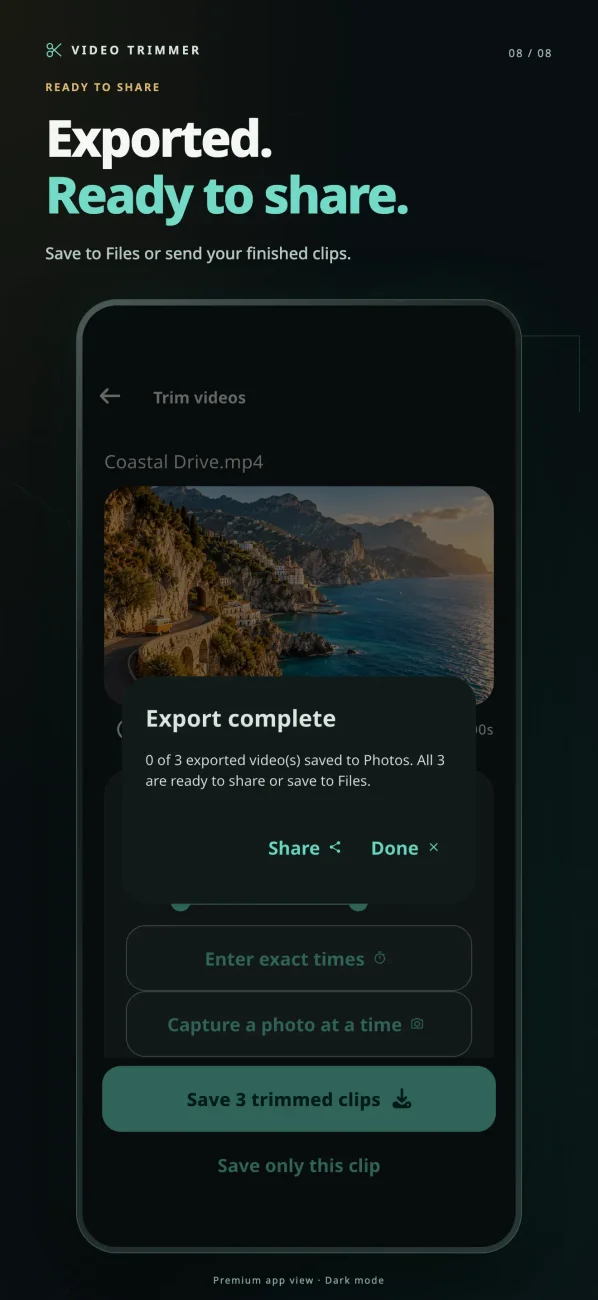
Follow the export progress, save to Photos, or use the share sheet to send your video or save it to Files. Exports have no added watermark.
EDIT ON YOUR DEVICE
Video processing takes place on your device. Enjoy a clear dark or light interface and a guided first edit that shows you the workflow using your own videos.
PREMIUM OPTIONS
Go premium for unlimited merging and an ad-free experience. Subscription and lifetime options are shown in the app where available. Rewarded ads and purchases require an internet connection.
Trim controls accept milliseconds; exported video and captured photos follow the frames available in the source video.
Privacy Policy: https://owlspeak.web.app/privacy
Terms of Use: https://owlspeak.web.app/terms
Yenilikler
Sürüm 3.1 · 17.10.2026
• Pause, resume or cancel trimming and merging.
• Keep completed clips when cancelling a batch.
• Trim more precisely and capture photos from your videos.
• Updated dark theme and a refreshed glass scissors icon.
• Improved onboarding, premium options and ad experience.
• Bug fixes, performance improvements and iOS 27 support.
Uygulama gizliliği
Bu uygulamanın verileri nasıl işlediği hakkında Ali Umer tarafından App Store üzerinde yapılan beyan.
-
Sizi izlemek için kullanılan veriler
Başka şirketlere ait uygulamalarda ve web sitelerinde sizi izlemek için kullanılabilir.
- Diğer veriler
-
Sizinle ilişkilendirilen veriler
Toplanabilir ve kimliğinizle ilişkilendirilebilir.
- Diğer veriler
Gizlilik uygulamaları, örneğin kullandığınız özelliklere veya yaşınıza göre değişiklik gösterebilir.
Bilgiler
- Satıcı
- Ali Umer
- Kategori
- Fotoğraf ve Video
- Sürüm
- 3.1
- Güncellendi
- 17.10.2026
- Yayın tarihi
- 04.05.2025
- Boyut
- 47,6 MB
- Gereksinim
- iOS 15.0 veya sonrası
- Yaş sınırı
- 4+
- Fiyat
- Ücretsiz
- Uygulama içi satın alma
- Evet
- Diller
- İngilizce
- Telif hakkı
- © 2025 OwlSpeak Inc.
Bunları da beğenebilirsiniz
-
 Video Trimmer - Cut VideoFotoğraf ve Video
-
 Video Düzenleyici ViLineAI Ajanlarıyla Video Yap
-
 VTrimmer - Trim Video EditorFotoğraf ve Video
-
 Video Cutter: Video KesmeVideoyu kırp, kes ve böl
-
 Video Cutter: Trim and MergeFotoğraf ve Video
-
 Video - Crop & Trim EditorFotoğraf ve Video
-
 Trim & Cut Videos video editorFotoğraf ve Video
-
 Video Joiner & TrimmerFotoğraf ve Video
-
 Video Cut - Video EditorFotoğraf ve Video
-
 Video Crop - Resize VideoFotoğraf ve Video