
Video Trimmer: Batch Editor
Merge Clips & Capture Photos
iPhone, iPad, iPod touch向けに設計
無料 · アプリ内課金
- 対象年齢4+
- カテゴリ写真/ビデオ
- 開発元Ali Umer
- 言語英語
- サイズ47.6 MB
App Storeの公式ページにリンクしています
Download.orgはVideo Trimmer: Batch Editorのファイルを一切ホストしていません。ボタンを押すと、Ali Umerが公開しているApp Storeのアプリページが開きます。ページの最終確認:2026/11/18。
スクリーンショット
概要
開発元はこのテキストをお使いの言語で提供していません。
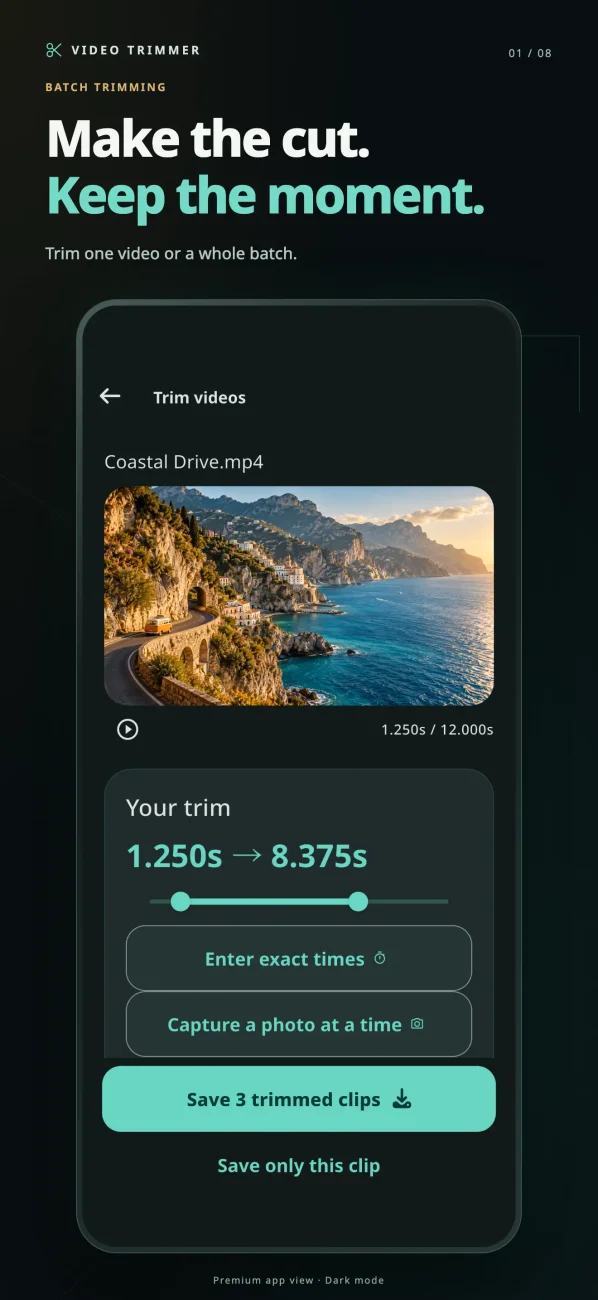
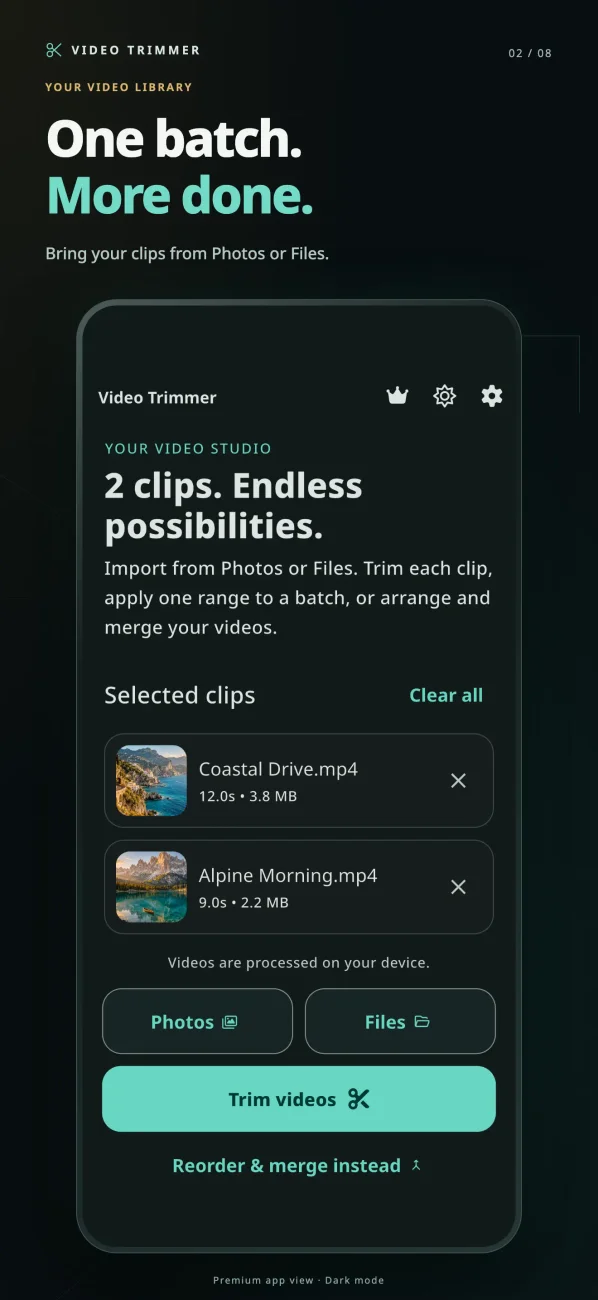
Trim one video or a whole batch, merge clips into one video, and capture photos from your favorite moments. Video Trimmer makes editing straightforward on iPhone and iPad, from import and preview to export and sharing.
TRIM ONE VIDEO OR A BATCH
• Import videos from Photos or Files, including iCloud Drive.
• Choose a different trim for each clip, or apply one range to your batch.
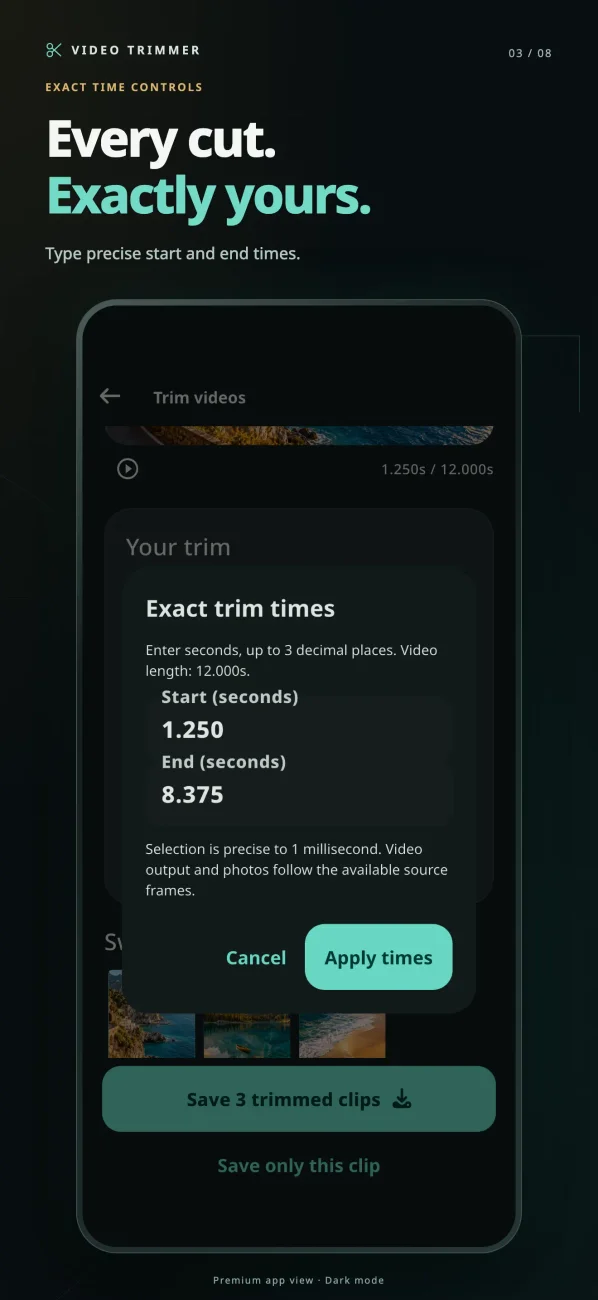
• Enter exact start and end times with millisecond controls.
• Preview your selection before exporting.
• Keep your original videos untouched.
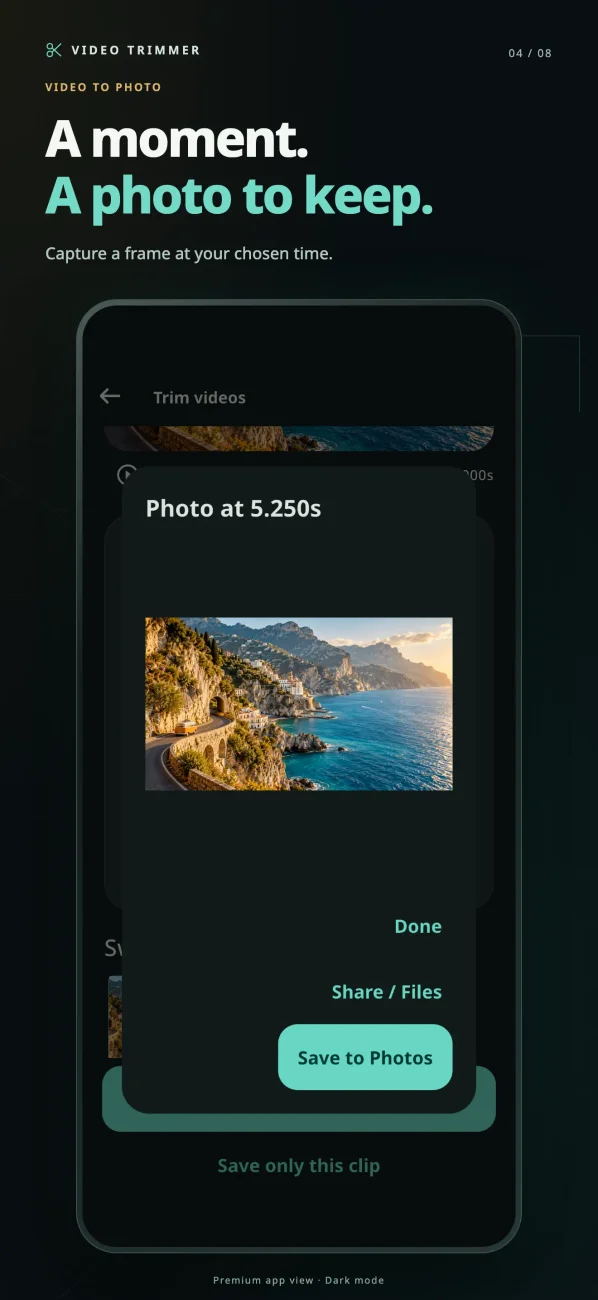
TURN VIDEO MOMENTS INTO PHOTOS
Choose a time in your video, capture a frame, then save the photo to Photos or share it. Ideal for keeping a favorite moment without taking a screenshot of the player.
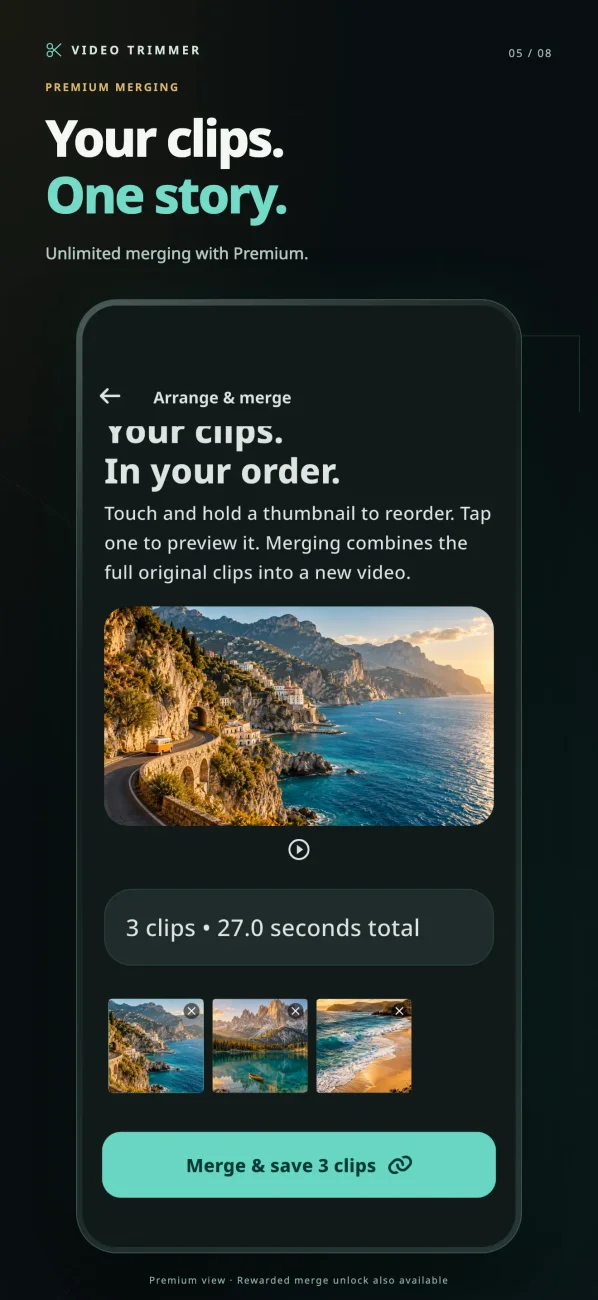
ARRANGE AND MERGE
Reorder your clips and combine them into one video. Premium includes unlimited merging. You can also finish a rewarded video ad to unlock one successful merge during your current app session.
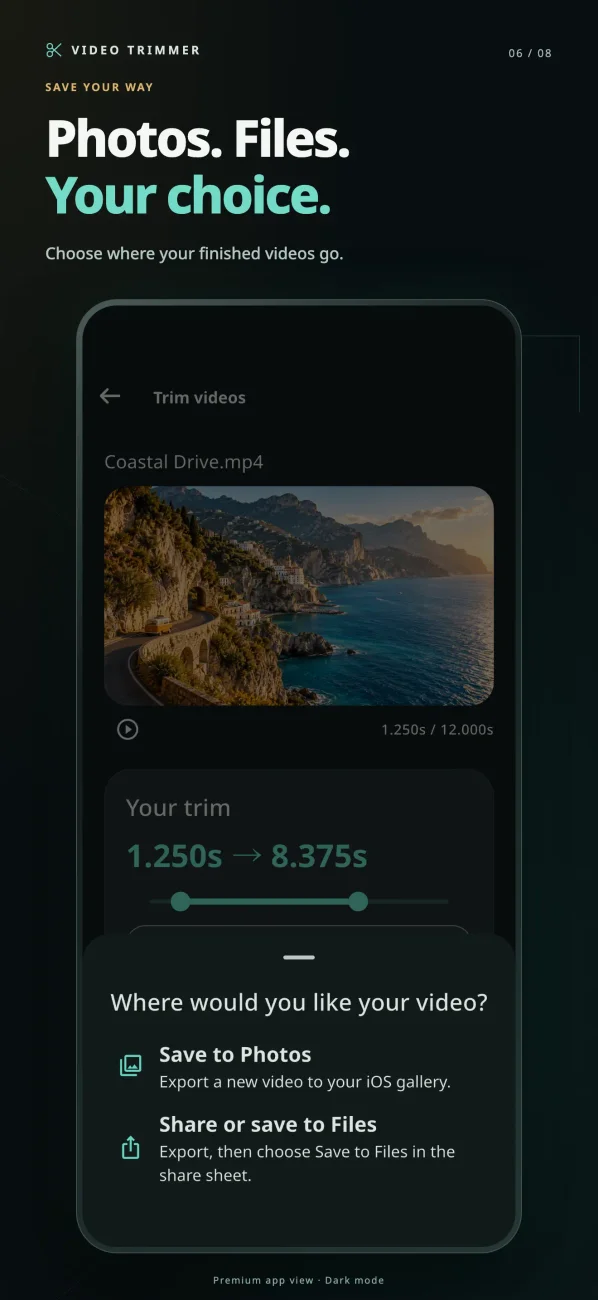
SAVE AND SHARE YOUR WAY
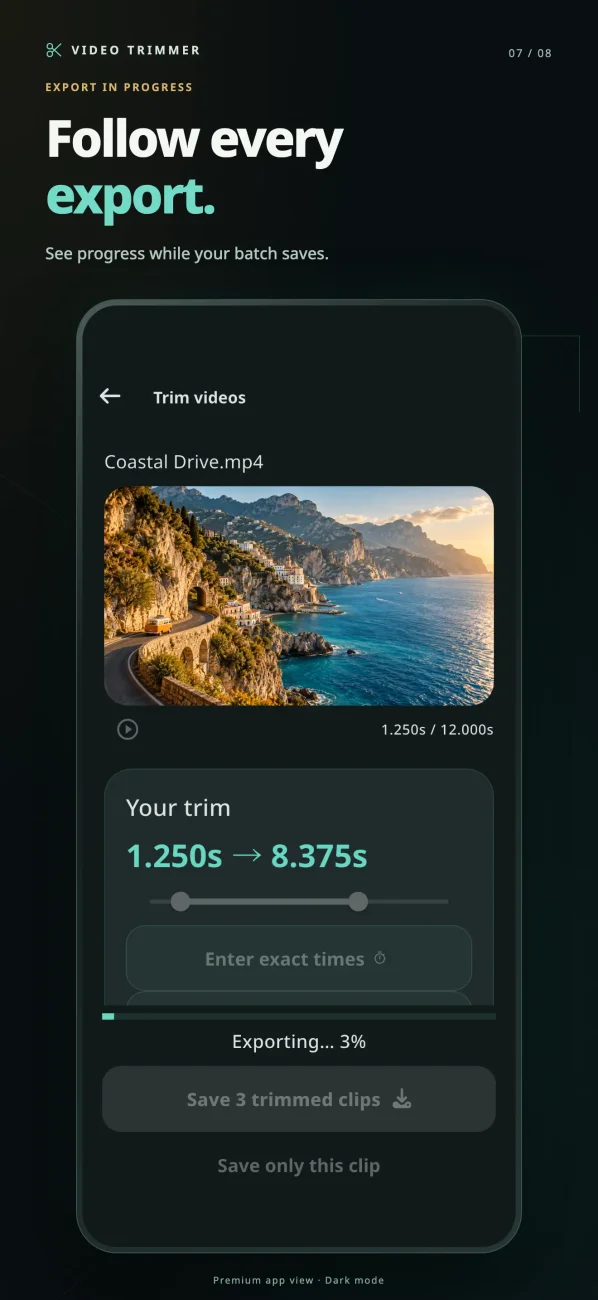
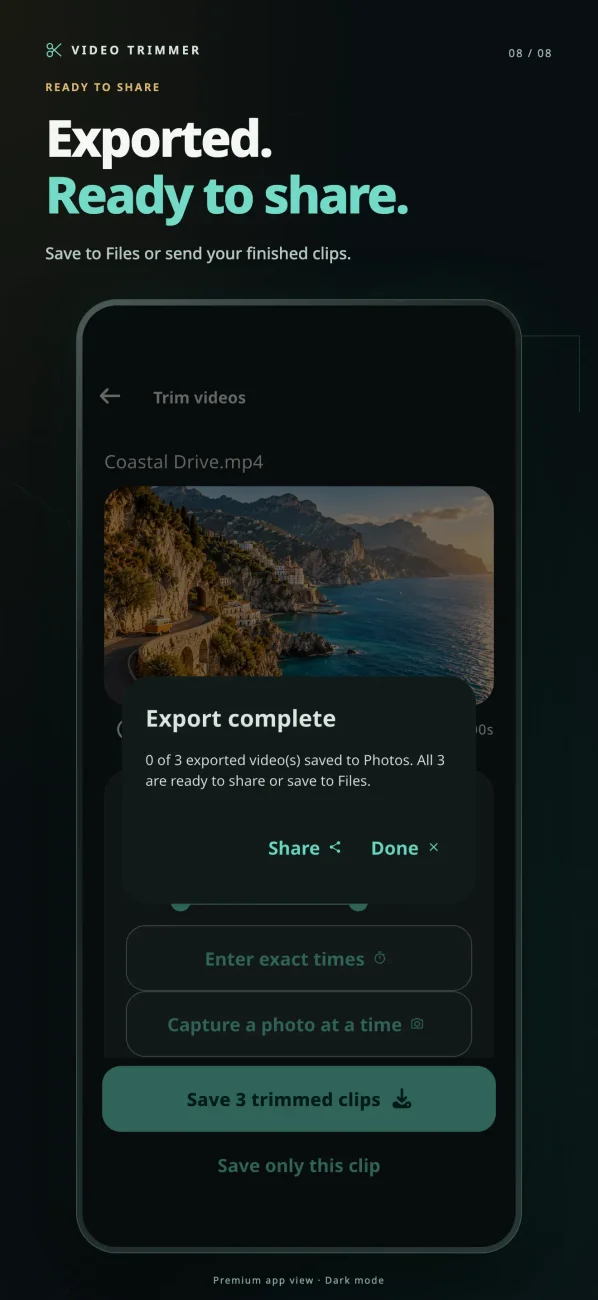
Follow the export progress, save to Photos, or use the share sheet to send your video or save it to Files. Exports have no added watermark.
EDIT ON YOUR DEVICE
Video processing takes place on your device. Enjoy a clear dark or light interface and a guided first edit that shows you the workflow using your own videos.
PREMIUM OPTIONS
Go premium for unlimited merging and an ad-free experience. Subscription and lifetime options are shown in the app where available. Rewarded ads and purchases require an internet connection.
Trim controls accept milliseconds; exported video and captured photos follow the frames available in the source video.
Privacy Policy: https://owlspeak.web.app/privacy
Terms of Use: https://owlspeak.web.app/terms
新機能
バージョン 3.1 · 2026/10/17
• Pause, resume or cancel trimming and merging.
• Keep completed clips when cancelling a batch.
• Trim more precisely and capture photos from your videos.
• Updated dark theme and a refreshed glass scissors icon.
• Improved onboarding, premium options and ad experience.
• Bug fixes, performance improvements and iOS 27 support.
アプリのプライバシー
このアプリのデータの取り扱いについて、Ali UmerがApp Storeで申告している内容です。
-
ユーザーのトラッキングに使用されるデータ
他社のアプリやウェブサイトを横断してユーザーをトラッキングする目的で使用される場合があります。
- その他のデータ
-
ユーザーに関連付けられたデータ
収集され、ユーザーの識別情報に関連付けられる場合があります。
- その他のデータ
プライバシーの取り扱いは、ご利用の機能やお客様の年齢などに応じて異なる場合があります。
情報
- 販売元
- Ali Umer
- カテゴリ
- 写真/ビデオ
- バージョン
- 3.1
- 更新日
- 2026/10/17
- リリース
- 2025/5/4
- サイズ
- 47.6 MB
- 必要条件
- iOS 15.0以降
- 対象年齢
- 4+
- 価格
- 無料
- アプリ内課金
- あり
- 言語
- 英語
- 著作権
- © 2025 OwlSpeak Inc.
こちらもおすすめ
-
 動画トリマー - 動画カット動画を簡単に編集・結合
-
 動画編集 ViLineAIエージェントで動画作成
-
 VTrimmer - 正確な時間で動画の切り取りができる動画やビデオをトリミングして保存できる
-
 Video Cutter: 動画カット・分割動画をトリム・分割して保存
-
 Video Cutter: Trim and Merge写真/ビデオ
-
 動画切り抜き & トリミング - 動画の切り取り・カット動画の編集・カット・トリミング・フィルタ加工を手軽に行えます
-
 Trim & Cut Videos video editor写真/ビデオ
-
 Video Joiner & Trimmer動画結合・動画カット・アフレコ・字幕・画中画
-
 Video Cut - Video Editor写真/ビデオ
-
 Video Crop - Resize Video写真/ビデオ