iPrompter Studio by StatsKey
Read, Record, Publish
Diseñada para iPhone, iPad
Gratis
- Clasificación por edad4+
- CategoríaFoto y vídeo
- DesarrolladorRyan Sullivan
- IdiomasInglés
- Tamaño1,3 MB
Enlaza a la página oficial de App Store
Download.org no aloja ningún archivo de iPrompter Studio by StatsKey. El botón abre la página de la aplicación en App Store, donde la publica Ryan Sullivan. Ficha comprobada por última vez el 18/11/2026.
Capturas de pantalla
Acerca de
El desarrollador no ha proporcionado este texto en tu idioma.
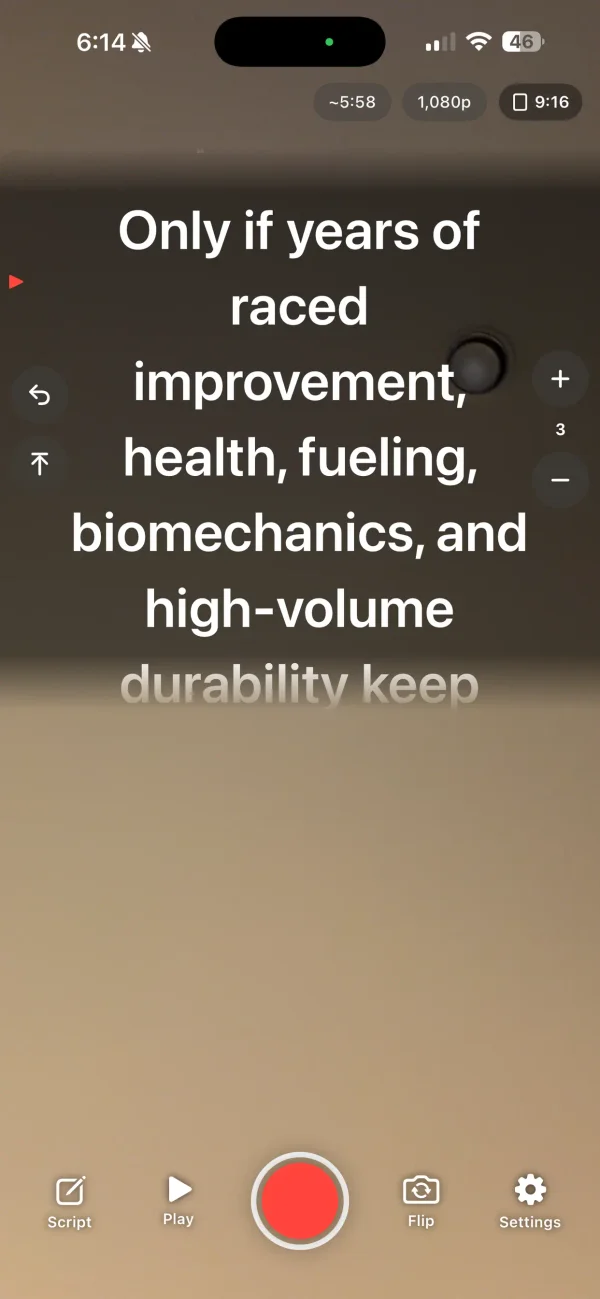
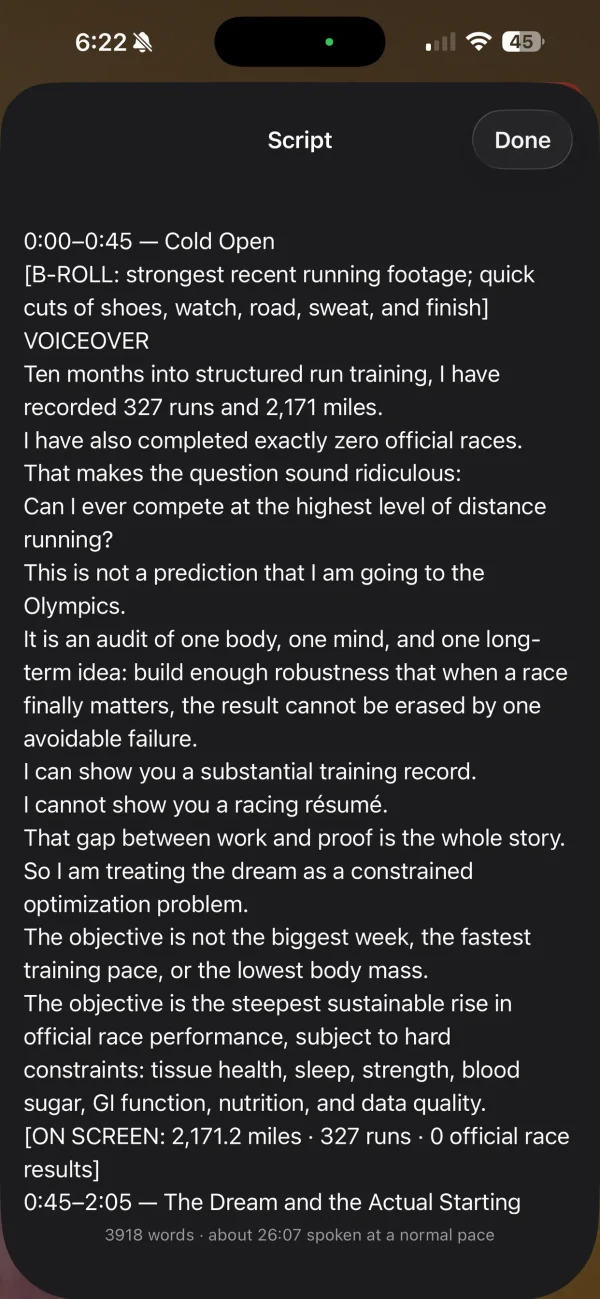
iPrompter Studio helps you deliver long scripts start to finish while recording clean, publish-ready video on iPhone or iPad. Your script stays on screen only—it is never burned into the video.
ZOOM & CAMERA CONTROL
• Smooth pinch-to-zoom before and during recording
• On-screen zoom controls and native lens presets when available
• Front and rear cameras, tap to focus, matching preview and recording mirroring, and rear-camera torch level
• 720p, 1080p, or 4K; 24, 30, or 60 fps; H.264 or HEVC; stabilization and microphone controls, subject to device support
• Clear device-specific fallbacks when hardware cannot apply a requested setting
COMPREHENSIVE PROMPTER CONTROL
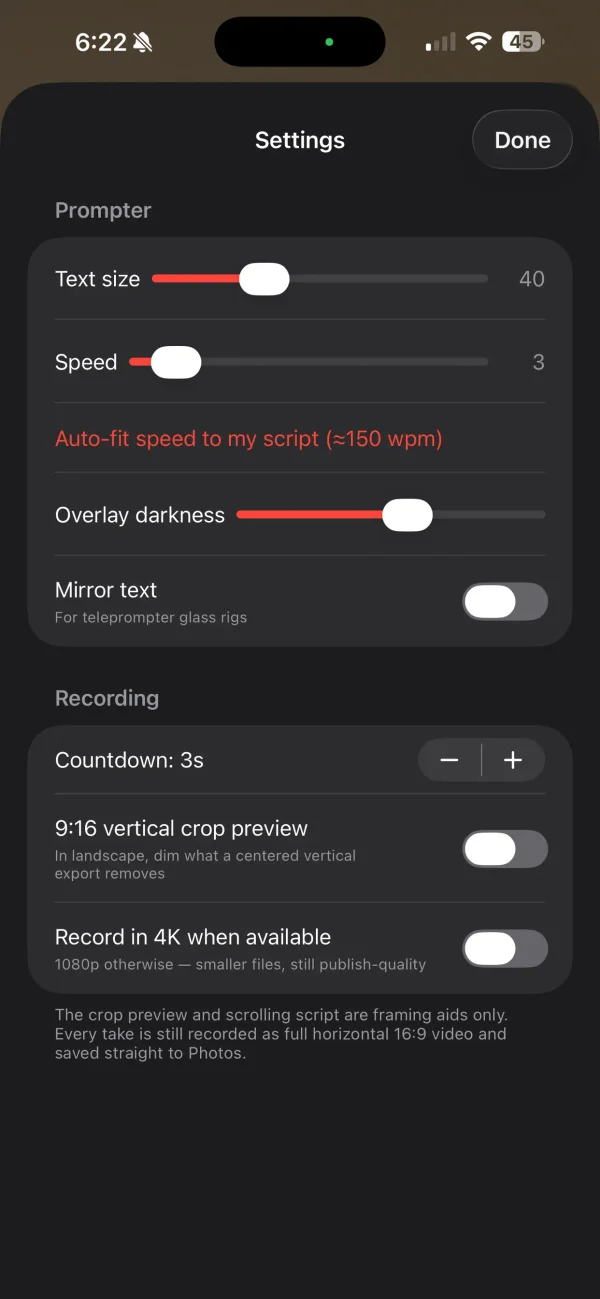
• Text size, font design, weight, alignment, case, color, character spacing, line height, paragraph spacing, margins, and maximum width
• Horizontal and vertical text mirroring for glass rigs
• Panel size, position, color, opacity, corners, edge fade, reading marker, reading line, and colors
• Constant scrolling with speed, direction, rewind distance, auto-resume delay, end behavior, and target-WPM speed fitting
• Choose how scrolling synchronizes with recording and what happens at script end
FRAMING & WORKFLOW
• 9:16, 4:5, 1:1, or custom crop guides while recording full-frame video in portrait or landscape
• Fill or fit preview, outside shade, guide color, labels, rule-of-thirds grid, and crosshair
• Adjustable countdown and haptics
• Presets for studio, teleprompter glass, vertical video, and accessible reading
• Configurable on-camera controls, sizing, opacity, status, feedback, and keep-awake behavior
• Completed takes save to Photos; if saving needs attention, retry, export, or discard without losing the take
PRIVATE BY DESIGN
No account, ads, analytics, tracking, subscription, or cloud upload. Scripts, settings, and pending takes remain on your device unless you choose to share them.
Novedades
Versión 1.2 · 21/9/2026
• Choose portrait, landscape left, landscape right, or automatic recording orientation.
• Quickly select 720p, 1080p, or 4K and 24, 30, or 60 fps, subject to your camera's capabilities.
• See the complete video with Full frame preview, now the default. Front-camera mirroring matches the saved take, and you can hide the script to check your framing.
• Zoom out to the widest view available for your camera and capture settings, with convenient zoom and lens controls.
• Review and share your last take in the app after recording.
Privacidad de la aplicación
Lo que Ryan Sullivan declara en App Store sobre cómo esta aplicación gestiona los datos.
-
No se recopilan datos
El desarrollador no recopila ningún dato de esta aplicación.
Las prácticas de privacidad pueden variar, por ejemplo, según las funciones que uses o tu edad.
Información
- Vendedor
- Ryan Sullivan
- Categoría
- Foto y vídeo
- Versión
- 1.2
- Actualizado
- 21/9/2026
- Publicado
- 28/7/2026
- Tamaño
- 1,3 MB
- Requiere
- iOS 17.0 o posterior
- Clasificación por edad
- 4+
- Precio
- Gratis
- Idiomas
- Inglés
- Copyright
- © 2026 StatsKey
Quizá también te guste
-
 PromptTempo: TeleprónterGuion por voz y vídeo
-
 CreatorCutFoto y vídeo
-
 PromptSmart MaxEl teleprompter para creadores
-
 Teleprompter Offline y PrivadoScroll por voz y guion con IA
-
 iPrompter TeleprompterLeer, grabar y IA
-
 PhotoFlashLight: Photo ManagerFoto y vídeo
-
 Teleprompter: Vídeo y GuionGraba vídeo leyendo tu guion
-
 LiveConvert: HEIC to JPGFoto y vídeo
-
 Cine AI - AI Video GeneratorFoto y vídeo
-
 Teleprompter - Grabar VídeoApuntador sin memorizar