iPrompter Studio by StatsKey
Read, Record, Publish
Dirancang untuk iPhone, iPad
Gratis
- Batasan usia4+
- KategoriFoto & Video
- PengembangRyan Sullivan
- BahasaInggris
- Ukuran1,3 MB
Tertaut ke halaman resmi App Store
Download.org tidak menyimpan file iPrompter Studio by StatsKey apa pun. Tombol ini membuka halaman aplikasi di App Store, tempat Ryan Sullivan menerbitkannya. Halaman terakhir diperiksa pada 18/11/2026.
Tangkapan layar
Tentang
Pengembang belum menyediakan teks ini dalam bahasa Anda.
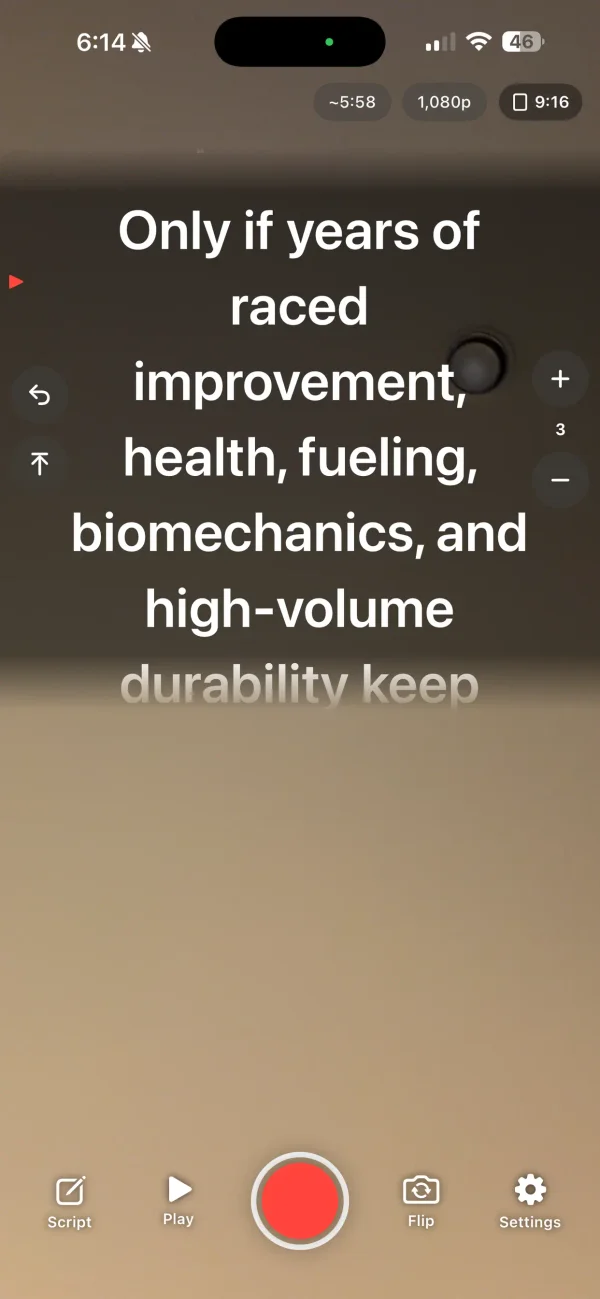
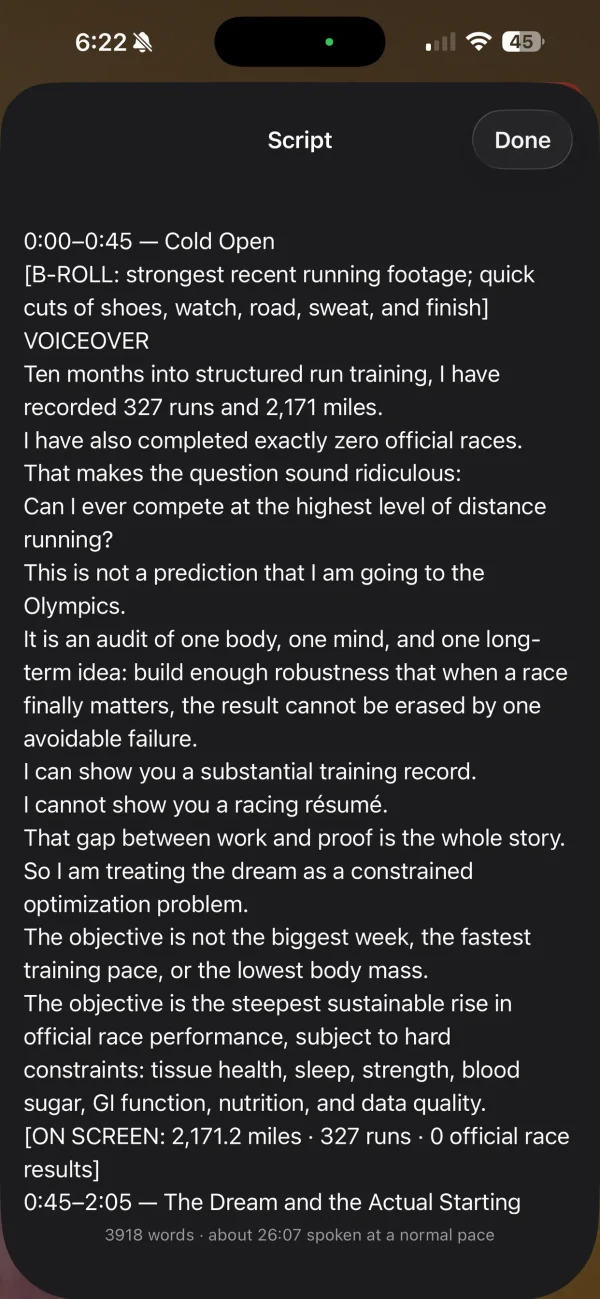
iPrompter Studio helps you deliver long scripts start to finish while recording clean, publish-ready video on iPhone or iPad. Your script stays on screen only—it is never burned into the video.
ZOOM & CAMERA CONTROL
• Smooth pinch-to-zoom before and during recording
• On-screen zoom controls and native lens presets when available
• Front and rear cameras, tap to focus, matching preview and recording mirroring, and rear-camera torch level
• 720p, 1080p, or 4K; 24, 30, or 60 fps; H.264 or HEVC; stabilization and microphone controls, subject to device support
• Clear device-specific fallbacks when hardware cannot apply a requested setting
COMPREHENSIVE PROMPTER CONTROL
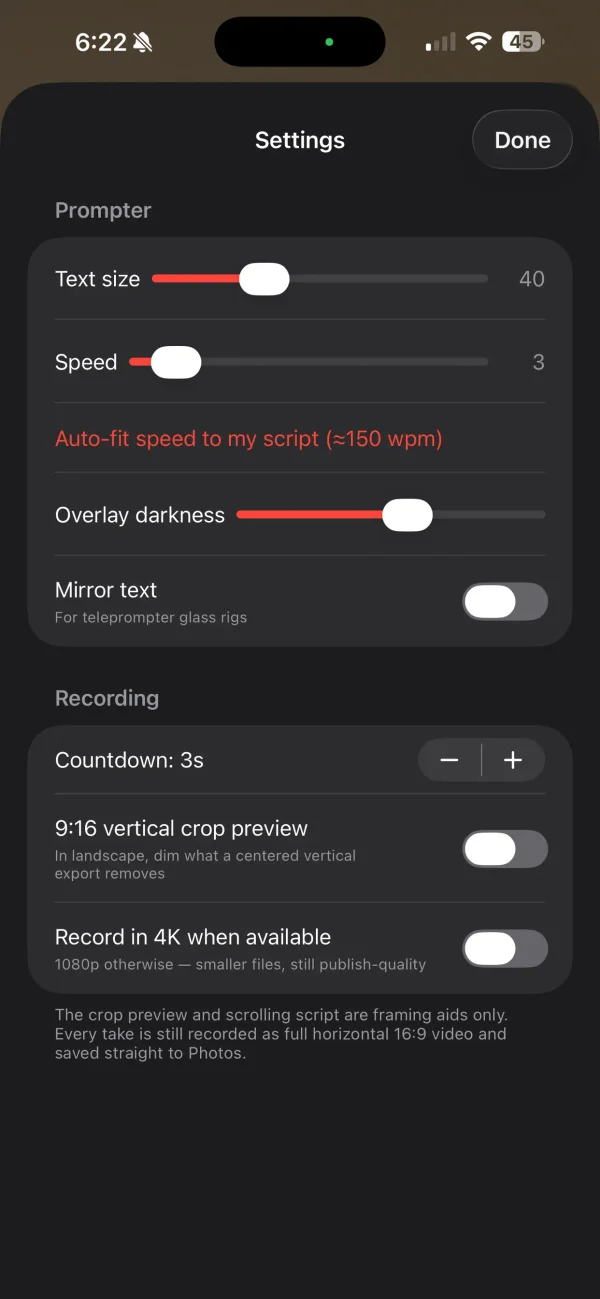
• Text size, font design, weight, alignment, case, color, character spacing, line height, paragraph spacing, margins, and maximum width
• Horizontal and vertical text mirroring for glass rigs
• Panel size, position, color, opacity, corners, edge fade, reading marker, reading line, and colors
• Constant scrolling with speed, direction, rewind distance, auto-resume delay, end behavior, and target-WPM speed fitting
• Choose how scrolling synchronizes with recording and what happens at script end
FRAMING & WORKFLOW
• 9:16, 4:5, 1:1, or custom crop guides while recording full-frame video in portrait or landscape
• Fill or fit preview, outside shade, guide color, labels, rule-of-thirds grid, and crosshair
• Adjustable countdown and haptics
• Presets for studio, teleprompter glass, vertical video, and accessible reading
• Configurable on-camera controls, sizing, opacity, status, feedback, and keep-awake behavior
• Completed takes save to Photos; if saving needs attention, retry, export, or discard without losing the take
PRIVATE BY DESIGN
No account, ads, analytics, tracking, subscription, or cloud upload. Scripts, settings, and pending takes remain on your device unless you choose to share them.
Yang baru
Versi 1.2 · 21/9/2026
• Choose portrait, landscape left, landscape right, or automatic recording orientation.
• Quickly select 720p, 1080p, or 4K and 24, 30, or 60 fps, subject to your camera's capabilities.
• See the complete video with Full frame preview, now the default. Front-camera mirroring matches the saved take, and you can hide the script to check your framing.
• Zoom out to the widest view available for your camera and capture settings, with convenient zoom and lens controls.
• Review and share your last take in the app after recording.
Privasi aplikasi
Yang dinyatakan Ryan Sullivan di App Store tentang cara aplikasi ini menangani data.
-
Data tidak dikumpulkan
Pengembang tidak mengumpulkan data apa pun dari aplikasi ini.
Praktik privasi dapat bervariasi, misalnya berdasarkan fitur yang Anda gunakan atau usia Anda.
Informasi
- Penjual
- Ryan Sullivan
- Kategori
- Foto & Video
- Versi
- 1.2
- Diperbarui
- 21/9/2026
- Dirilis
- 28/7/2026
- Ukuran
- 1,3 MB
- Memerlukan
- iOS 17.0 atau yang lebih baru
- Batasan usia
- 4+
- Harga
- Gratis
- Bahasa
- Inggris
- Hak cipta
- © 2026 StatsKey
Mungkin Anda juga suka
-
 PromptTempo: TeleprompterTeks ikuti suara & rekam video
-
 CreatorCutFoto & Video
-
 PromptSmart MaxFoto & Video
-
 Teleprompter Offline & PribadiGulir suara & naskah AI
-
 iPrompter TeleprompterFoto & Video
-
 PhotoFlashLight: Photo ManagerFoto & Video
-
 Teleprompter: Video & NaskahBaca dan rekam dekat kamera
-
 LiveConvert: HEIC to JPGFoto & Video
-
 Cine AI - AI Video GeneratorFoto & Video
-
 Teleprompter PremiumFoto & Video