- 対象年齢4+
- カテゴリ写真/ビデオ
- 開発元Ryan Sullivan
- 言語英語
- サイズ1.3 MB
App Storeの公式ページにリンクしています
Download.orgはiPrompter Studio by StatsKeyのファイルを一切ホストしていません。ボタンを押すと、Ryan Sullivanが公開しているApp Storeのアプリページが開きます。ページの最終確認:2026/11/18。
スクリーンショット
概要
開発元はこのテキストをお使いの言語で提供していません。
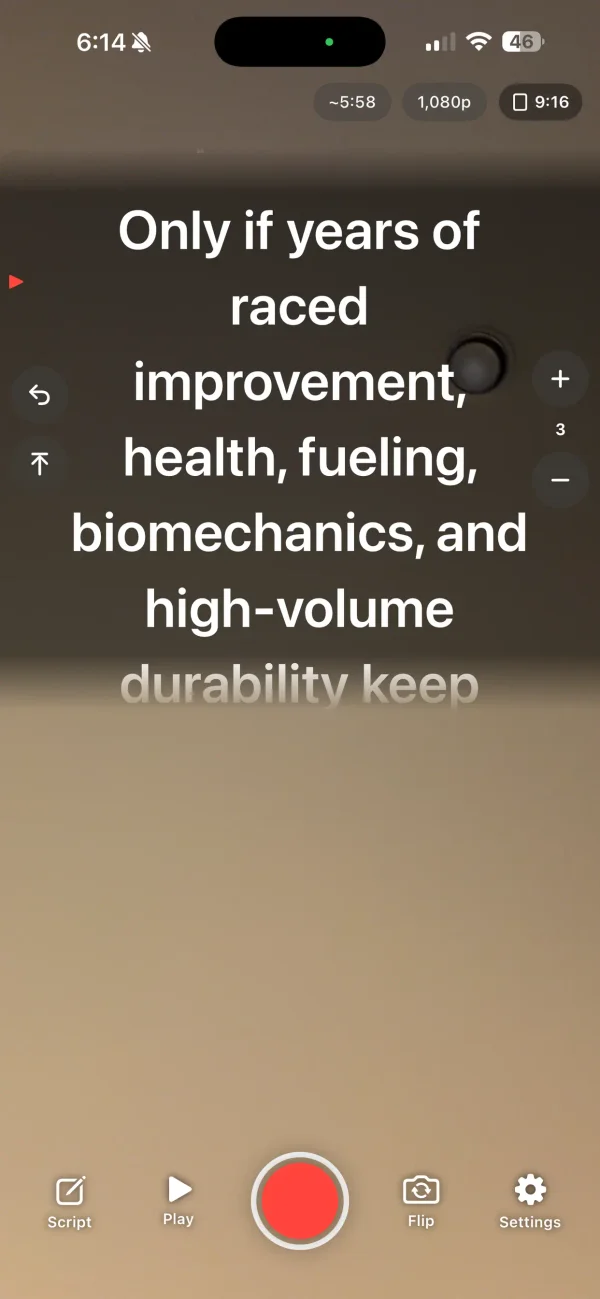
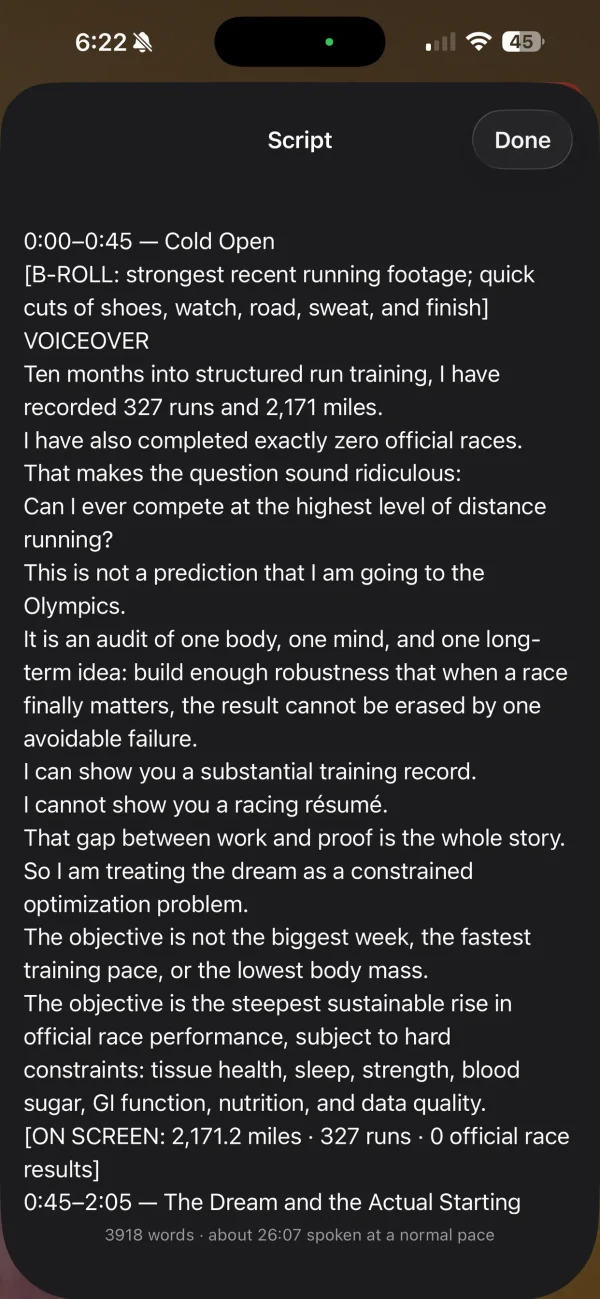
iPrompter Studio helps you deliver long scripts start to finish while recording clean, publish-ready video on iPhone or iPad. Your script stays on screen only—it is never burned into the video.
ZOOM & CAMERA CONTROL
• Smooth pinch-to-zoom before and during recording
• On-screen zoom controls and native lens presets when available
• Front and rear cameras, tap to focus, matching preview and recording mirroring, and rear-camera torch level
• 720p, 1080p, or 4K; 24, 30, or 60 fps; H.264 or HEVC; stabilization and microphone controls, subject to device support
• Clear device-specific fallbacks when hardware cannot apply a requested setting
COMPREHENSIVE PROMPTER CONTROL
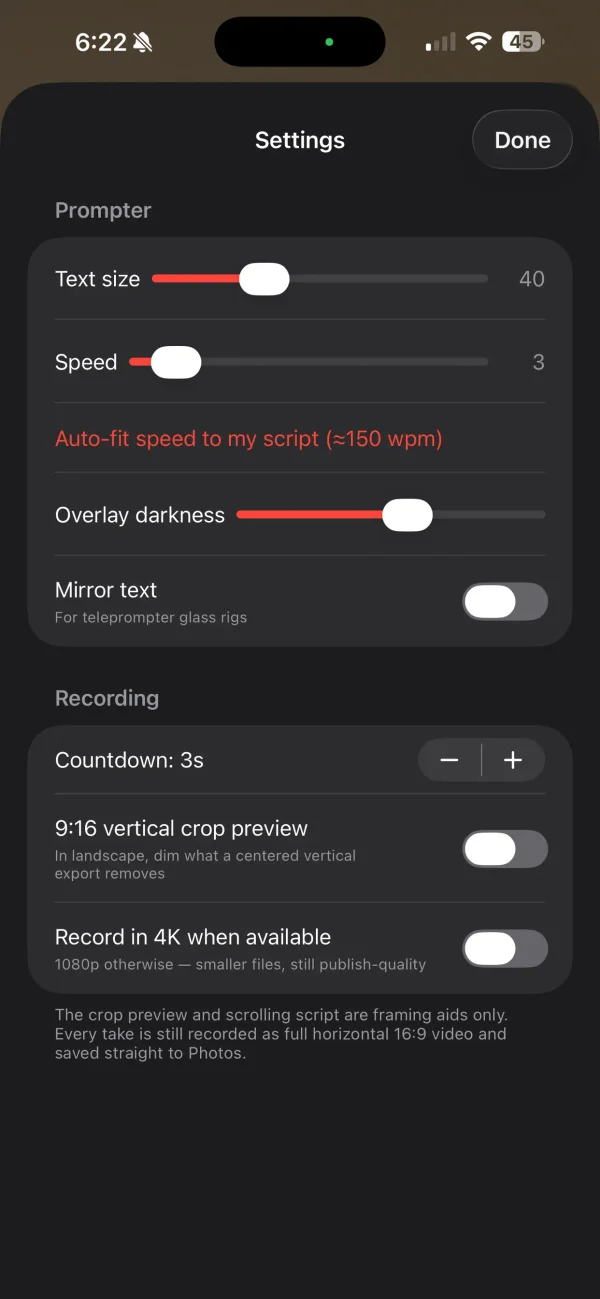
• Text size, font design, weight, alignment, case, color, character spacing, line height, paragraph spacing, margins, and maximum width
• Horizontal and vertical text mirroring for glass rigs
• Panel size, position, color, opacity, corners, edge fade, reading marker, reading line, and colors
• Constant scrolling with speed, direction, rewind distance, auto-resume delay, end behavior, and target-WPM speed fitting
• Choose how scrolling synchronizes with recording and what happens at script end
FRAMING & WORKFLOW
• 9:16, 4:5, 1:1, or custom crop guides while recording full-frame video in portrait or landscape
• Fill or fit preview, outside shade, guide color, labels, rule-of-thirds grid, and crosshair
• Adjustable countdown and haptics
• Presets for studio, teleprompter glass, vertical video, and accessible reading
• Configurable on-camera controls, sizing, opacity, status, feedback, and keep-awake behavior
• Completed takes save to Photos; if saving needs attention, retry, export, or discard without losing the take
PRIVATE BY DESIGN
No account, ads, analytics, tracking, subscription, or cloud upload. Scripts, settings, and pending takes remain on your device unless you choose to share them.
新機能
バージョン 1.2 · 2026/9/21
• Choose portrait, landscape left, landscape right, or automatic recording orientation.
• Quickly select 720p, 1080p, or 4K and 24, 30, or 60 fps, subject to your camera's capabilities.
• See the complete video with Full frame preview, now the default. Front-camera mirroring matches the saved take, and you can hide the script to check your framing.
• Zoom out to the widest view available for your camera and capture settings, with convenient zoom and lens controls.
• Review and share your last take in the app after recording.
アプリのプライバシー
このアプリのデータの取り扱いについて、Ryan SullivanがApp Storeで申告している内容です。
-
データの収集なし
開発元はこのアプリからデータを収集しません。
プライバシーの取り扱いは、ご利用の機能やお客様の年齢などに応じて異なる場合があります。
情報
- 販売元
- Ryan Sullivan
- カテゴリ
- 写真/ビデオ
- バージョン
- 1.2
- 更新日
- 2026/9/21
- リリース
- 2026/7/28
- サイズ
- 1.3 MB
- 必要条件
- iOS 17.0以降
- 対象年齢
- 4+
- 価格
- 無料
- 言語
- 英語
- 著作権
- © 2026 StatsKey
こちらもおすすめ
-
 PromptTempo: テレプロンプター音声に合わせて原稿表示・動画撮影
-
 CreatorCut写真/ビデオ
-
 PromptSmart Maxクリエイター向けプロンプター
-
 プロンプター オフライン・プライベート音声スクロール&AI台本
-
 iPrompter Teleprompter読む、撮る、AIで操作
-
 PhotoFlashLight: Photo Manager写真/ビデオ
-
 テレプロンプター:動画と台本カメラ近くの原稿を見て撮影
-
 LiveConvert: HEIC to JPG写真/ビデオ
-
 Cine AI - AI Video Generator写真/ビデオ
-
 Teleprompter Premium写真/ビデオ