
- Clasificación por edad4+
- CategoríaFoto y vídeo
- DesarrolladorContent Interface Corporation
- IdiomasInglés
- Tamaño126,6 MB
Enlaza a la página oficial de App Store
Download.org no aloja ningún archivo de iZoomViewer. El botón abre la página de la aplicación en App Store, donde la publica Content Interface Corporation. Ficha comprobada por última vez el 17/11/2026.
Capturas de pantalla

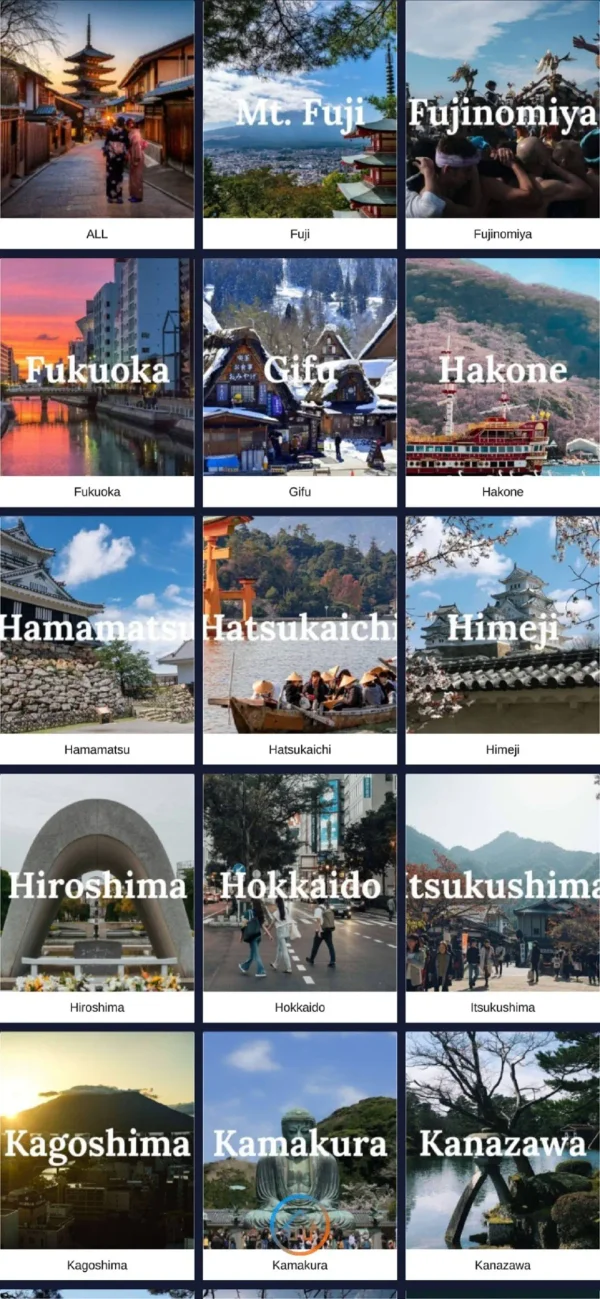

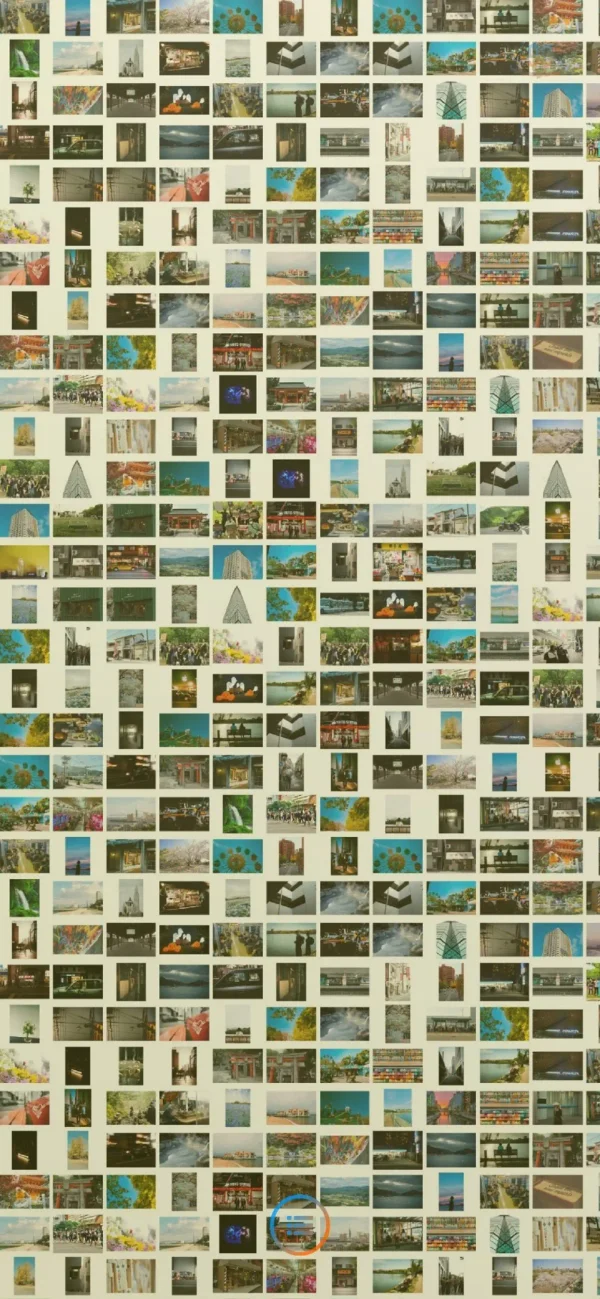
Acerca de
El desarrollador no ha proporcionado este texto en tu idioma.
iZoomViewer, an innovative & revolutionary way to explore & discover digital media. You magnify one image to reveal thousands more, endlessly.
Content Interface's iZoom (Infinite Zoom) is an infinitely zoomable mosaic of photos and videos. iZoomViewer allows the user to select an iZoom from a list of many iZooms to zoom in. While zooming, each pixel is gradually morphed into another image or video which is morphed further into others, endlessly.
Each iZoom contains thousands of images and photos, providing you with hours of entertainment and education.
How to set custom cover image for an iZoom scene:
1) Tap the gear button to open the Setting menu.
2) Tap "Cover" to open the child menu. Then tap "Camera" to open the camera screen, or "Gallery" to selecting a photo from the device's Photo app.
3a) In the camera screen, tap anywhere to capture the photo.
3b) Tap the V tick button to set this captured photo be the cover image of the current scene.
4a) After select a photo from the device's Photo app, a photo preview screen will be opened.
4b) In the photo preview screen, tap the V tick button to set this selected photo be the cover image of the current scene.
Functions of other buttons in the camera screen:
- ">>" : Switch to the next camera of the current type (iPhone Pro models may have 3 back cameras). It is hidden if the current camera type has only one camera.
- AF : Auto focus mode. Tap it to switch to MF mode. If it is still AF, then the current camera does not support MF mode.
- MF : Manual focus mode. Tap it to switch to AF mode.
Notes about the camera screen:
- In captured state, these buttons will be hidden : AF/MF, ">>".
- In live state, the V tick button will be hidden.
- In MF mode, the tap gesture is used for setting camera focus point. So a circle button will appear for setting captured and live state of the camera.
Novedades
Versión 1.2.6 · 7/12/2025
- Improve automation : Cache before playing.
- Support playing direct linked video.
Privacidad de la aplicación
Lo que Content Interface Corporation declara en App Store sobre cómo esta aplicación gestiona los datos.
-
No se recopilan datos
El desarrollador no recopila ningún dato de esta aplicación.
Las prácticas de privacidad pueden variar, por ejemplo, según las funciones que uses o tu edad.
Información
- Vendedor
- Content Interface Corporation
- Categoría
- Foto y vídeo
- Versión
- 1.2.6
- Actualizado
- 7/12/2025
- Publicado
- 19/4/2022
- Tamaño
- 126,6 MB
- Requiere
- iOS 15.0 o posterior
- Clasificación por edad
- 4+
- Precio
- Gratis
- Idiomas
- Inglés
- Copyright
- © 2024 Content Interface Corporation
Quizá también te guste
-
 Reproductor de video con zoomReproductor de video con zoom
-
 OpenPhotosFoto y vídeo
-
 Fotómetro・ExposímetroEV, apertura, obturador e ISO
-
 Zoom Cámara: Lupa y TelescopioVisión nocturna y prismáticos
-
 Cámara Lenta: Acelerar VídeoTimelapse Velocidad Hiperlapso
-
 Rec Video RecorderFoto y vídeo
-
 Picto: Álbum Fotos y RecuerdosOrganiza por Fecha y Lugar
-
 VR Player : 3D VR 360 VR VideoEntra en la realidad virtual.
-
 Calm Wildlife 4K TVFoto y vídeo
-
 Video to SlowMotion - SlowEditFoto y vídeo