
Notebooks - Your Digital Notes
Digital notebook
Dirancang untuk iPhone, iPad
Gratis
- Batasan usia4+
- KategoriProduktivitas
- PengembangDroid-Veda LLP
- BahasaInggris
- Ukuran45,7 MB
Tertaut ke halaman resmi App Store
Download.org tidak menyimpan file Notebooks - Your Digital Notes apa pun. Tombol ini membuka halaman aplikasi di App Store, tempat Droid-Veda LLP menerbitkannya. Halaman terakhir diperiksa pada 12/11/2026.
Tangkapan layar
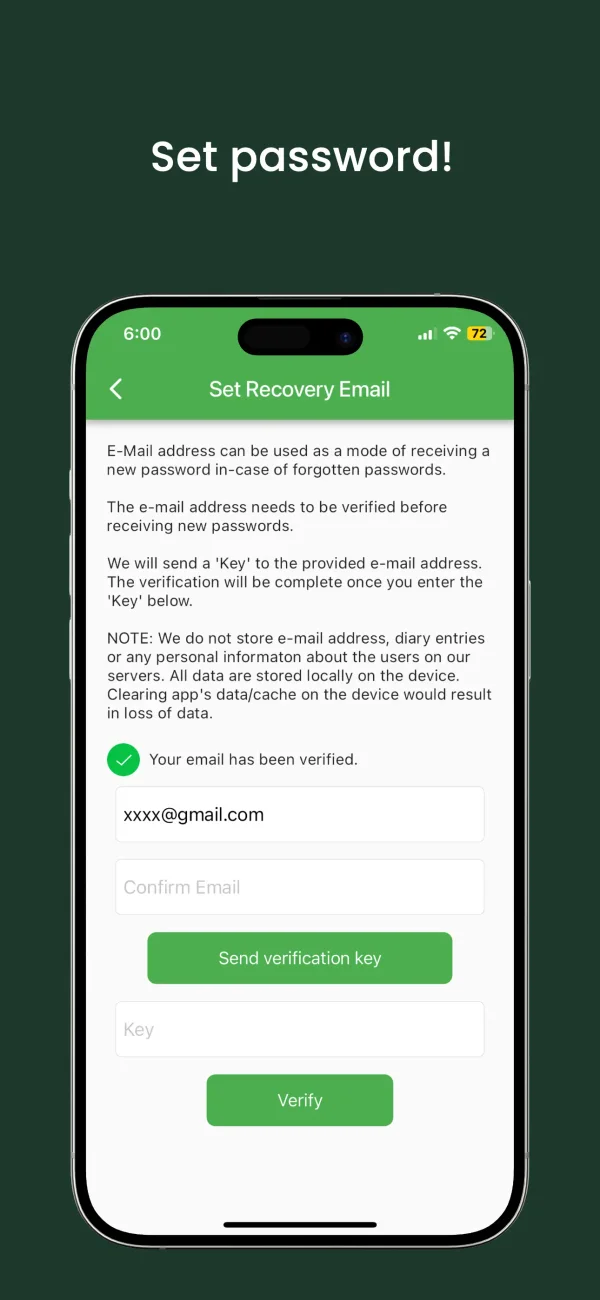
Tentang
Pengembang belum menyediakan teks ini dalam bahasa Anda.
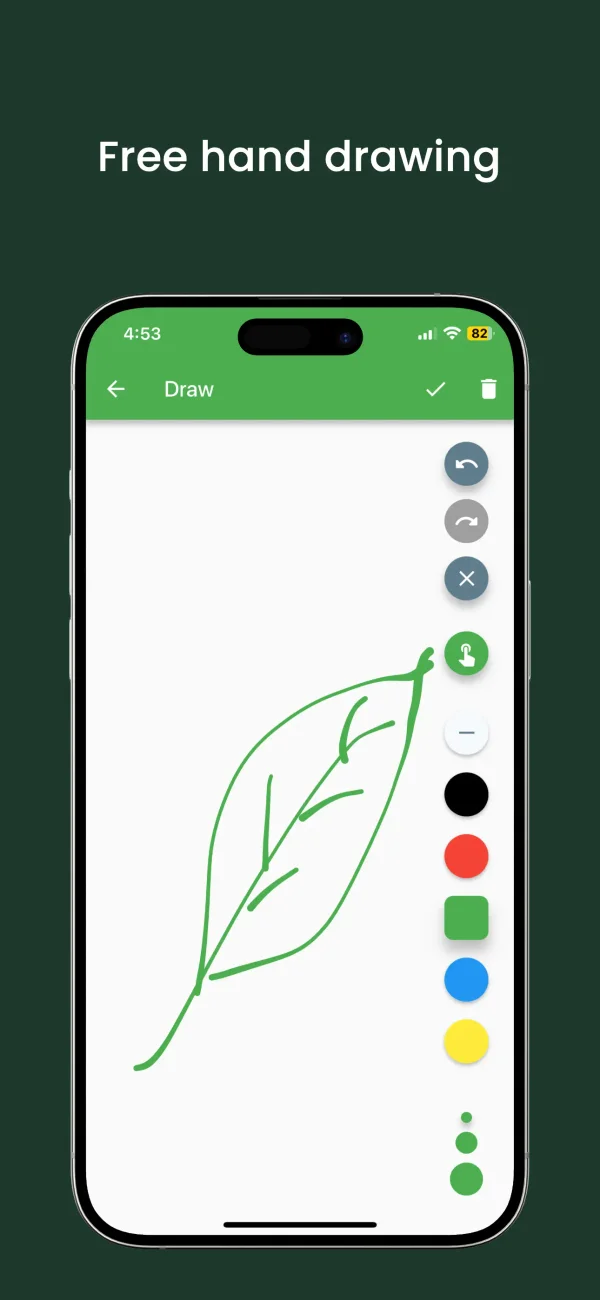
Take notes and even attach your free hand drawing, everything in style and completely without papers!
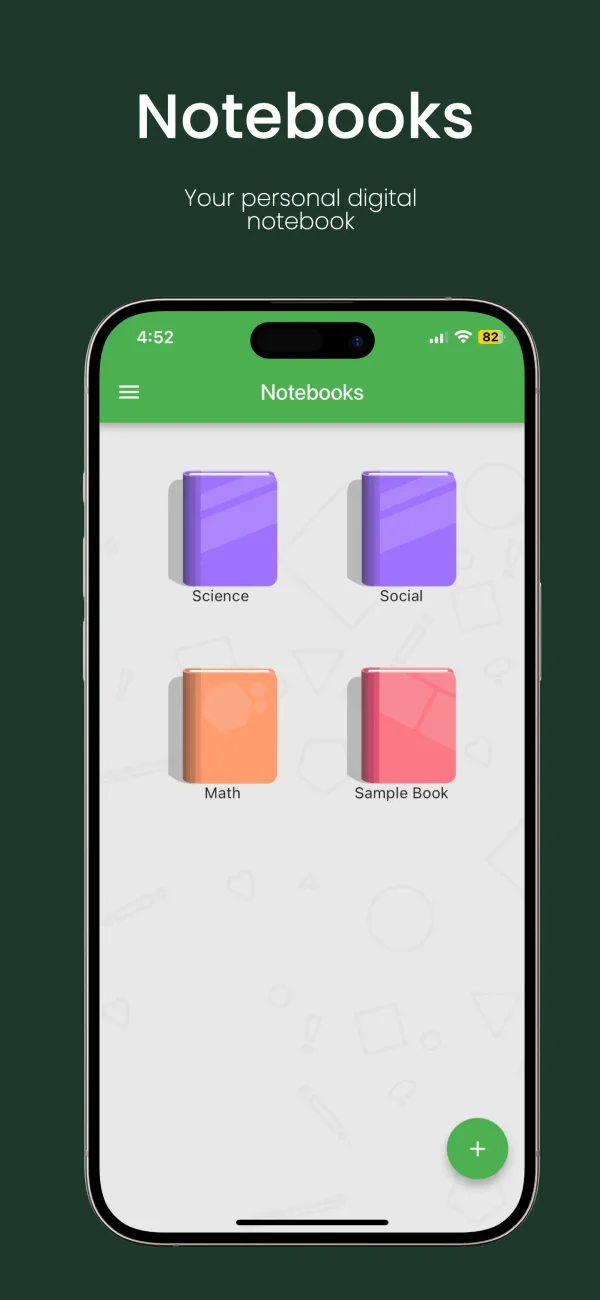
Create multiple notebooks for every subject and avoid messing up your notes.
Notebooks is the only application you will ever need for all your note making needs.
Designed with flexibility and ease of use in mind, taking notes is now at it simplest with our application. With multiple colors and custom title for each notebook cover, you will enjoy creating a notebook for every subject you want.
Notebooks is a must have application for students, business men and for anyone using their phones and tablets for taking notes.
Features:
1. Create multiple notebooks.
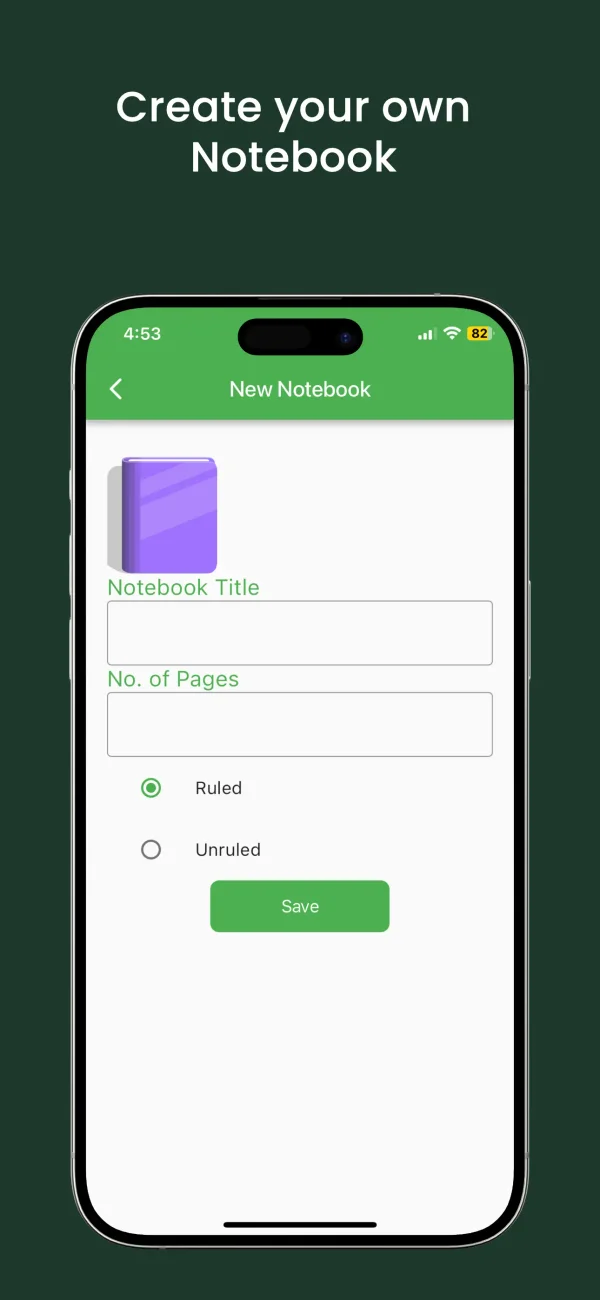
2. Customizable cover, title, number of pages for every notebook.
3. Password protected.
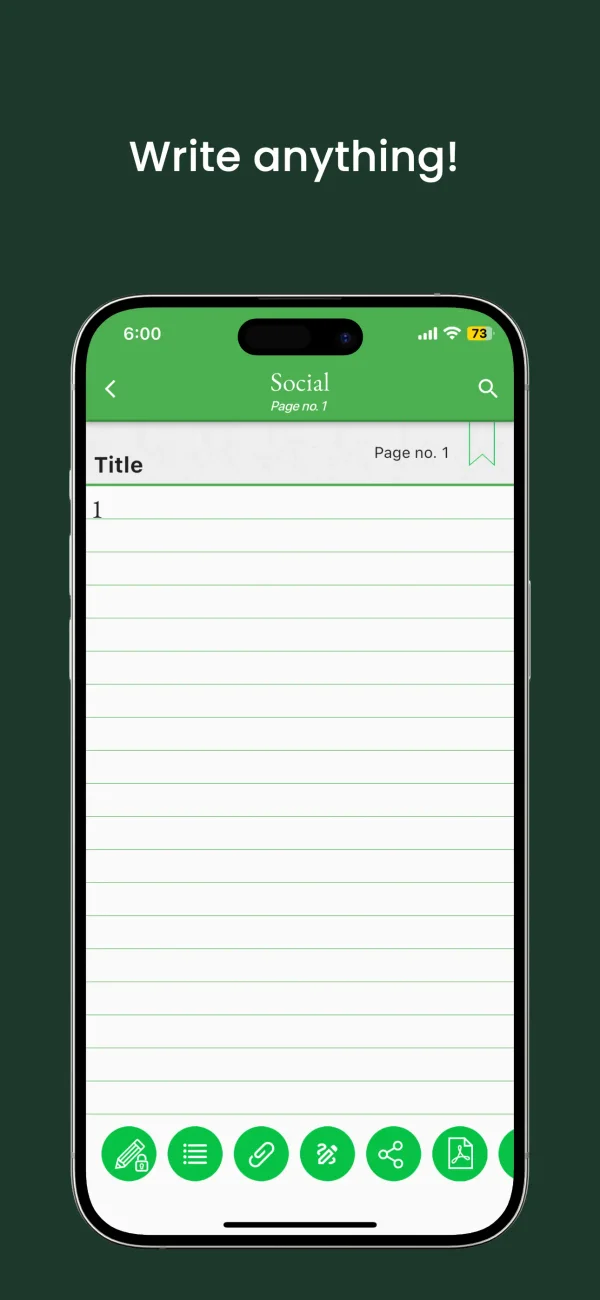
4. Set a title for every page.
5. Instant search within each notebook.
6. Attach image files.
7. Bookmark a page.
8. Create your own free hand drawing.
9. Easily find your entries.
10. Set theme for each notebook.
11. Convert the entire Notebook to PDF with attachments. (Currently supports English only)
12. Backup/Restore.
(***Option available in the menu of the Notebooks screen. Some devices will not have the hardware menu
button on the device, in that case 'long press' the 'All Apps' button to get the menu on the app***)
13. Backup to Google Drive
FAQs: http://www.droidveda.com/faq/faq_notebooks.html
How to use?
1. Use '+' mark in the home screen to create new books.
2. Long tap on any book to edit/delete the book.
3. Use 'Password' option to set/reset the password.
4. On the Page tap on Page Header to set the Title for the page.
5. Make use of different editing options provided at the bottom of the page.
Privasi aplikasi
Yang dinyatakan Droid-Veda LLP di App Store tentang cara aplikasi ini menangani data.
-
Data yang digunakan untuk melacak Anda
Dapat digunakan untuk melacak Anda di aplikasi dan situs web milik perusahaan lain.
- Pengenal
-
Data yang tidak ditautkan dengan Anda
Dapat dikumpulkan, tetapi tidak ditautkan dengan identitas Anda.
- Pengenal
Praktik privasi dapat bervariasi, misalnya berdasarkan fitur yang Anda gunakan atau usia Anda.
Informasi
- Penjual
- DROID-VEDA LLP
- Kategori
- Produktivitas
- Versi
- 1.0
- Diperbarui
- 28/5/2024
- Dirilis
- 27/5/2024
- Ukuran
- 45,7 MB
- Memerlukan
- iOS 17.0 atau yang lebih baru
- Batasan usia
- 4+
- Harga
- Gratis
- Bahasa
- Inggris
- Hak cipta
- © Droid-Veda LLP 2012-2024
Mungkin Anda juga suka
-
 Easy Notebook - simple notes -Produktivitas
-
 Catatan - Buku CatatanCatatan untuk Tugas Harian
-
 Scriptum - Notebook CreatorProduktivitas
-
 Plane NotesProduktivitas
-
 NeatNotes : Notes and listsProduktivitas
-
 OfflineNoteProduktivitas
-
 Simple Notes Daily PlannerReminders: Journal & Stickers
-
 Simplify Notes:Buku CatatanPDFCatatan, PDF & Apple Pencil
-
 Desktop Note - Notes & PhotosProduktivitas
-
 Saber: Handwritten NotesProduktivitas