
Notebooks - Your Digital Notes
Digital notebook
iPhone, iPad için tasarlandı
Ücretsiz
- Yaş sınırı4+
- KategoriÜretkenlik
- GeliştiriciDroid-Veda LLP
- Dillerİngilizce
- Boyut45,7 MB
Resmi App Store sayfasına bağlanır
Download.org, Notebooks - Your Digital Notes için hiçbir dosya barındırmaz. Düğme, uygulamanın App Store üzerindeki sayfasını açar; uygulamayı orada Droid-Veda LLP yayınlar. Sayfanın son kontrolü: 12.11.2026.
Ekran görüntüleri
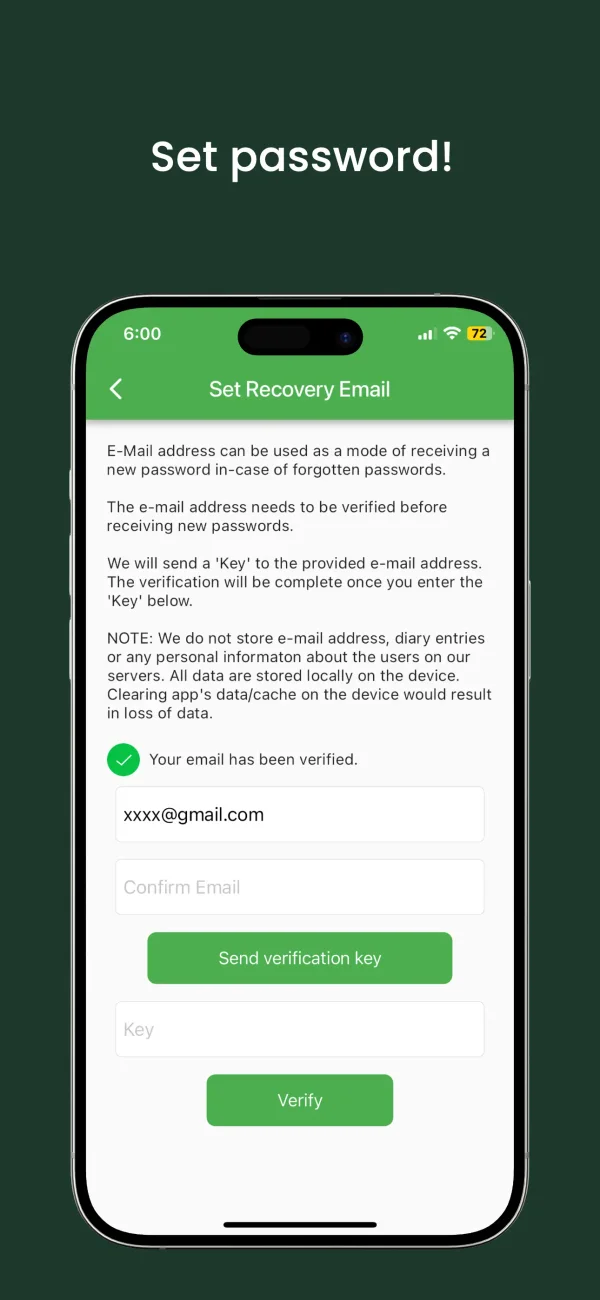
Hakkında
Geliştirici bu metni dilinizde sunmamış.
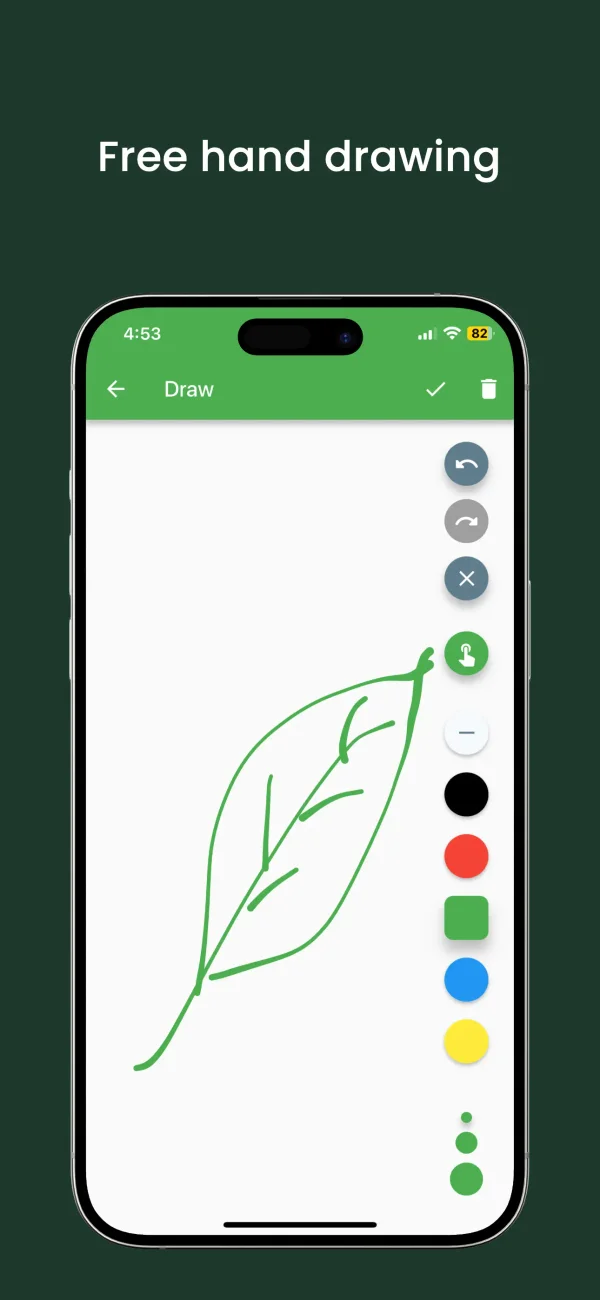
Take notes and even attach your free hand drawing, everything in style and completely without papers!
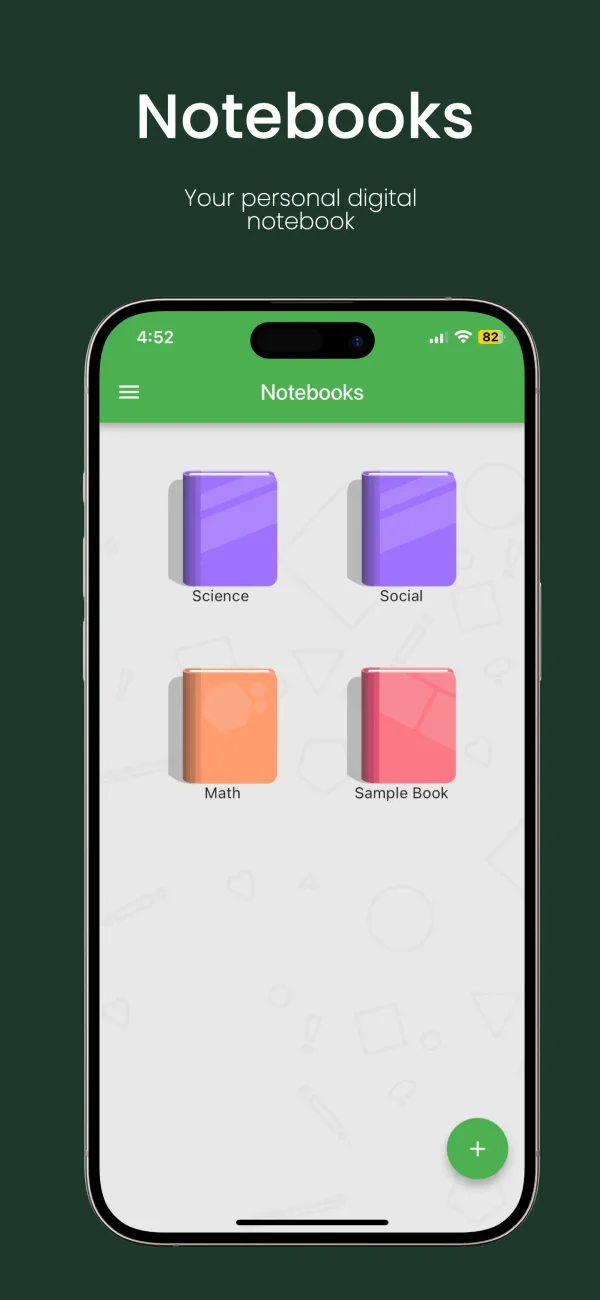
Create multiple notebooks for every subject and avoid messing up your notes.
Notebooks is the only application you will ever need for all your note making needs.
Designed with flexibility and ease of use in mind, taking notes is now at it simplest with our application. With multiple colors and custom title for each notebook cover, you will enjoy creating a notebook for every subject you want.
Notebooks is a must have application for students, business men and for anyone using their phones and tablets for taking notes.
Features:
1. Create multiple notebooks.
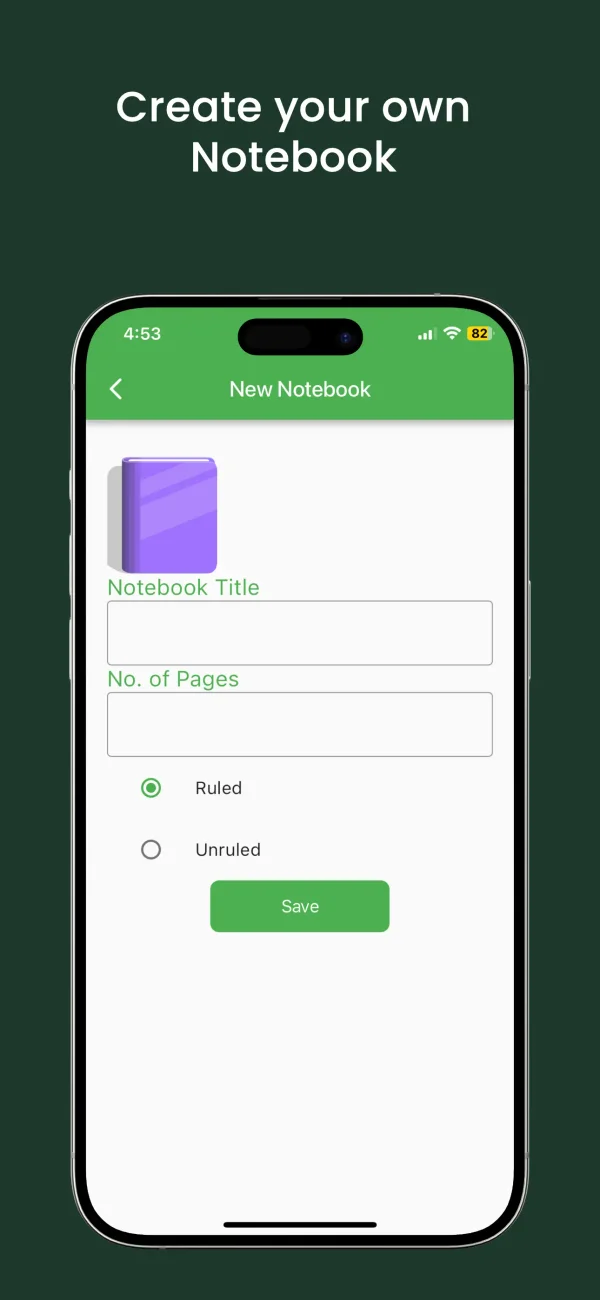
2. Customizable cover, title, number of pages for every notebook.
3. Password protected.
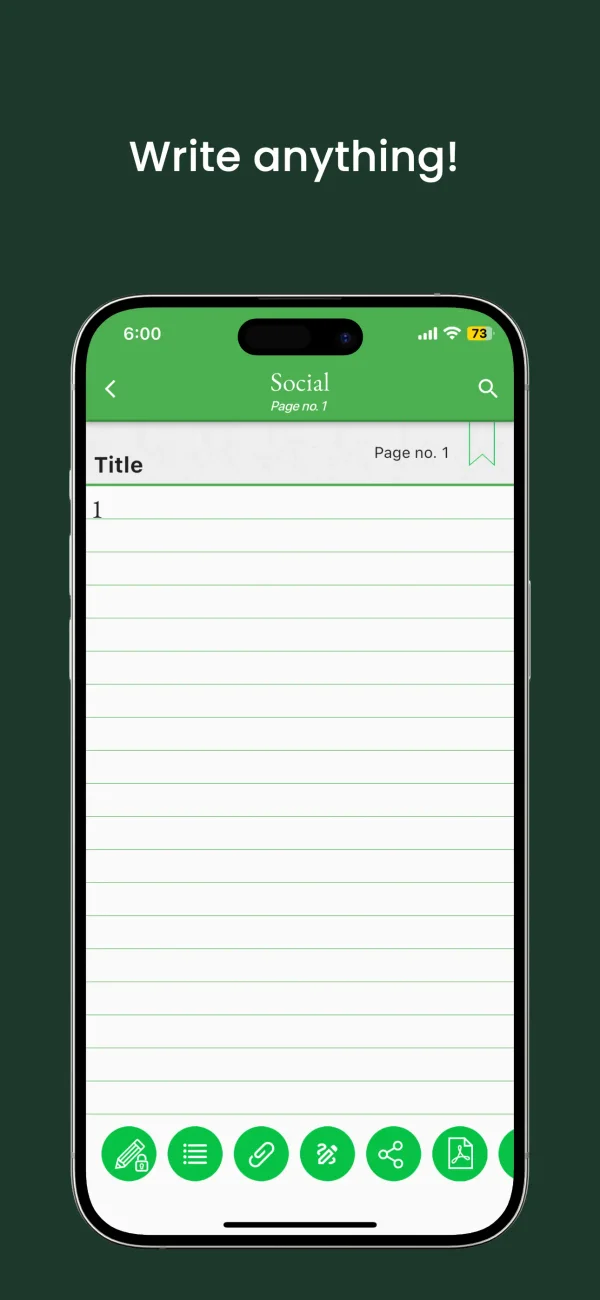
4. Set a title for every page.
5. Instant search within each notebook.
6. Attach image files.
7. Bookmark a page.
8. Create your own free hand drawing.
9. Easily find your entries.
10. Set theme for each notebook.
11. Convert the entire Notebook to PDF with attachments. (Currently supports English only)
12. Backup/Restore.
(***Option available in the menu of the Notebooks screen. Some devices will not have the hardware menu
button on the device, in that case 'long press' the 'All Apps' button to get the menu on the app***)
13. Backup to Google Drive
FAQs: http://www.droidveda.com/faq/faq_notebooks.html
How to use?
1. Use '+' mark in the home screen to create new books.
2. Long tap on any book to edit/delete the book.
3. Use 'Password' option to set/reset the password.
4. On the Page tap on Page Header to set the Title for the page.
5. Make use of different editing options provided at the bottom of the page.
Uygulama gizliliği
Bu uygulamanın verileri nasıl işlediği hakkında Droid-Veda LLP tarafından App Store üzerinde yapılan beyan.
-
Sizi izlemek için kullanılan veriler
Başka şirketlere ait uygulamalarda ve web sitelerinde sizi izlemek için kullanılabilir.
- Tanımlayıcılar
-
Sizinle ilişkilendirilmeyen veriler
Toplanabilir ancak kimliğinizle ilişkilendirilmez.
- Tanımlayıcılar
Gizlilik uygulamaları, örneğin kullandığınız özelliklere veya yaşınıza göre değişiklik gösterebilir.
Bilgiler
- Satıcı
- DROID-VEDA LLP
- Kategori
- Üretkenlik
- Sürüm
- 1.0
- Güncellendi
- 28.05.2024
- Yayın tarihi
- 27.05.2024
- Boyut
- 45,7 MB
- Gereksinim
- iOS 17.0 veya sonrası
- Yaş sınırı
- 4+
- Fiyat
- Ücretsiz
- Diller
- İngilizce
- Telif hakkı
- © Droid-Veda LLP 2012-2024
Bunları da beğenebilirsiniz
-
 Easy Notebook - simple notes -Üretkenlik
-
 Notlar: Defter, Günlük NotlarGünlük Görevler Için Notlar
-
 Scriptum - Notebook CreatorÜretkenlik
-
 Plane NotesÜretkenlik
-
 NeatNotes : Notes and listsÜretkenlik
-
 OfflineNoteBir şeyleri akılda tutmaya son
-
 Not Defteri: Günlük & AjandaAdet Takvimi: Planlayıcı & PDF
-
 Simplify Notes: PDF NotebookÜretkenlik
-
 Desktop Note - Notes & PhotosÜretkenlik
-
 Saber: Handwritten NotesÜretkenlik