Formula Conversion
Simple and Practical
Projetado para iPhone, iPad, iPod touch
Grátis · Compras no app
- Classificação etária4+
- CategoriaEducação
- DesenvolvedorJanek Soomets
- IdiomasInglês
- Tamanho1,6 MB
Leva à página oficial na App Store
O Download.org não hospeda nenhum arquivo de Formula Conversion. O botão abre a página do app na App Store, onde Janek Soomets o publica. Página verificada pela última vez em 17/11/2026.
Capturas de tela

Sobre
O desenvolvedor não forneceu este texto no seu idioma.
It is a formula conversion application. You can print a formula or a modified formula. You can save unmodified formulas to your phone's storage medium and then open it if necessary.
Upgrading
An application without an upgrade is limited to 24 formula conversions. If you want to convert the formula more than ten times, you must make an in-app purchase.
Creating and opening a formula
You can open the formula by clicking the first button on the toolbar.
You can create a new formula using the symbols, symbols, numbers, and letters on the keyboard. You can change the font size of letters and symbols by pressing the "alp." Or "ALP." And "sym." Or "SYM." Buttons on the toolbar. If you wish, you can delete the characters by pressing the "del." Key. And use the arrows to move between the elements of the formula.
Formatting the formula
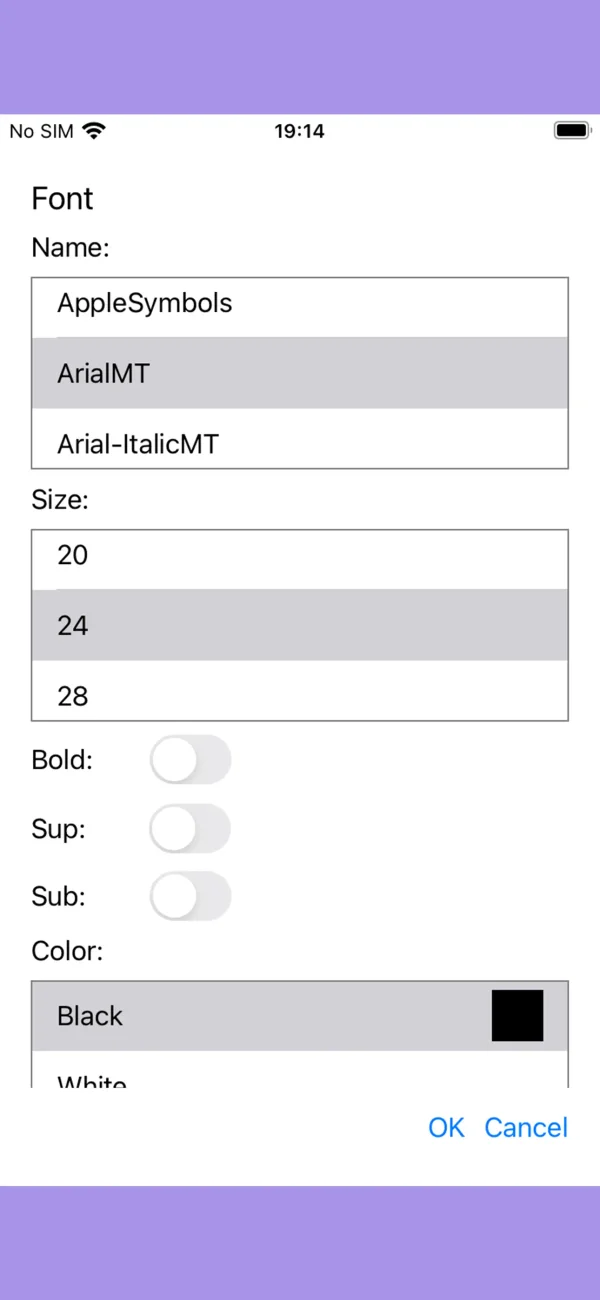
You can format the formula by first selecting the characters you want to change. The selection key is "Sel.", And you can then select by scrolling between the elements of the formula or by pressing the finger on the desired character. You can format the selected formula by pressing the second button on the toolbar from the back. You can change the font, font size, font, and font color
Saving and printing the sample
You can save the formula by pressing another button on the toolbar. Press the third button on the toolbar to print. If you want to delete the saved formulas, press the fourth button on the toolbar.
Converting a formula
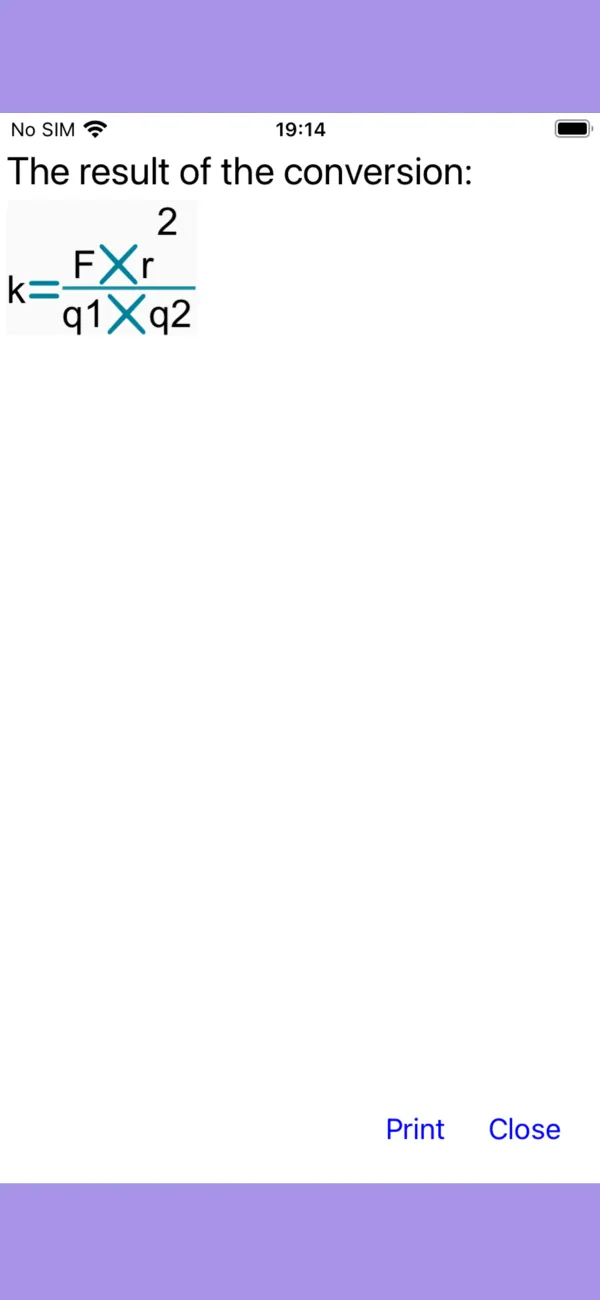
When the formula is ready, you can publish parts of the formula. To publish part of a formula, select the item with the cursor. Press the fifth button on the toolbar to publish the formula. You can also print the converted formula by clicking the "Print" button.
Zoom a formula
If you want to increase or decrease the formula, press the third button on the back of the toolbar.
Novidades
Versão 1.2 · 27/12/2025
Update age ratings question.
Privacidade do app
O que Janek Soomets declara na App Store sobre como este app lida com os dados.
-
Dados não coletados
O desenvolvedor não coleta nenhum dado deste app.
As práticas de privacidade podem variar, por exemplo, com base nos recursos que você usa ou na sua idade.
Informações
- Vendedor
- Janek Soomets
- Categoria
- Educação
- Versão
- 1.2
- Atualizado
- 27/12/2025
- Lançamento
- 20/09/2021
- Tamanho
- 1,6 MB
- Requer
- iOS 14.1 ou posterior
- Classificação etária
- 4+
- Preço
- Grátis
- Compras no app
- Sim
- Idiomas
- Inglês
- Copyright
- © 2025 Janek Soomets
Você também pode gostar
-
 Element OTGEducação
-
 MathDrillFourthGradeEducação
-
 Math Assist+Referência
-
 MathPrint: Atividades MathGerador de Exercícios em PDF
-
 Periodic Table All ElementsEducação
-
 CalculateVolumeProEducação
-
 Periodic Table of ChemistryEducação
-
 SAT Practice ExamEducação
-
 iformulaEducação
-
 ACT Math : Super Edition LiteEducação