- Độ tuổi4+
- Danh mụcHiệu Suất
- Nhà phát triểnJeny Goentoro
- Ngôn ngữTiếng Anh
- Kích thước7,4 MB
Liên kết đến trang App Store chính thức
Download.org không lưu trữ tệp nào của PDF Compressor. Nút này mở trang ứng dụng trên App Store, nơi Jeny Goentoro phát hành ứng dụng. Trang được kiểm tra lần cuối: 17/11/2026.
Ảnh chụp màn hình
Giới thiệu
Nhà phát triển chưa cung cấp nội dung này bằng ngôn ngữ của bạn.
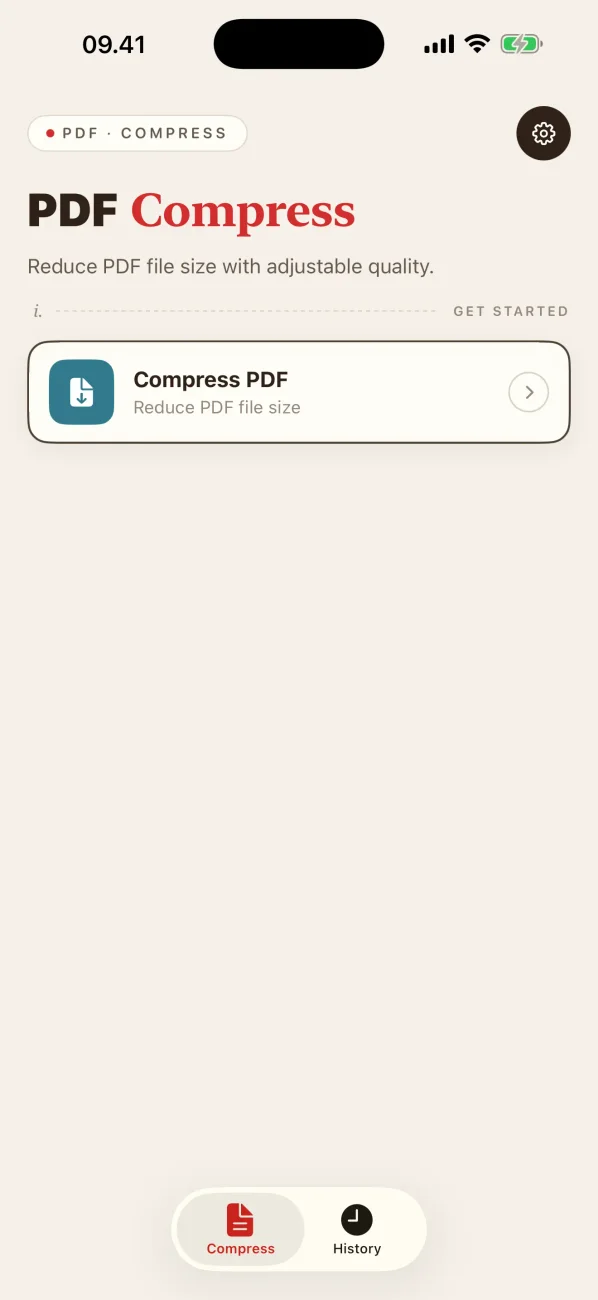
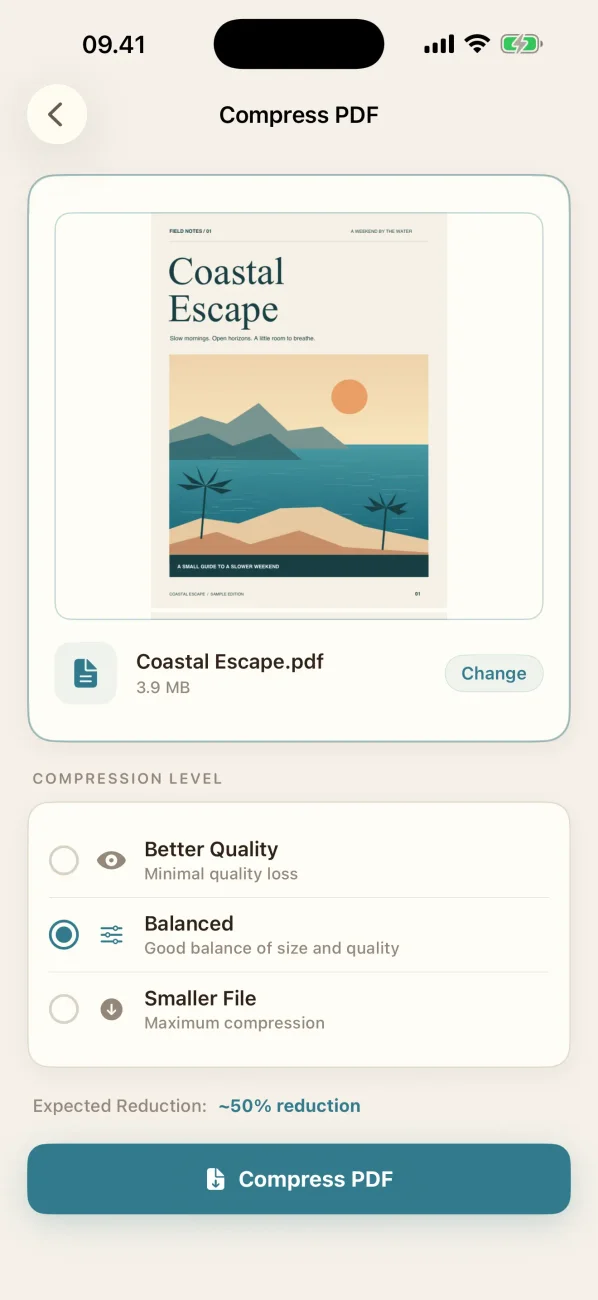
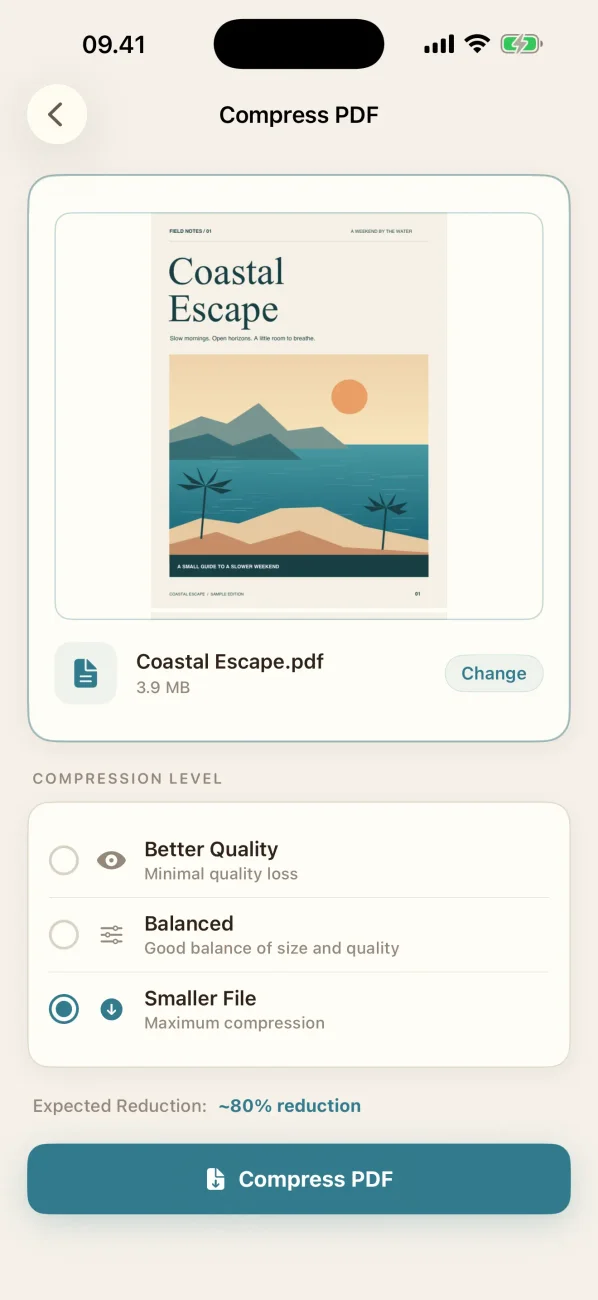
PDF Compressor helps you reduce PDF file size for sharing, uploading, and keeping smaller copies of your documents. Select a PDF, choose a compression level, and check the result before saving or sharing it.
Choose your compression level
Pick Better Quality, Balanced, or Smaller File to prioritize visual quality or a smaller output. The amount of reduction depends on the original document.
Check the result
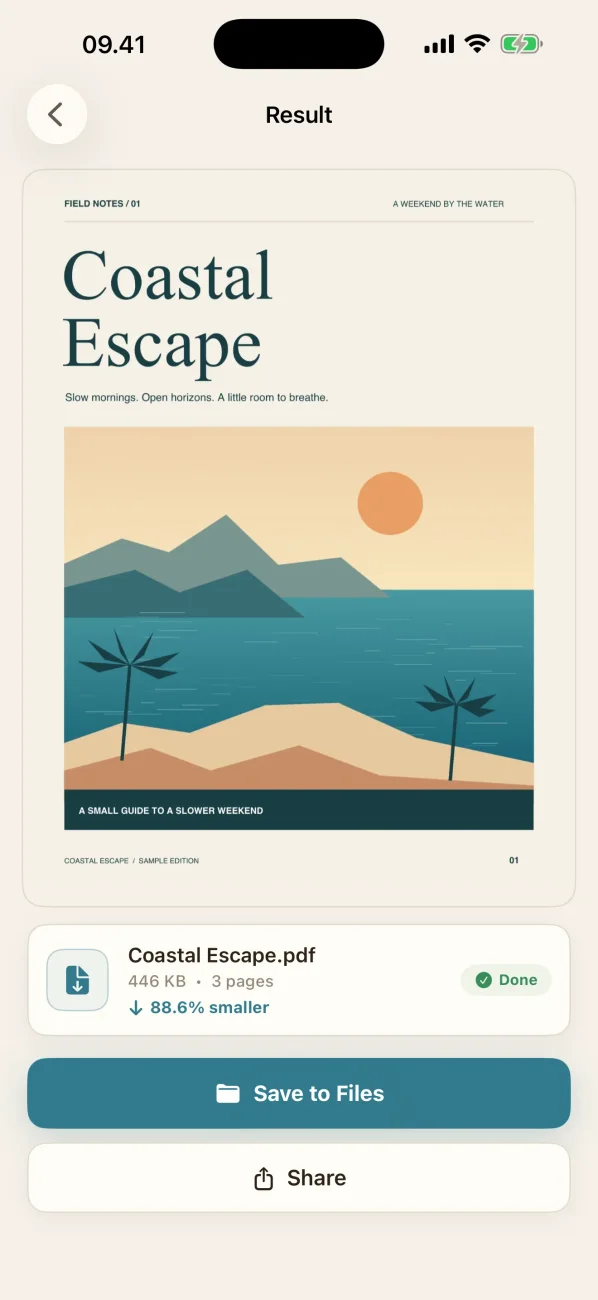
Preview your compressed PDF and see its file size, page count, and percentage reduction. Your original PDF stays unchanged, so you can review the compressed copy before using it.
Save, share, and find it again
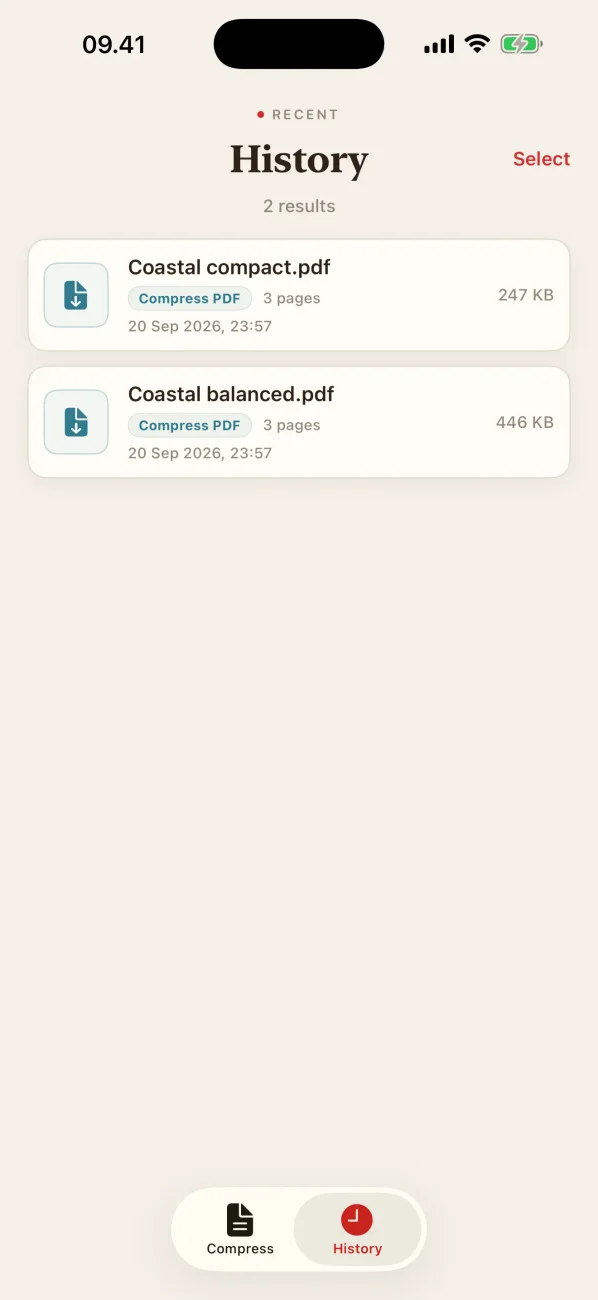
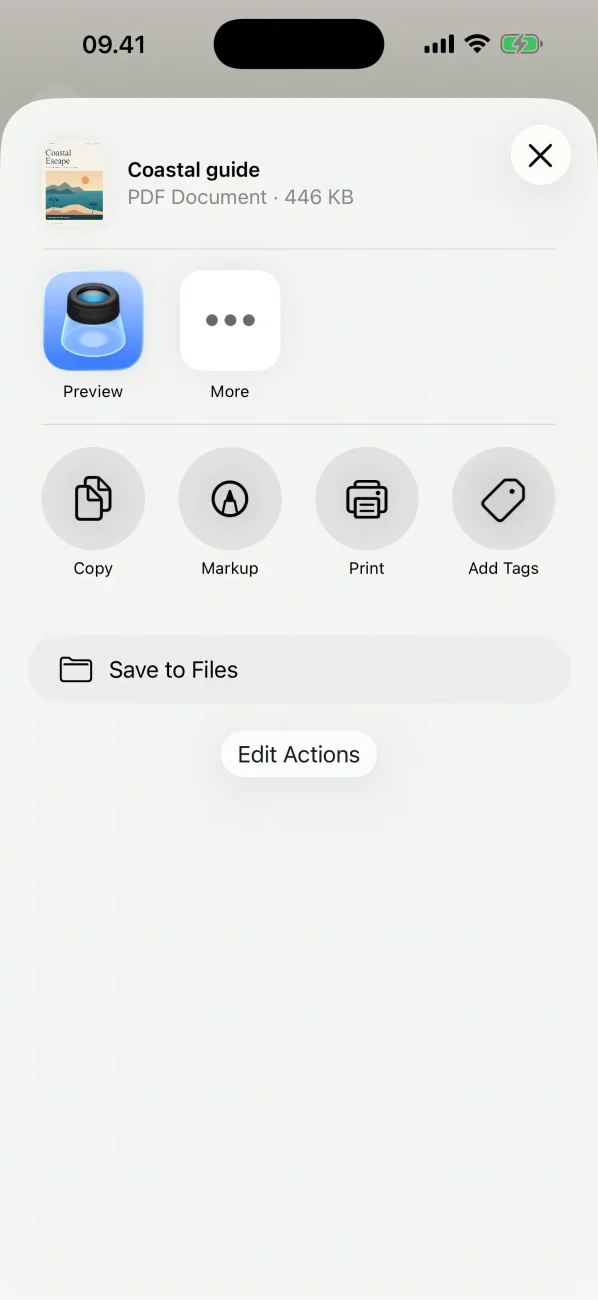
Save the result to Files or send it through the share sheet. Saved results remain available in History for previewing, sharing, renaming, or deleting later.
Process your PDFs locally
Compression runs locally without uploading your documents to a processing server. No app account is required.
Choose the access that fits your needs
Free access includes advertising and two successful compressions per day. Cancelled or failed attempts and results without a meaningful size reduction do not use your allowance. Previewing, saving, and sharing an existing result remain available without using another compression. Optional Pro access removes advertising and the daily compression limit. The same compression quality options are available with free and Pro access.
Before you compress
Compression converts each page into an image within the output PDF. Visual quality may decrease, and text in the compressed copy will no longer be selectable or searchable. Some PDFs may not become smaller, and a specific output size is not guaranteed.
PDF Compressor lets you use the app at no cost. However, premium access may be available as an optional in-app upgrade.
Privacy Policy: https://alderpathstudio.github.io/PDF-Compressor/privacy-policy.html
Terms of Use: https://alderpathstudio.github.io/PDF-Compressor/term-of-use.html
Có gì mới
Phiên bản 1.0.1 · 06/10/2026
Performance improvements
Quyền riêng tư của ứng dụng
Những gì Jeny Goentoro khai báo trên App Store về cách ứng dụng này xử lý dữ liệu.
-
Dữ liệu được sử dụng để theo dõi bạn
Có thể được sử dụng để theo dõi bạn trên các ứng dụng và trang web do công ty khác sở hữu.
- Mã định danh
-
Dữ liệu liên kết với bạn
Có thể được thu thập và liên kết với danh tính của bạn.
- Vị trí
- Mã định danh
- Dữ liệu sử dụng
-
Dữ liệu không liên kết với bạn
Có thể được thu thập nhưng không liên kết với danh tính của bạn.
- Chẩn đoán
Phương thức đảm bảo quyền riêng tư có thể khác nhau, chẳng hạn như tuỳ theo các tính năng bạn sử dụng hoặc độ tuổi của bạn.
Thông tin
- Người bán
- Jeny Goentoro
- Danh mục
- Hiệu Suất
- Phiên bản
- 1.0.1
- Cập nhật
- 06/10/2026
- Phát hành
- 30/09/2026
- Kích thước
- 7,4 MB
- Yêu cầu
- iOS 17.0 trở lên
- Độ tuổi
- 4+
- Giá
- Miễn phí
- Mua hàng trong ứng dụng
- Có
- Ngôn ngữ
- Tiếng Anh
- Bản quyền
- © 2026 Alderpath Studio
Có thể bạn cũng thích
-
 Nén Video & Đổi Định DạngGiảm dung lượng, sửa video
-
 Merge PDF - Combine PDFsHiệu Suất
-
 Udfyld: Fill & Sign PDF EditorHiệu Suất
-
 Minder: Focus EyesHiệu Suất
-
 Scan Sheets: QR & mã vạchVăn bản sang Excel, CSV
-
 PDF Opus: Scanner & Chỉnh sửaQuét tài liệu, ký tên PDF
-
 Quiet Translator: Phiên dịchDịch lời nói trực tiếp bằng AI
-
 Balane TextDeck: Phím tắtLối tắt, mẫu văn bản, sao chép
-
 PDF Redak: Edit, Sign & ScanHiệu Suất
-
 PDFz: Quét, Chỉnh Sửa & Ký PDFMáy Scan, Chuyển Đổi, Điền Mẫu