
- Age rating4+
- CategoryProductivity
- DeveloperSinisha Djukic
- LanguagesEnglish
- Size10.0 MB
Links to the official App Store page
Download.org hosts no file of OpenDeck. The button opens its official App Store page, published by Sinisha Djukic. Listing last checked on Nov 12, 2026.
Screenshots
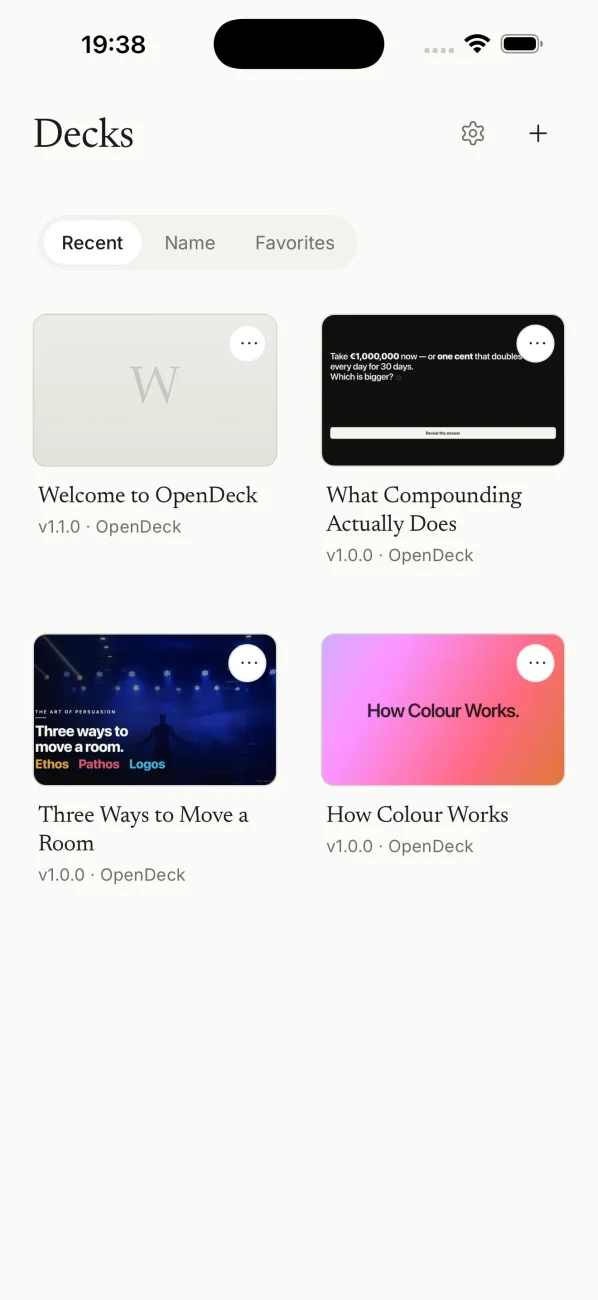
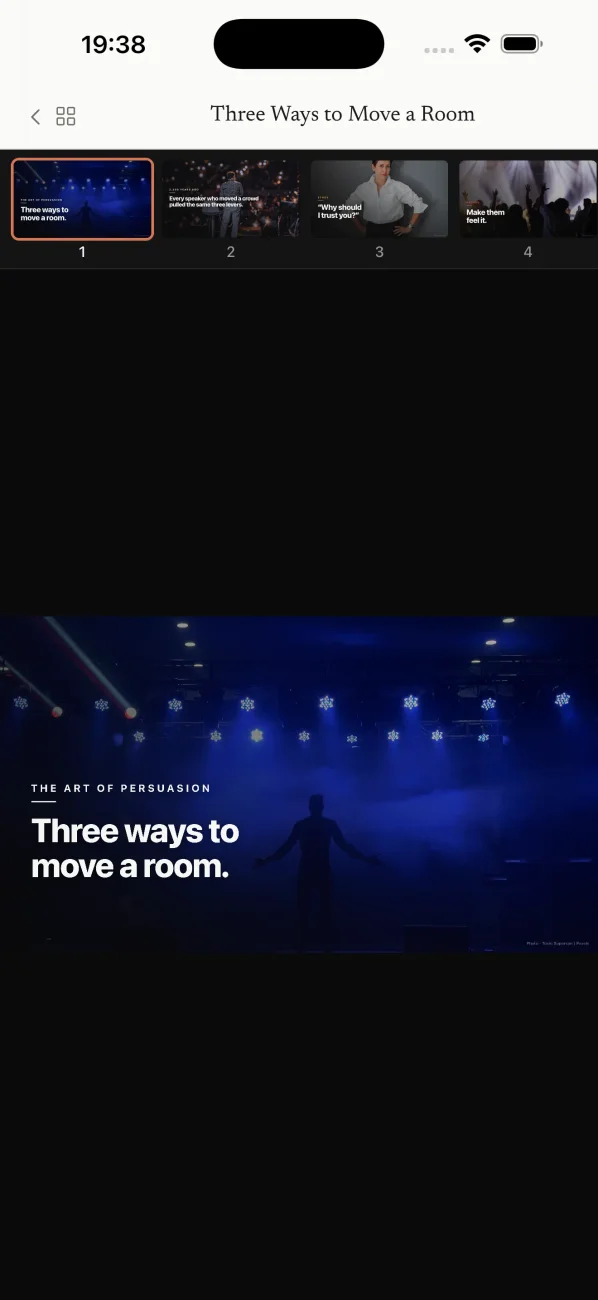
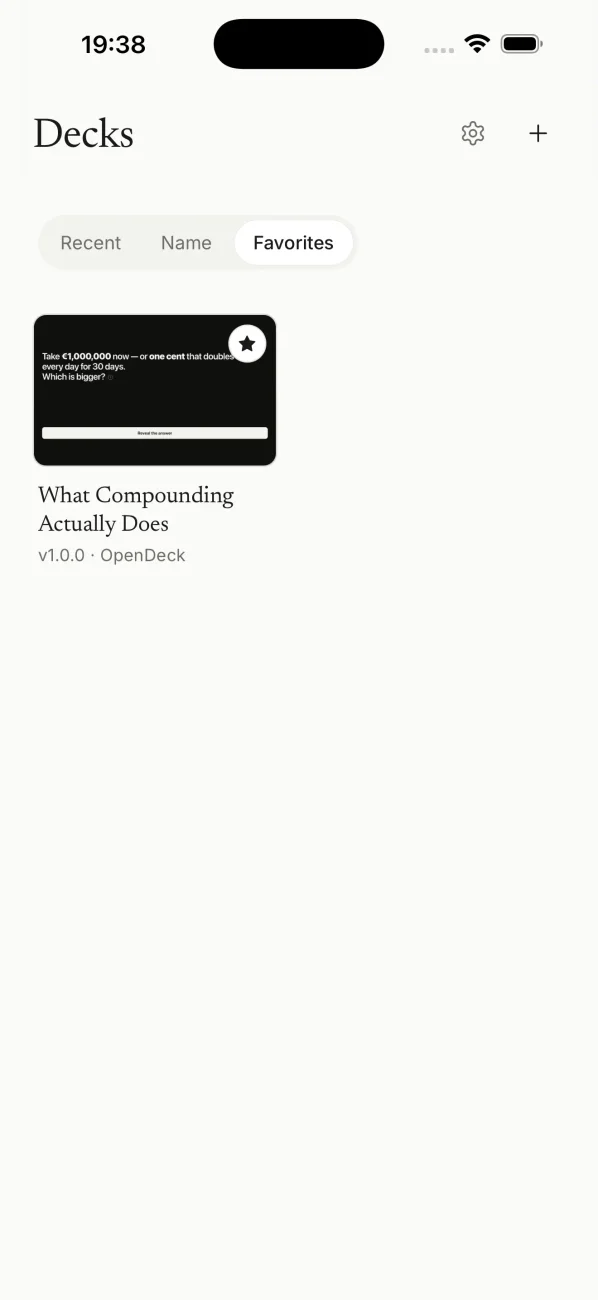

About
OpenDeck is a viewer for self-contained HTML *documents* ("decks"), analogous to a PDF reader or a web browser opening a local page. Decks are content the user explicitly imports (via Files, AirDrop, or the share sheet) — they are not code downloaded to change the app's own features, and the app ships no in-app store or remote-content fetch.
Each deck renders inside a sandboxed, cross-origin iframe served from an isolated origin (a custom deck:// scheme on iOS/macOS). The sandbox withholds top-level navigation, so a deck can never replace or reach the app shell or the native bridge. The app's functionality is fixed; decks cannot alter it. (Ref: Guideline 2.5.2.)
To test presenting: on first launch the app preloads a short "Welcome" deck plus three example decks (illustrative HTML presentations) — open any of them from the library and move through the slides by tapping the screen (iPhone/iPad), using the on-screen arrow controls or the thumbnail rail, or pressing the left/right arrow keys.
To test import: ready-made .deck files are downloadable from the "Examples" section of the home page at https://open-deck.org (smallest is "What Compounding Actually Does", 0.3 MB — direct link: https://open-deck.org/downloads/compounding.deck). Download one on the device, then open it via the system Share sheet → OpenDeck, or from the Files app — it is added to the library. Note: those three decks are also preloaded, and decks are content-addressed, so re-importing one simply refreshes it rather than duplicating; to watch a brand-new deck appear, first delete it from the library (••• → Delete) and then import the downloaded file. (AirDrop'ing any .deck to the device and choosing OpenDeck works too.)
The bundled example decks are first-party sample content; any photographs in them are licensed stock imagery (Pexels License, which permits commercial and in-app use).
The app collects no data and makes no network requests; everything is stored on-device.
App privacy
What Sinisha Djukic declares on the App Store about how this app handles data.
-
Data not collected
The developer does not collect any data from this app.
Privacy practices may vary, for example with the features you use or your age.
Information
- Seller
- Sinisha Djukic
- Category
- Productivity
- Version
- 1.0.0
- Updated
- Jun 30, 2026
- Released
- Jun 30, 2026
- Size
- 10.0 MB
- Requires
- iOS 15.0 or later
- Age rating
- 4+
- Languages
- English
- Copyright
- © Sinisha Djukic
You might also like
-
 Webly : HTML ViewerProductivity
-
 SumSlide — PPTX EditorEdit PPTX slides offline
-
 Neatbase: Personal DatabaseCollect and organize anything
-
 OpenNow - Markdown HTMLOpen now. Continue anytime.
-
 HLL Pdf ReaderSecure PDF Reader
-
 SocratusAI Second Brain for Your Notes
-
 Marp Slide: Markdown PPTCreate and Present on Mobile
-
 HTML Editor - Local FilesProductivity
-
 Anycap: Capture & BookmarksSave anything. Ask your AI.
-
 Simple Slide: Slide MakerCreate and Present with Ease