Epson Setting Assistant
Seiko Epson Corporation- EveryoneAge rating
- ProductivityCategory
- Aug 31, 2026Updated
- FreePrice
Links to the official Google Play listing of com.epson.projector.settingassistant. Last checked on Nov 27, 2026.

Screenshots
About this app
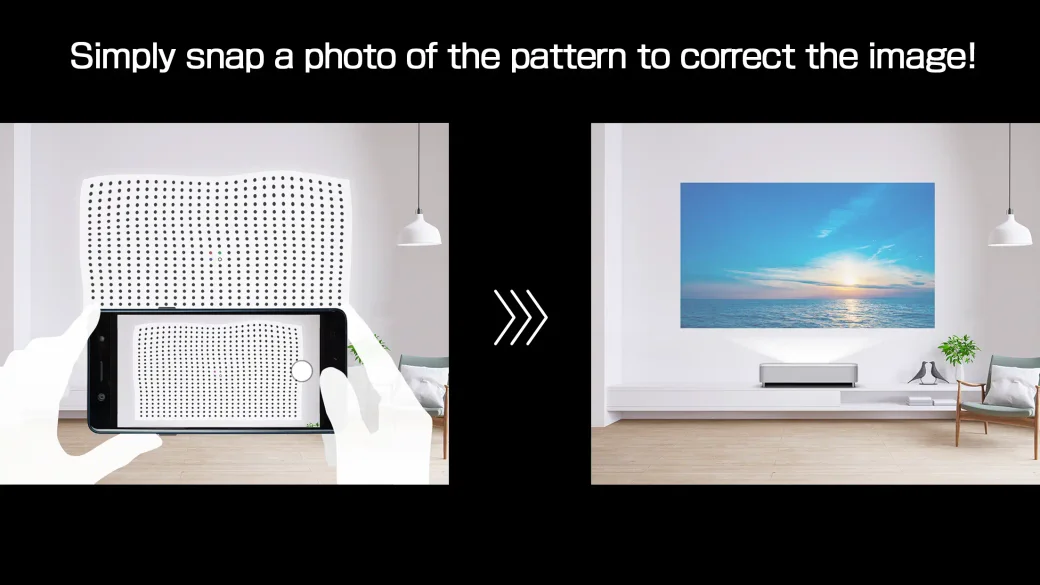
Correct the shape of a projected image by taking pictures with your camera.
Epson Setting Assistant is an app that automatically corrects the shape of a projected image by using your camera.
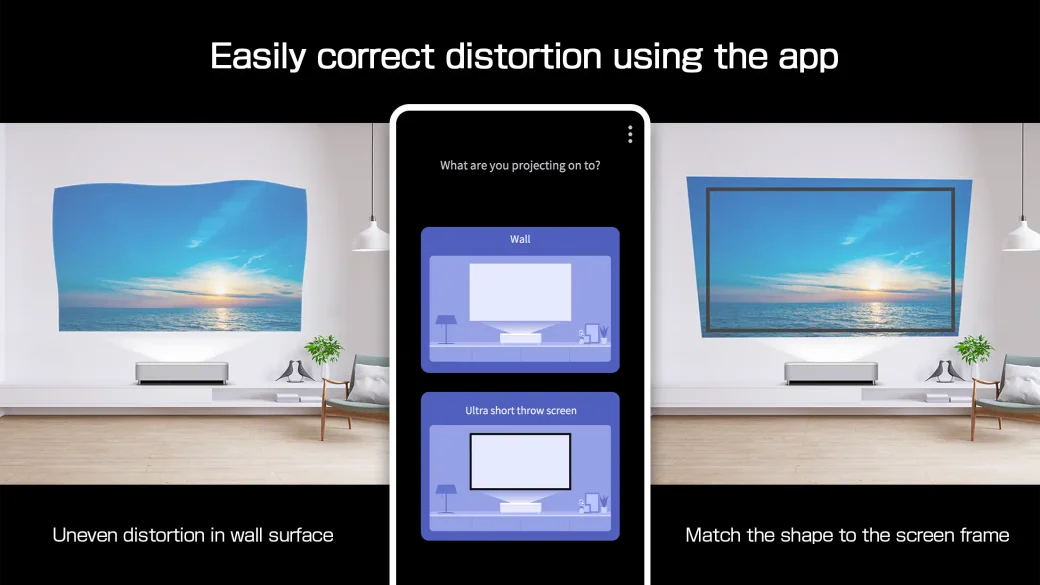
By taking a shot of the projected pattern, the app automatically corrects distortion in the projected image and adjusts its shape to match the screen.
[Main Features]
1) Shape correction
The app adjusts the image to a rectangular shape or aligns it with a frame, such as a projector screen.
2) Unevenness correction
The app detects small surface irregularities, such as on a wall, and corrects distortion in the projected image.
[For Home Projector (EH Series) Users: Using the App]
Make sure your Android device and the projector are connected to the same network.
1. Select [Installation] ([Installation] > [Geometry Correction Wizard]) from the projector's menu.
2. Open this app on your Android device and select [Home] as the projector type to automatically connect to the projector.
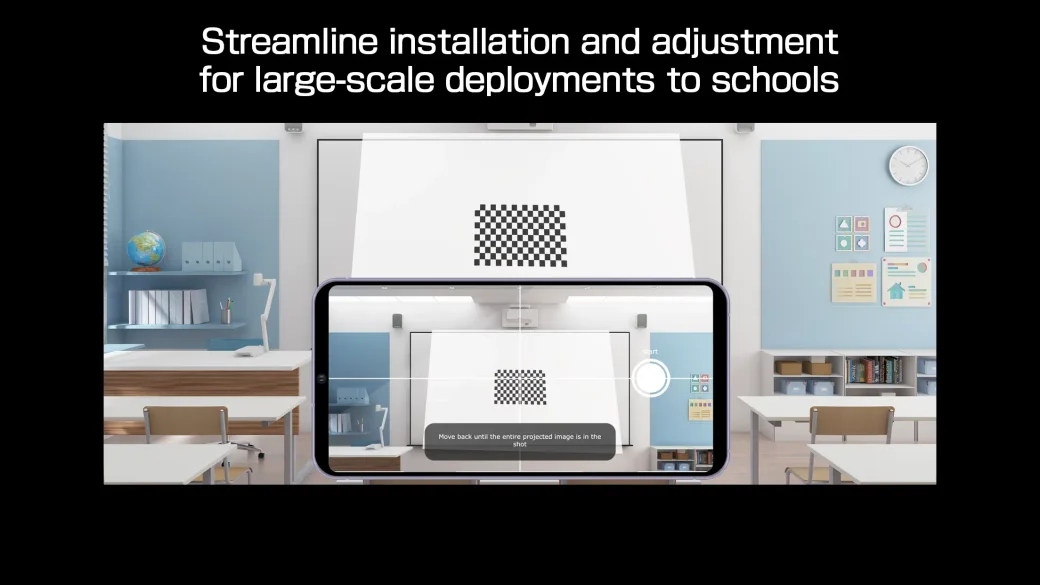
3. Follow the on-screen instructions to take a shot of the projected pattern using the camera in the app, and the corrections will be completed automatically.
[For Business Projector (EB Series) Users: Using the App]
Make sure the [Wireless LAN Power] setting is set to [On] in the projector‘s [Management] menu.
1. Select [Installation] > [Connect to Setting Assistant] from the projector's menu to project a QR code.
2. Open this app on your Android device, select [Business] as the projector's type, and then scan the QR code to automatically connect to the projector.
3. Follow the on-screen instructions to take a shot of the projected pattern using the camera in the app, and the corrections will be completed automatically.
[Supported Projectors]
Visit https://support.epson.net/projector_appinfo/setting_assistant/en/ for details.
Depending on your projector model, some features may not be available.
[Notes for use]
Depending on your environment, such as a curved projection surface or wallpaper with rough textures or patterns, automatic correction using the app may not be available. In these situations, please correct the image shape from the projector's menu.
Depending on your smartphone/tablet, the Wi-Fi settings may prevent you from temporarily connecting to the projector. Turn your Wi-Fi off and then on again and try again.
For detailed important points, visit https://download2.ebz.epson.net/sec_pubs_visual/apps/setting_assistant/230/EN/index.html.
You can also check these from the [Online support guide] in the menu at the top right of the app.
Images used here are for illustrative purposes only. The actual images may differ.
We welcome any feedback you have that could help us to improve this app. You can contact us through "Developer contact". Please note that we cannot reply to individual inquiries. For inquiries regarding personal information, please contact your regional branch described in the Privacy Statement.
[App Permissions]
To use the app, the following permissions are required.
[Required] Camera
For capturing correction patterns or QR codes for connection.
Data safety
What Seiko Epson Corporation declares on Google Play about the data this app collects and shares.
- No data shared with third partiesLearn more about how developers declare sharing
- This app may collect these data typesApp activity
- Data is encrypted in transit
- Data can’t be deleted
What’s new
Version 2.3.0 · Aug 31, 2026
Added supported projectors
Developer contact
- Websiteepson.com
- EmailFeedback-AndroidAppsPj@exc.epson.co.jp
- Privacy policyglobal.epson.com
- Address日本 〒160-0022 東京都SHINJUKU-KU 4-1-6, SHINJUKU JR SHINJUKU MIRAI TOWER 29F
Information
- Offered by
- Seiko Epson Corporation
- Category
- Productivity
- Version
- 2.3.0
- Updated
- Aug 31, 2026
- Released
- Aug 26, 2022
- Requires
- Android 12 or later
- Age rating
- Everyone
- Price
- Free
- Package name
- com.epson.projector.settingassistant
Similar apps
-
 Sonar - Health & Performance
Health & Fitness
-
 Print Master
Tools
-
 Phomemo
Tools
-
 CuboAi Smart Baby Monitor
Parenting
-
 Dzees Home
Tools
-
 Princh
Productivity
-
 Airthings
House & Home
-
 Aqara Home
House & Home
-
 CloudEdge
Lifestyle
-
 VicoHome: Smart Home Camera
Video Players & Editors
-
 Aaptiv: Fitness for Everyone
Health & Fitness
-
 Aeromatic: AeroPress Recipes
Food & Drink